
Quick Summary
You can purchase packaging materials through Shop & Rewards > Redeem & Shop in your EasyParcel account. Select your items, enter your shipping details, and complete the transaction using EasyParcel Credits. To check on your order, go to Shop & Rewards > Order History.
We'll Cover:
How to buy packaging materials from the EasyParcel Shop
Visit the EasyParcel Shop to browse available packaging materials. Click on the item you need and add it to your cart.
Select the quantity you need and click Buy Now. Fill in your details as requested and click Place Order Now to complete your order.
How to buy packaging materials from my EasyParcel account
Step 1: Go to Shop & Rewards on the side menu and click Redeem & Shop.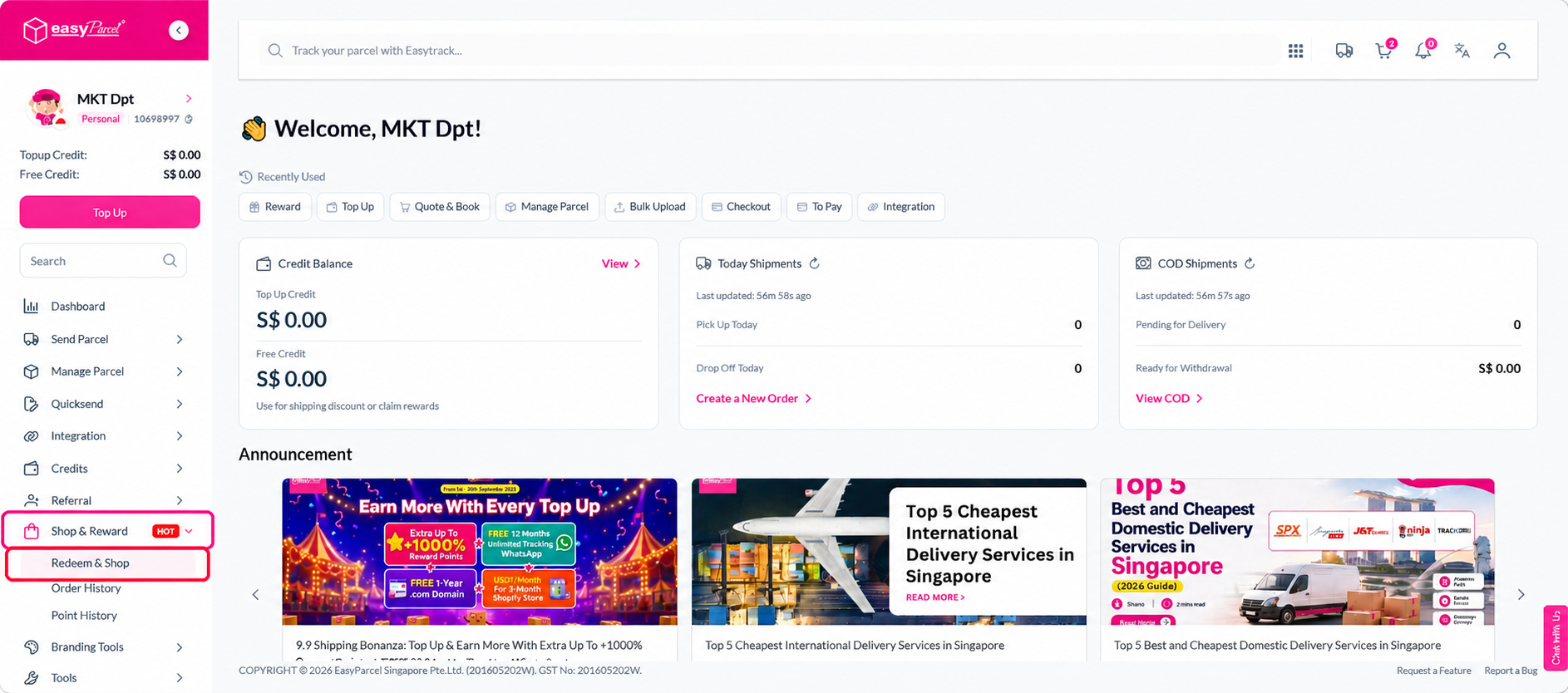
Step 2: Select the packaging material you want to buy.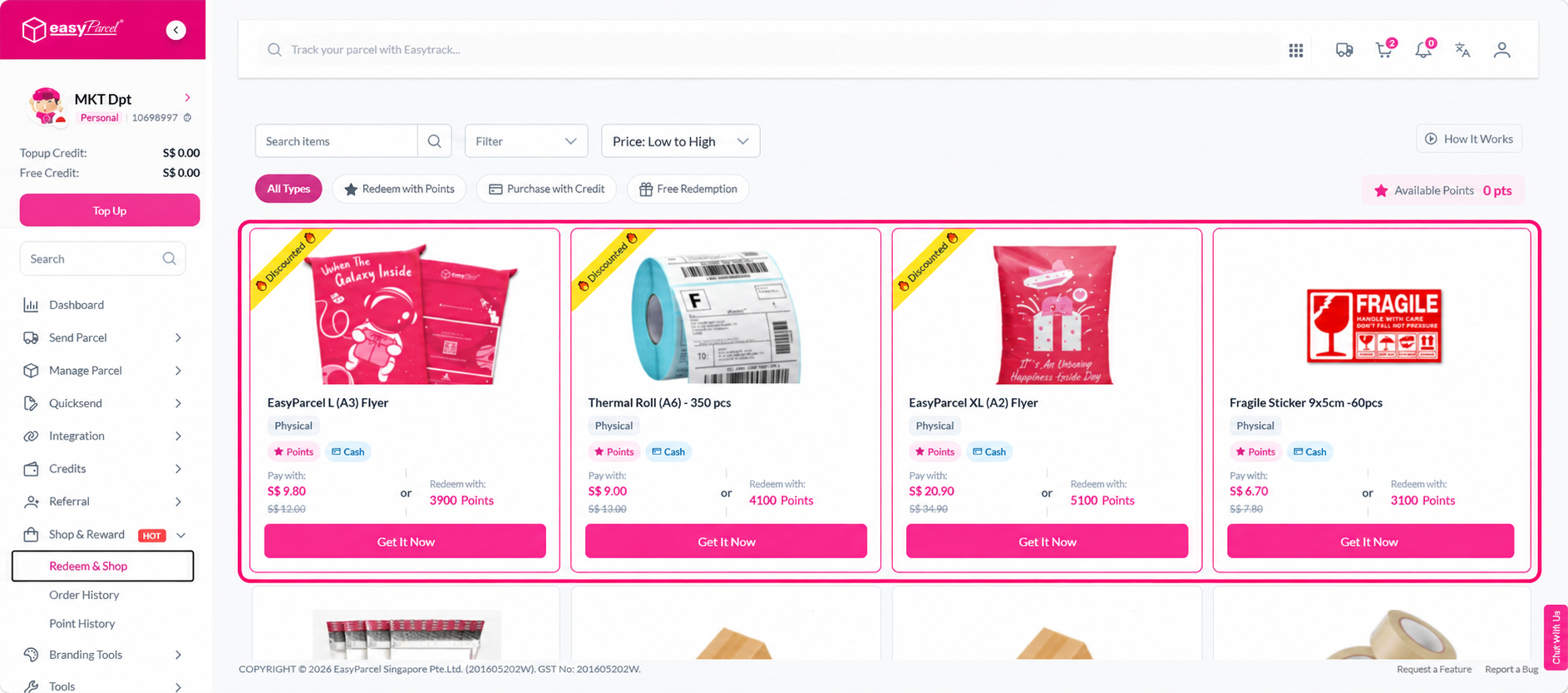
Step 3: Enter the quantity needed and click Buy Now.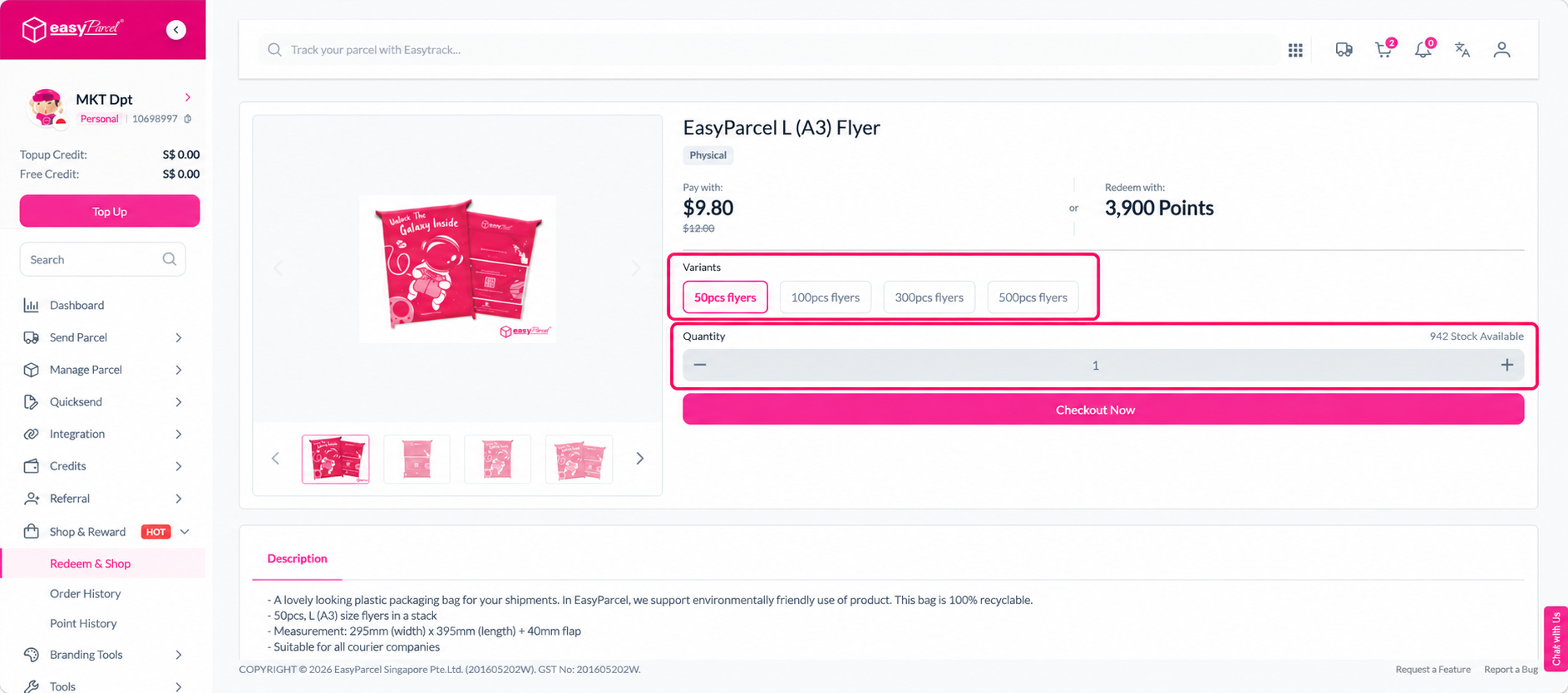
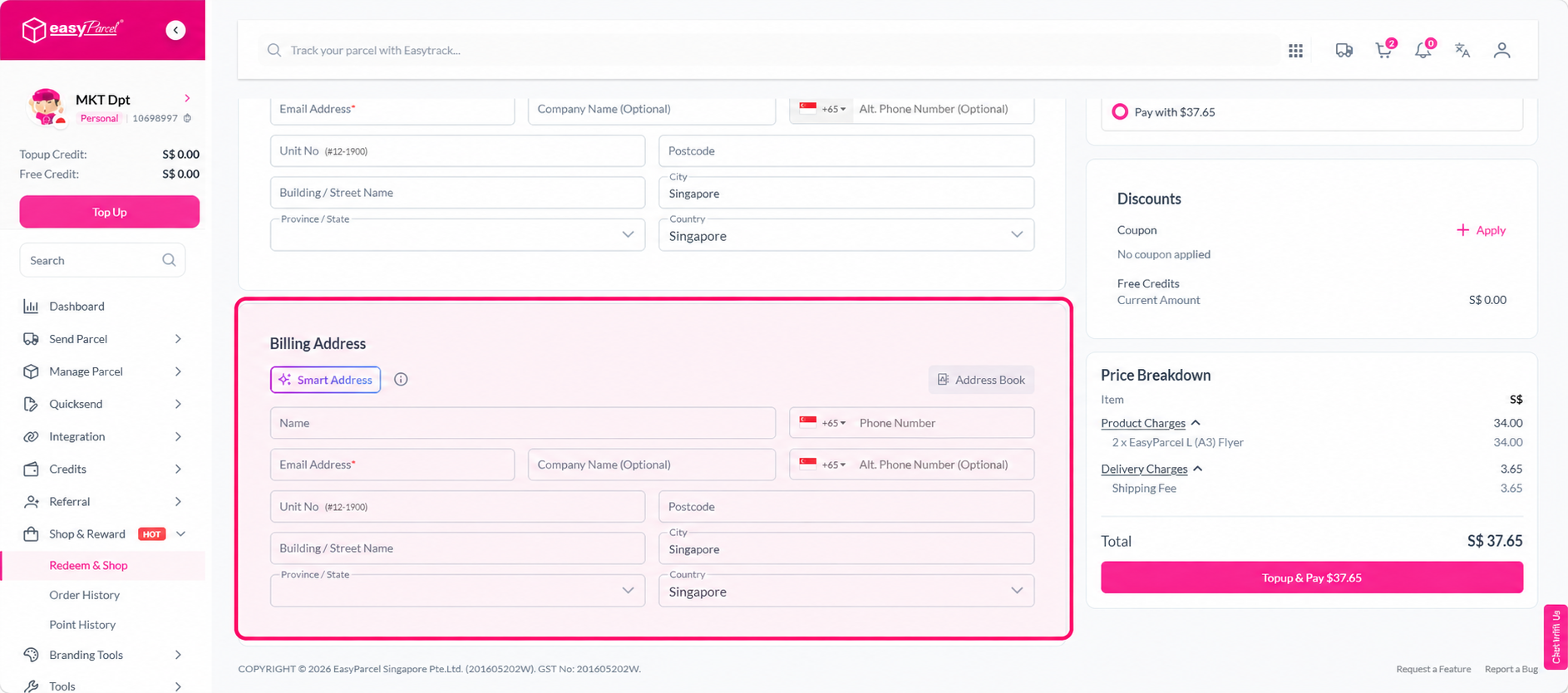
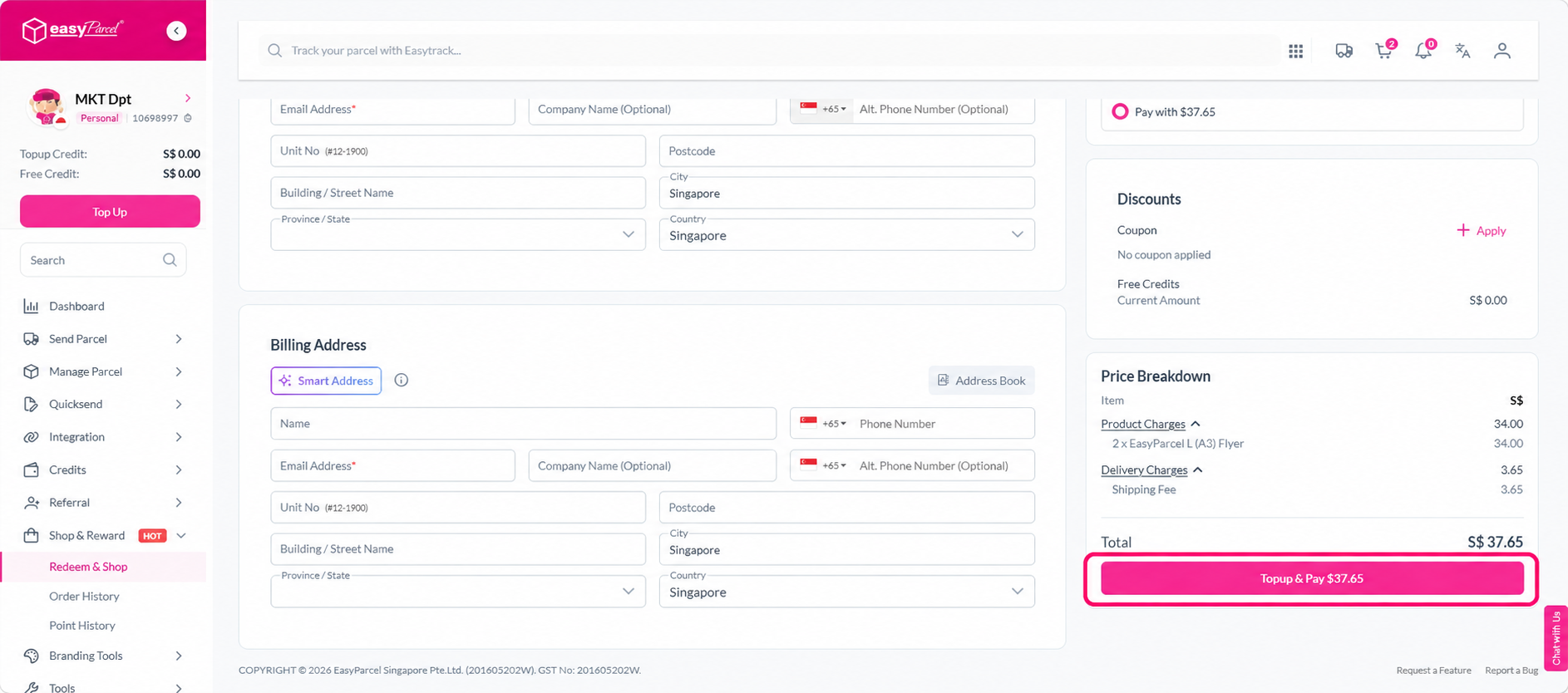
Step 4: Fill in your shipping details and click Pay With Credits to complete the transaction.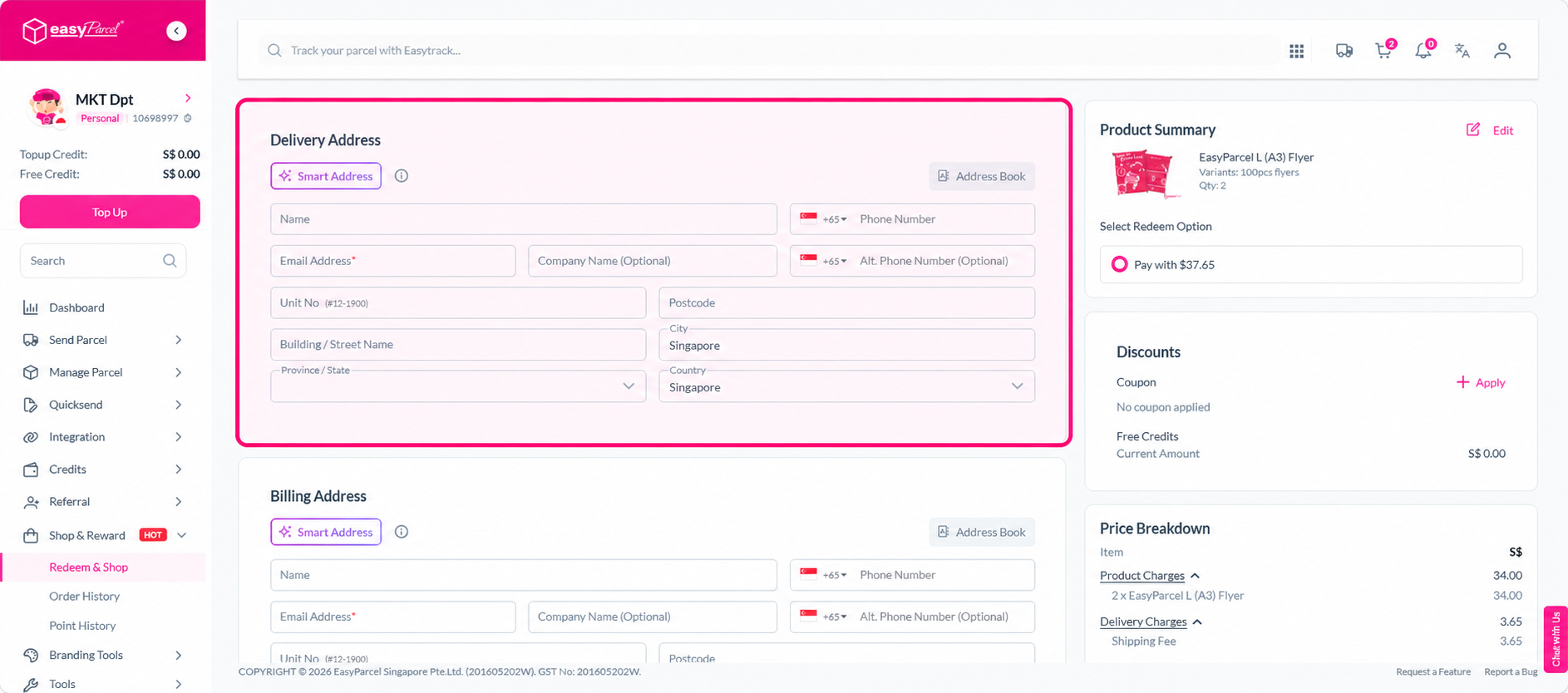
How to check my packaging material order status
Go to Shop & Rewards and click Order History to view your orders along with their current status and tracking numbers.
Not sure what packaging materials you need? Check out our guide on what packaging materials you need before packing.