
Quick Summary
After completing a qualifying top-up, you can manually redeem your eligible free packaging materials through Shop & Rewards > Redeem & Shop. The available free redemption items will be displayed based on your top-up package. Select the eligible packaging material, enter your delivery and billing addresses, and complete the redemption. Free packaging materials are not automatically shipped after you top up.
We'll Cover:
What packaging materials can I redeem?
The available packaging materials may vary depending on your eligible top-up package. Currently, the free packaging material benefit is Polymailers, with quantities based on your top-up package:
| Top-Up Package | Free Polymailer |
| EP300 | 50 pcs |
| EP500 | 50 pcs |
| EP1,000 | 100 pcs |
| EP2,000 | 200 pcs |
| EP3,000 | 300 pcs |
| EP5,000 | 500 pcs |
| EP10,000 | 1,000 pcs |
| EP20,000 | 2,000 pcs |
| EP30,000 | 3,000 pcs |
Your eligible free redemption item will be displayed in Redeem & Shop after you complete the qualifying top-up.
How are packaging materials delivered?
Once your redemption has been successfully submitted and processed, the packaging materials will be delivered to the address provided during redemption.
A delivery fee may apply depending on the redemption method and the packaging material selected. The applicable fee or Reward Points required will be shown during the redemption process.
How to redeem free packaging materials?
After completing your qualifying top-up, follow these steps to redeem your free packaging materials:
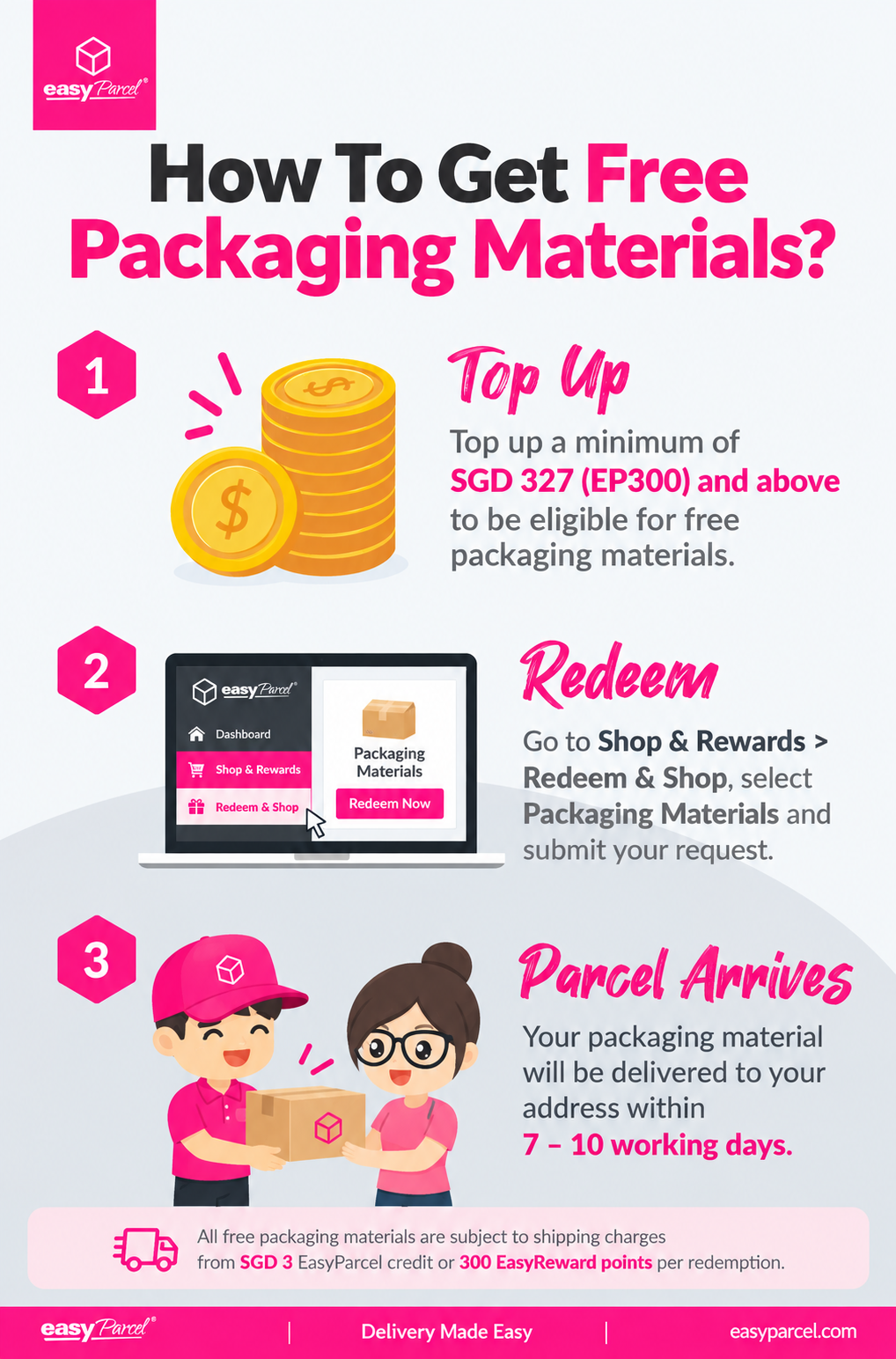
Step 1: Go to Shop & Rewards from your EasyParcel dashboard and select Redeem & Shop.
Step 2: Look for the free redemption item shown in the redemption section and select it.
Step 3: Select the eligible packaging material you want to redeem.
Step 4: Enter your delivery address and billing address.
Step 5: Review your redemption details and complete the redemption using the available redemption option.
Note:
- When redeeming, you can choose to pay the delivery fee using EasyParcel Credits or EasyParcel Reward Points. Select your preferred option in the pop-up after submitting the request.
- Each redemption is processed individually per top-up and cannot be combined with other redemptions.
- Free packaging materials must be redeemed manually. They will not be shipped automatically after your top-up.
What does each status mean in redeeming packaging materials?
There are 3 statuses in total:
- Unclaimed — Your eligible free packaging material is available for redemption. You need to submit the redemption request manually. Make sure to redeem within the applicable redemption period shown in your account.
- Requested — Your redemption request has been submitted and is being processed.
- Shipment Arranged — Your packaging material has been processed for delivery and will be shipped to the provided address. Click Track Request to track your delivery status.
Can I change my packaging material or delivery address?
If you need to change your selected packaging material or delivery address after submitting a redemption request, check whether the Cancel option is still available for the request.
If the Cancel option is available, cancel the existing request first before submitting a new redemption request.
Note: Any applicable delivery fee paid using EasyParcel Credits or Reward Points will be refunded to your account upon cancellation. Once the redemption has progressed beyond the cancellation stage, changes may no longer be available.