Quick Summary
To process your Shopify orders, go to Integrations > Your Store in your EasyParcel account. Locate your integrated store and click "Import" to sync all unpaid, unfulfilled orders. Once the sync is complete, select your desired shipments and click "Add to Cart" to proceed with payment and courier booking. This method ensures your Singapore store's orders are processed efficiently within the EasyParcel dashboard.
Step 1: Under "EasyConnect", click on "Installed Ecommerce Apps", find "Shopify Import" and click on "Open App" button. Click on "Order", select the order date and order status and click on the "Search" button. The order will be imported and shown in the list below. Then, click the "Fulfill" button on the order you want to fulfill.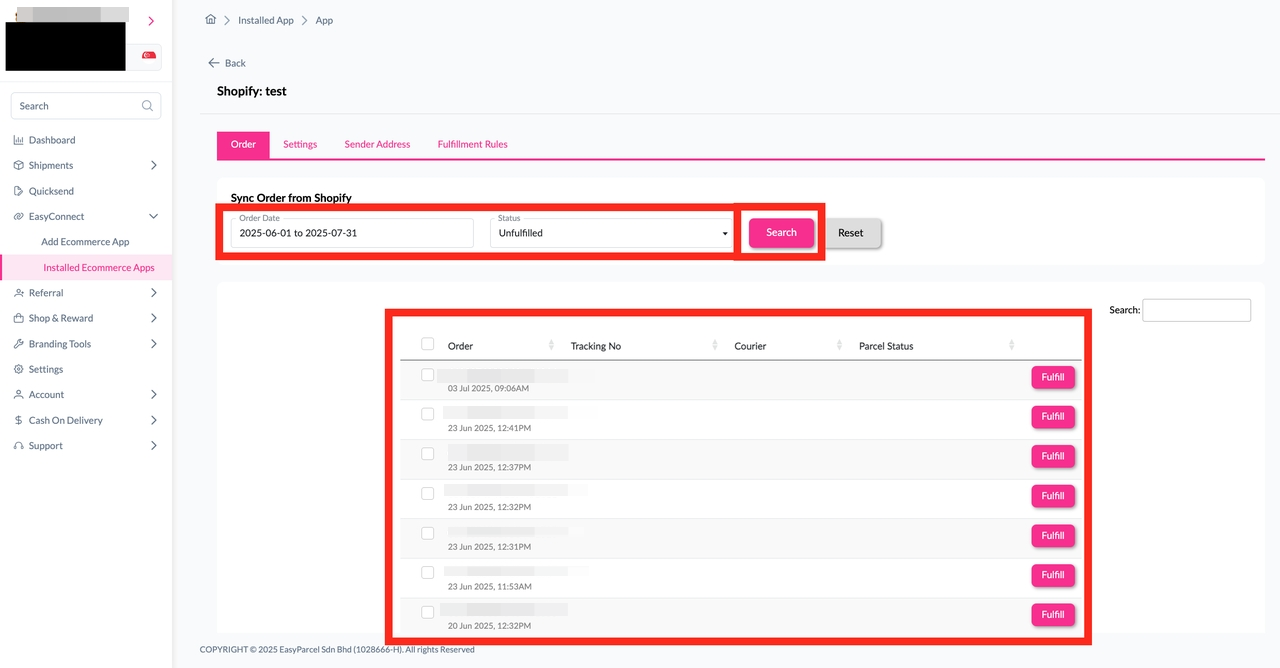
Step 2: After clicking the "Fulfill" button, you can find your order details and click on the "Get Quote" button. 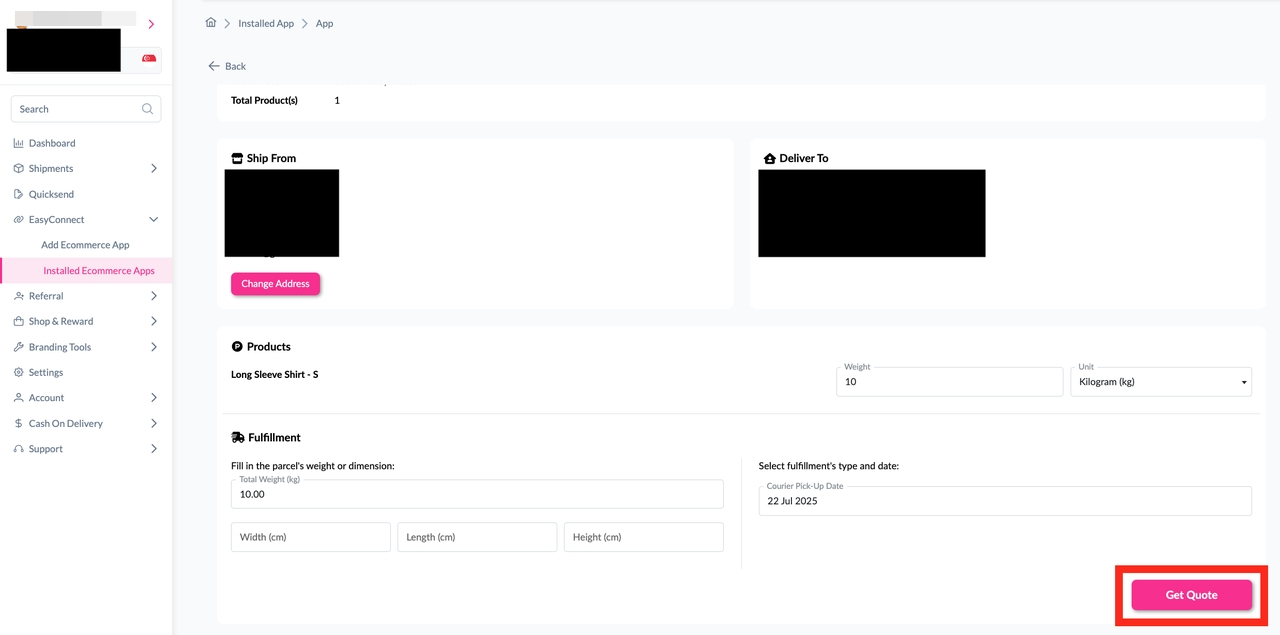
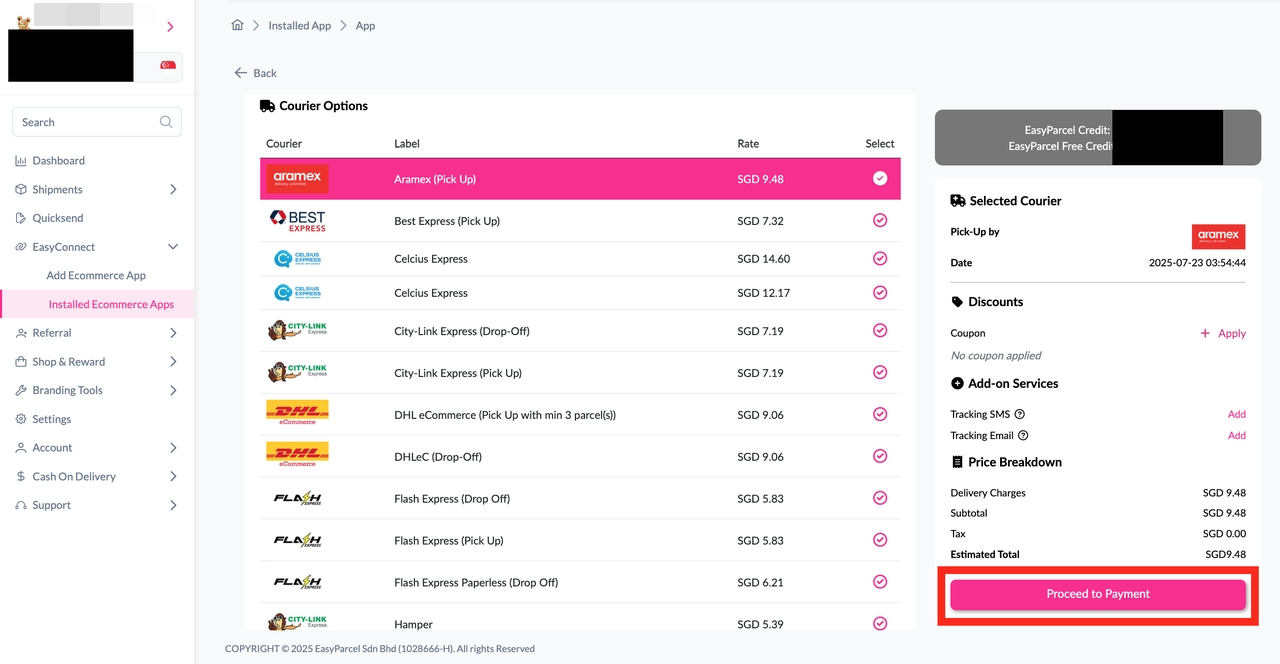
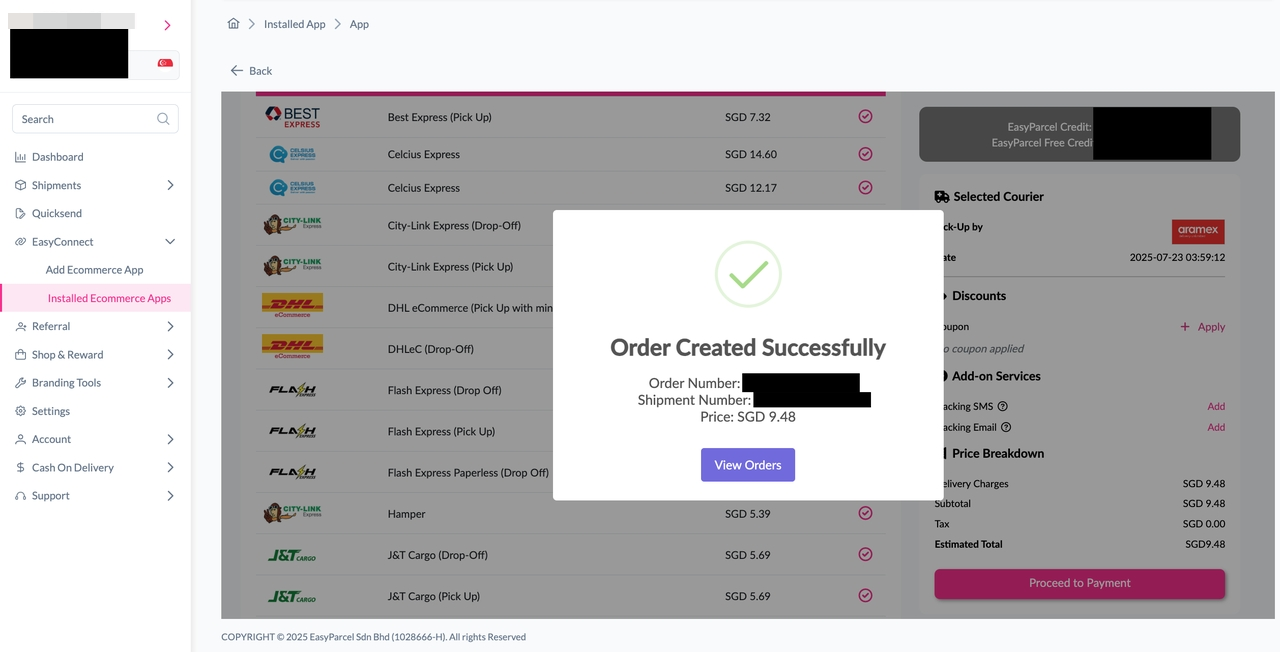
Step 3: Choose the preferred courier option and click on the "Proceed to Payment" button.
Step 4: The order status, order number, shipment number, and price will be displayed. Click on the "View Orders" button.
Step 5: The fulfilled order will now be displayed on the Order Page.
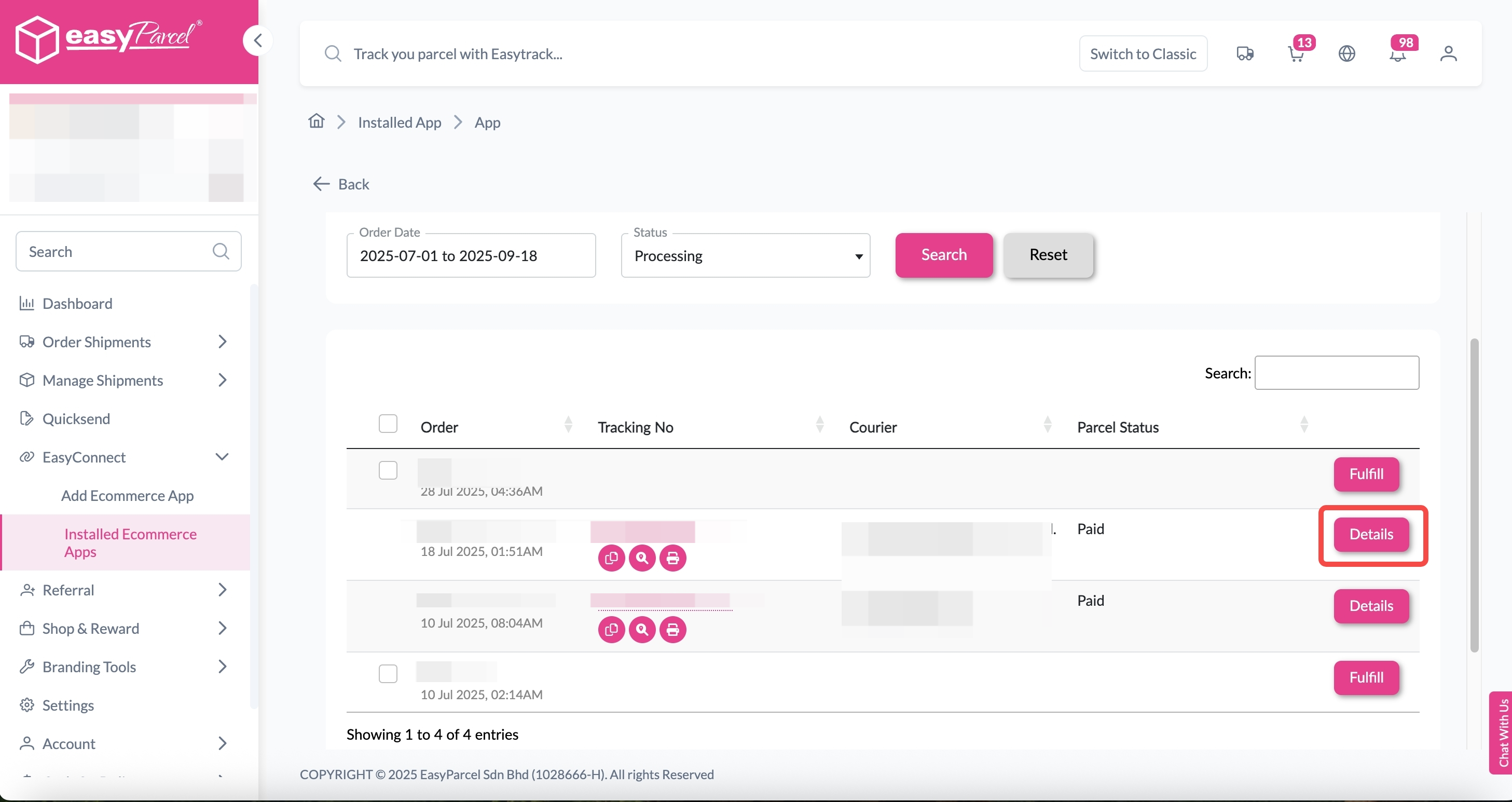
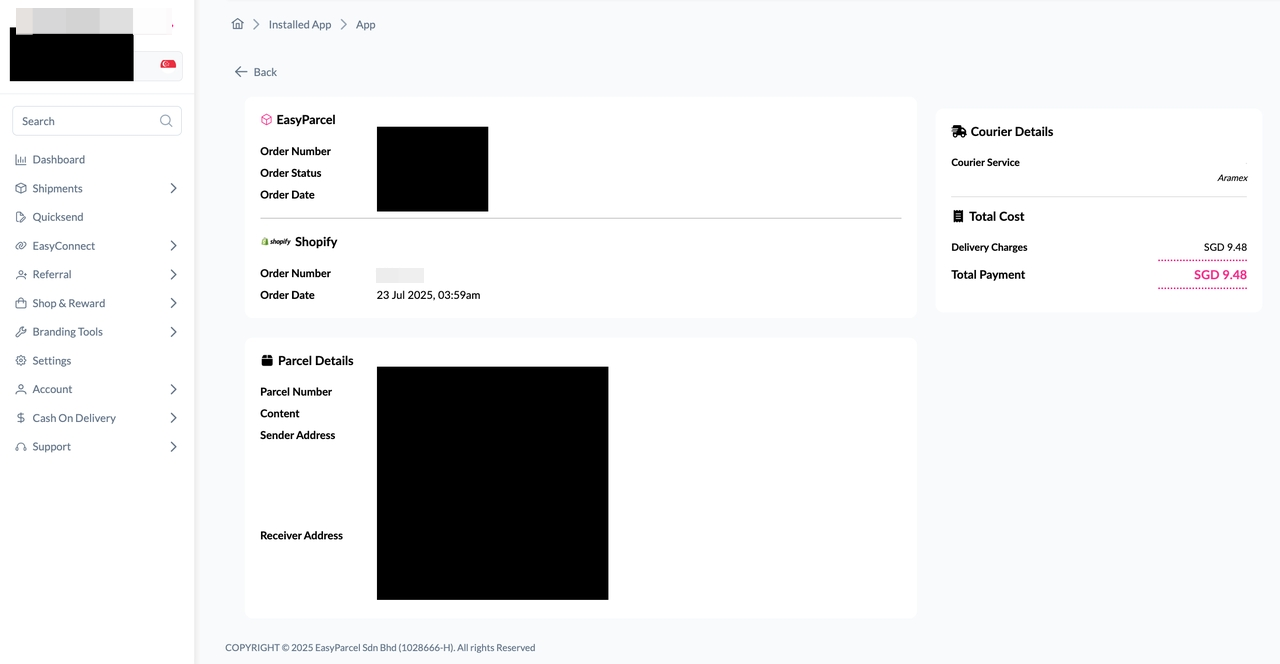
Step 6: Click on the "Details" button. Order details will be displayed on the page.