
Quick Summary
Analytics shows your Business report, Team analytics and EasyTrack Branding results. Open them from Analytics in the left menu. The Business report appears once you have sent 30 parcels in 90 days.
We'll Cover:
The analytics pages
- Overview: the cards below in one page
- Business report: a summary of how you ship, after 30 parcels in 90 days. See What is Analytics and the Business report?
- Team analytics: team spend, parcels booked, projected month end and adjustments. See How do I set a budget cap and track my team's spending?
- EasyTrack Branding: page views and banner clicks on your branded tracking page
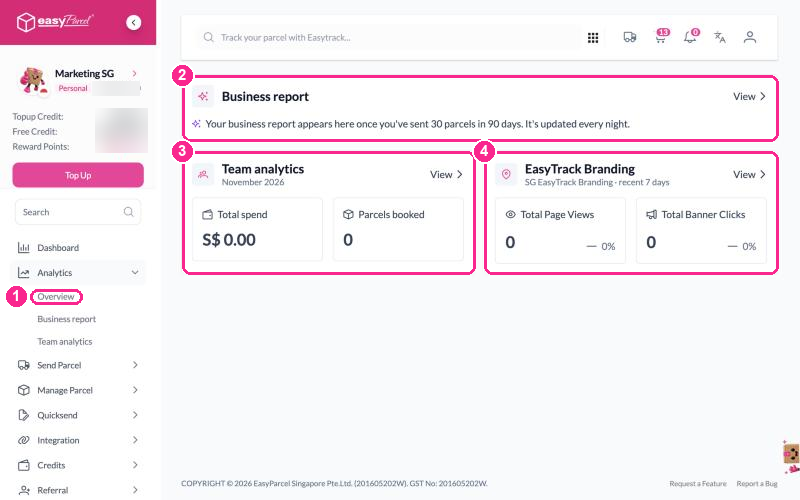
Click Analytics > Overview (1). The page shows Business report (2), Team analytics (3) and EasyTrack Branding (4). Click View to open each one.
In the app
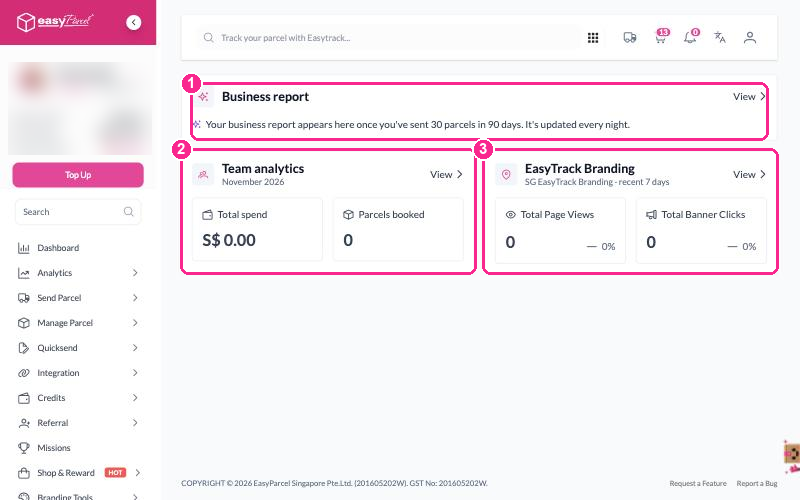
Click Analytics in the left menu. You see your Business report (1), Team analytics (2) and EasyTrack Branding stats (3). Click View on a card for details.
Where to find it?
Click Analytics in the left menu, then View on the Business report card (1).
When does it appear?
Your report appears once you have sent 30 parcels in 90 days. It is updated every night.
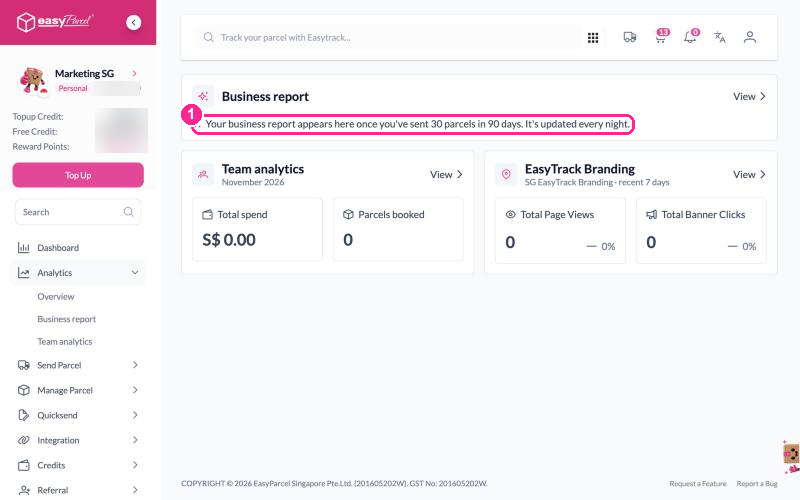
Until then, the page says Your business report appears here once you've sent 30 parcels in 90 days (1).
What does it show?
The page also shows which EasyParcel features you use, such as Quicksend, WhatsApp Blaster, AI Agent, Integration, Bulk Upload, tracking notifications, branding and COD, with tips to try the ones you have not used yet.
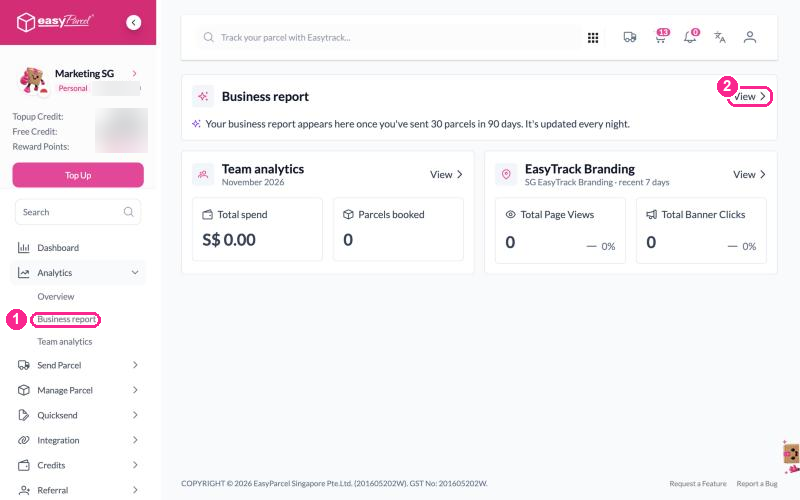
Open it from Analytics > Business report (1), or click View (2) on the Business report card.
What's next?
Still need help?
Our team is happy to help. ? Live Chat | ✉️ Contact Us