
Quick Summary
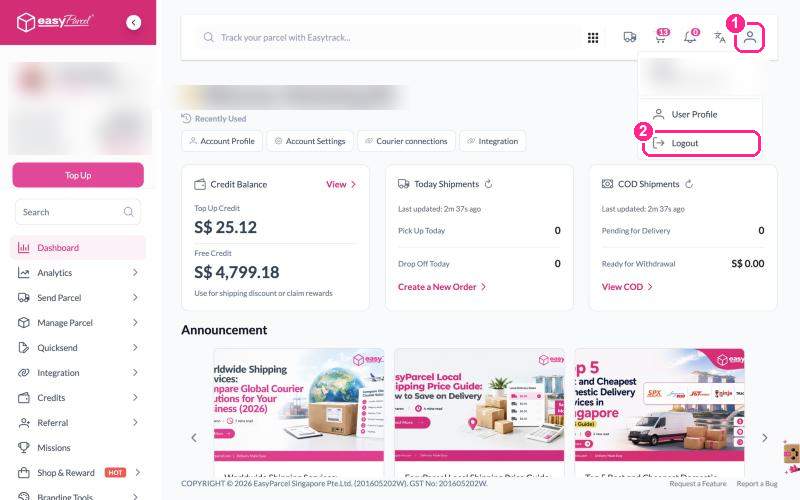
Click the profile icon at the top right, then click Log out.
We'll Cover:
Steps
- Click the profile icon at the top right (1).
- Click Logout (2).
Good to know
- Always log out on shared or public computers.
- Lost a device or forgot to log out somewhere? See How do I see and sign out of devices on my account?
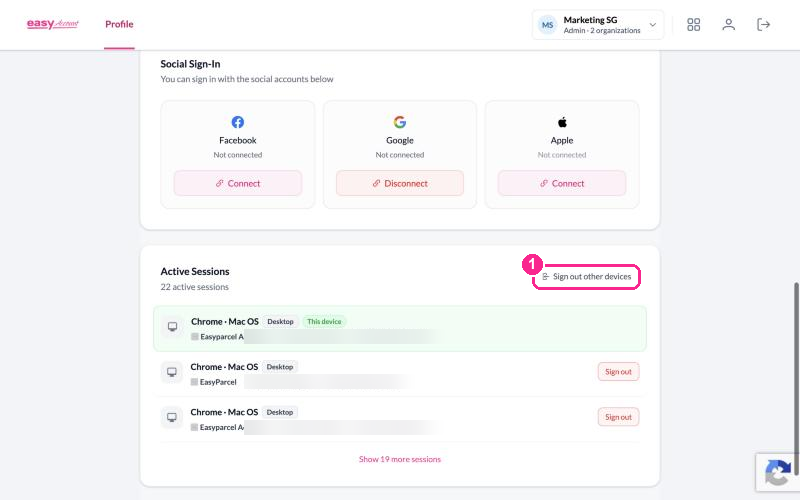
In Active Sessions, click Sign out other devices (1).
What's next?
Still need help?
Our team is happy to help. ? Live Chat | ✉️ Contact Us