
Quick Summary
Add a WooCommerce shipping zone, then add EasyParcel Shipping as its shipping method.
We'll Cover:
- Steps
- Tip
Steps
- Go to WooCommerce > Settings > Shipping.
- Click Add zone. To change a zone you already have, click Edit next to it.
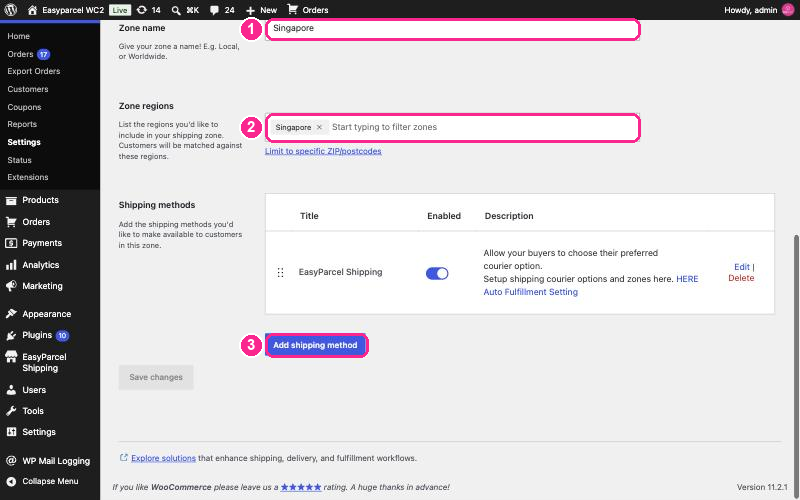
- Enter a Zone name and choose the Zone regions.
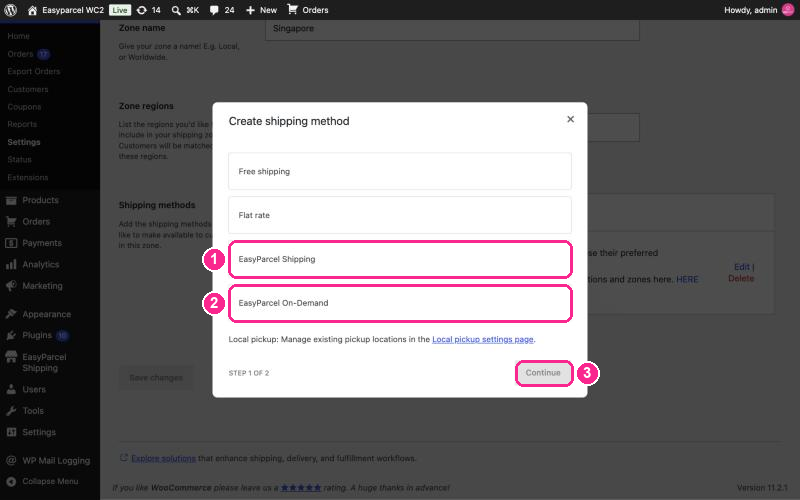
- Click Add shipping method, choose EasyParcel Shipping and click Continue.
- Make sure the method is switched on (Enabled), then click Save changes.
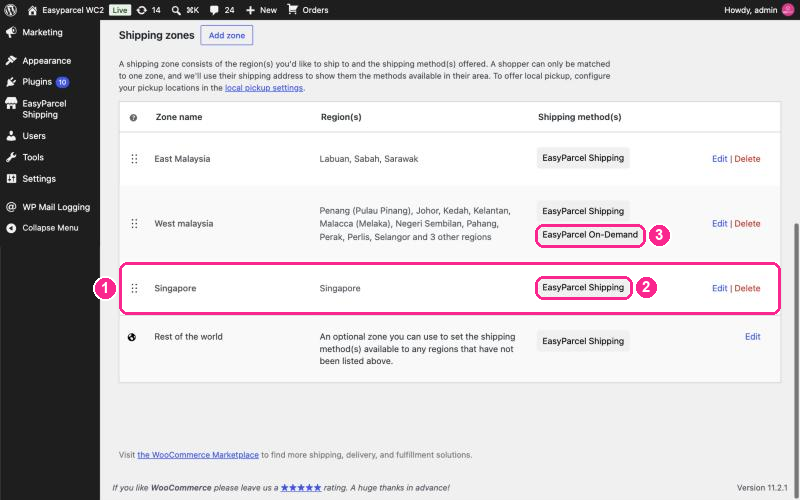
Your zones are listed with their shipping methods. This Singapore zone (1) uses EasyParcel Shipping (2). The West Malaysia zone also has EasyParcel On-Demand (3).
Enter the Zone name (1) and Zone regions (2), then click Add shipping method (3).
Choose EasyParcel Shipping (1) for normal couriers or EasyParcel On-Demand (2) for same-day delivery, then click Continue (3).
Tip
- A customer matches only one zone, based on their shipping address. Use separate zones for different areas, for example Singapore and Malaysia.
- The EasyParcel Shipping method points you to EasyParcel Courier Setting to choose couriers and prices for the zone. See How do I set the couriers shown at WooCommerce checkout?.
- For same-day delivery, see How do I use On-Demand delivery from WooCommerce?.
What's next?
Still need help?
Our team is happy to help. ? Live Chat | ✉️ Contact Us