
Quick Summary
Compare Rates shows each courier's rate at every top-up level, so you can see how much you save before you top up.
We'll Cover:
Open Compare Rates
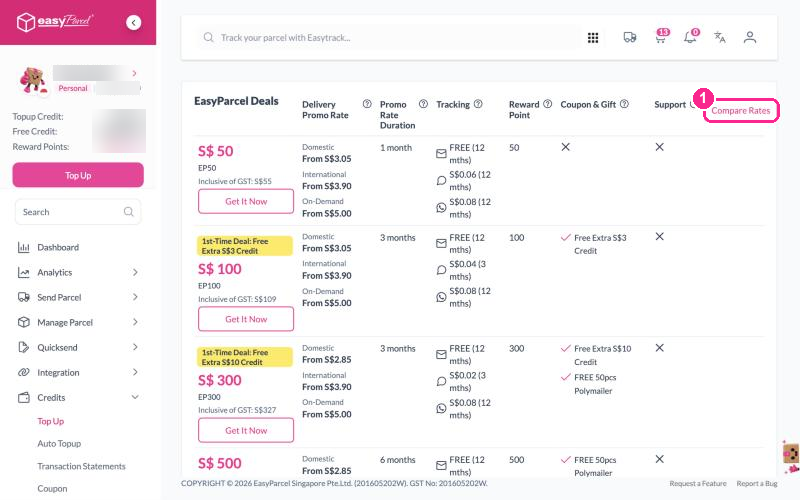
Go to Top Up and click Compare Rates under EasyParcel Deals.
Click Compare Rates (1) under EasyParcel Deals.
Read the table
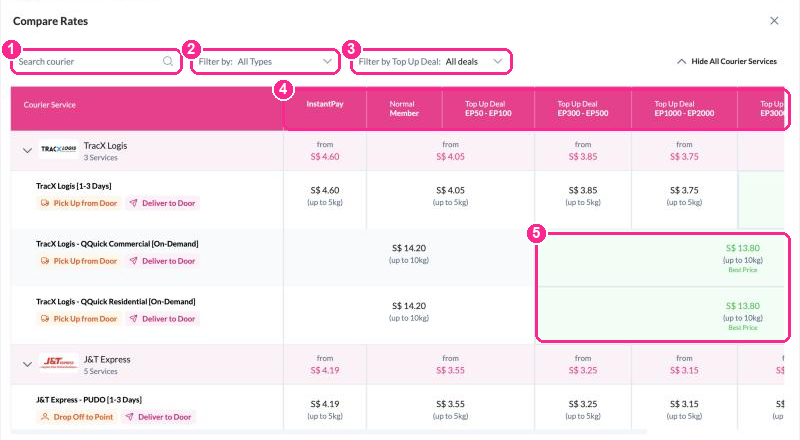
- Search a courier (1), filter by service type (2) or by top-up deal (3).
- The columns (4) show the rate for InstantPay, Normal Member and each top-up level, such as EP50 to EP100 or EP1000 to EP2000.
- Best Price (5) marks the lowest rate for that service.
Other things to compare
On the Top Up page, each deal also shows the promo rate duration, free tracking messages, reward points, support and free gifts. See What are top-up deals and what do they include?
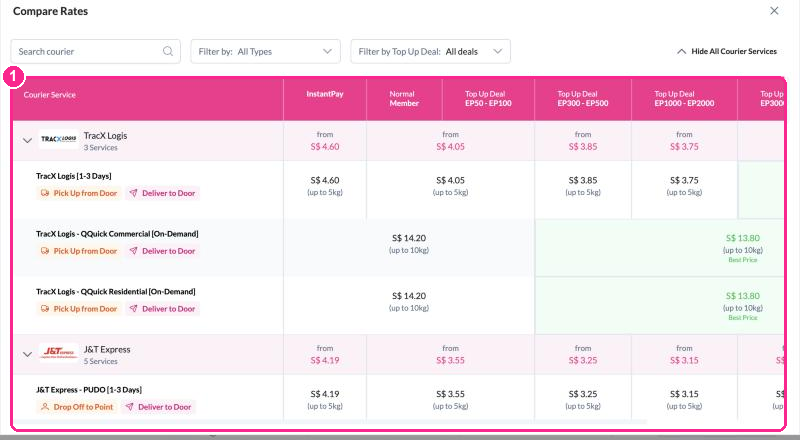
The Compare Rates (1) table shows each courier's rate for each top-up level.
Still need help?
Our team is happy to help. ? Live Chat | ✉️ Contact Us