Quick Summary
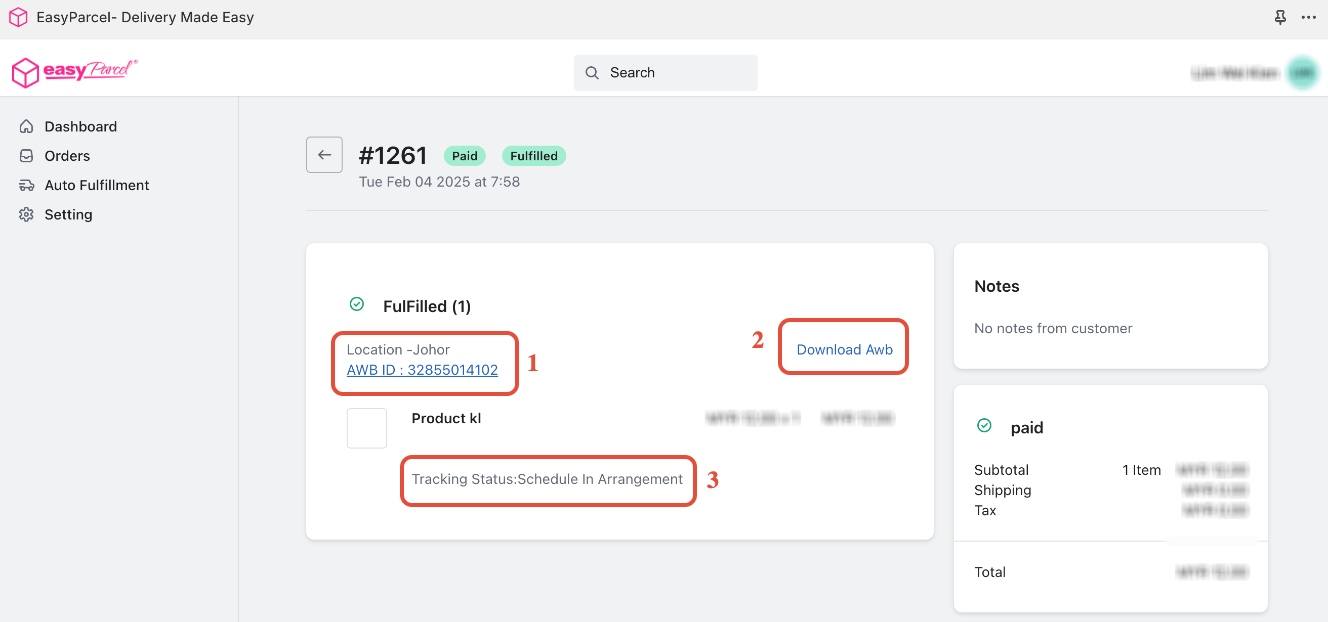
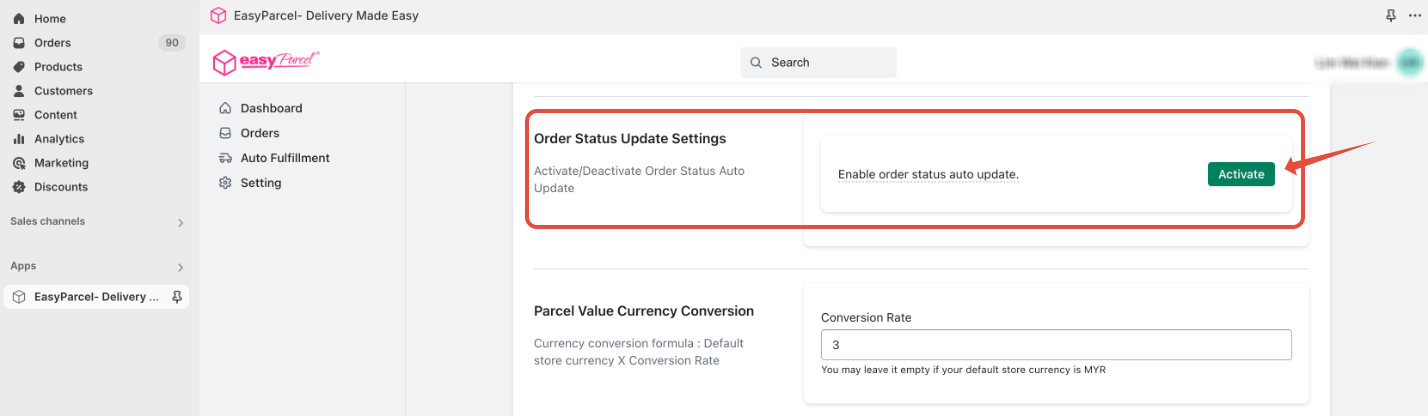
To enable this, open the EasyParcel Shopify App, navigate to the Settings tab, and click Activate under the Order Status Update Settings section. Once activated, any order fulfilled through EasyParcel will automatically update to "Fulfilled" in your Shopify admin, ensuring your records stay accurate without manual intervention for your Singapore store.
Introduction:
By default, fulfilling an order with EasyParcel shipping options does not automatically update the order status in Shopify. Manually changing the status for each order can be time-consuming and prone to errors. Enabling automatic order status updates ensures that your Shopify order records accurately reflect the fulfillment status, streamlining your workflow and improving order management. 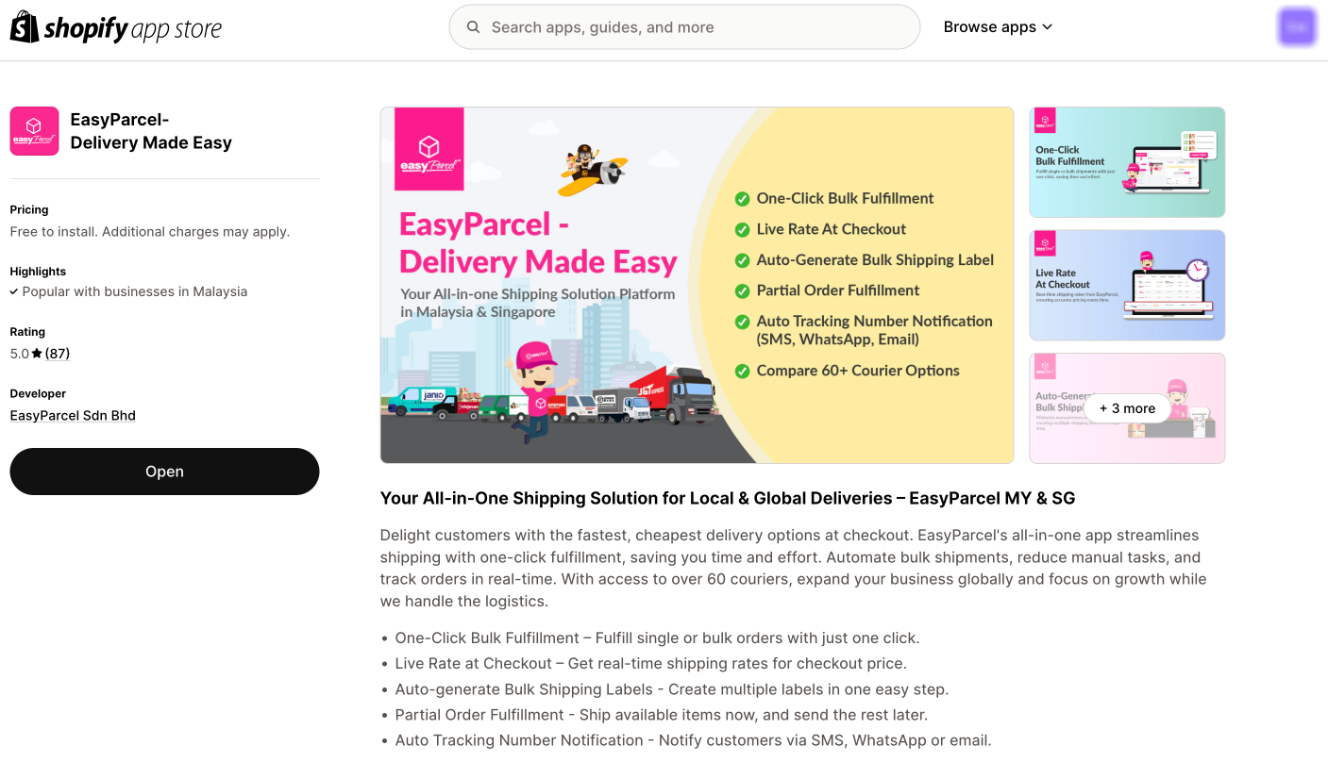
Step 1: Access the EasyParcel Shopify App
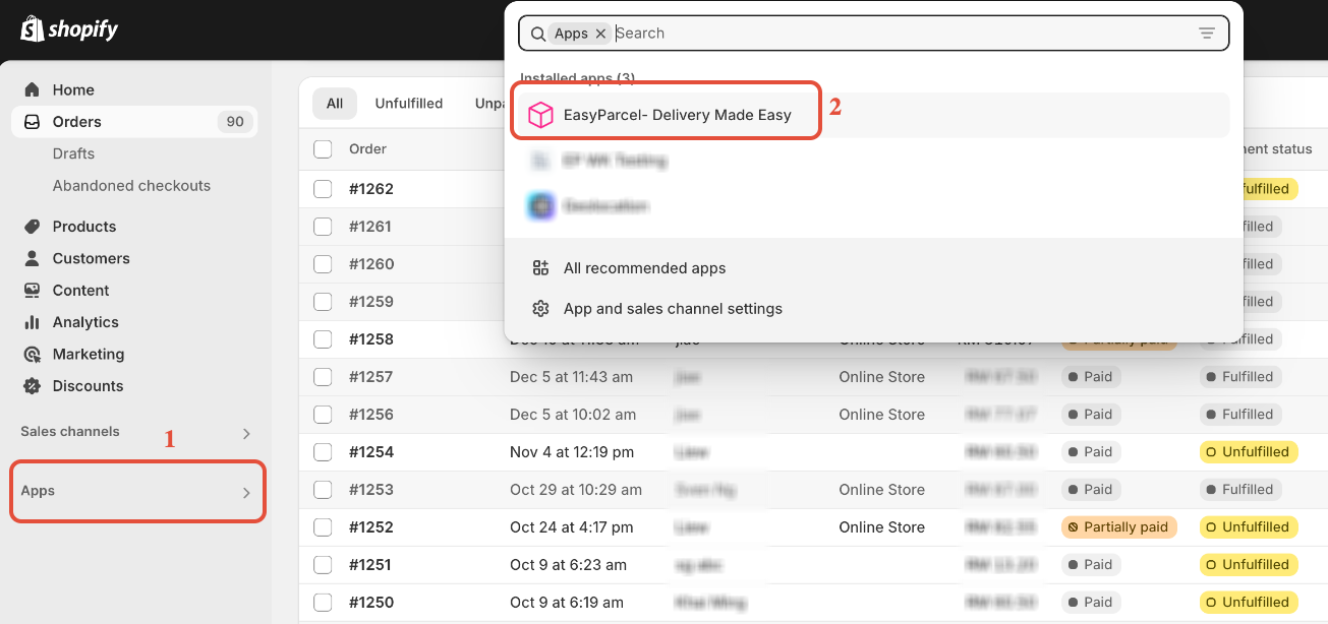
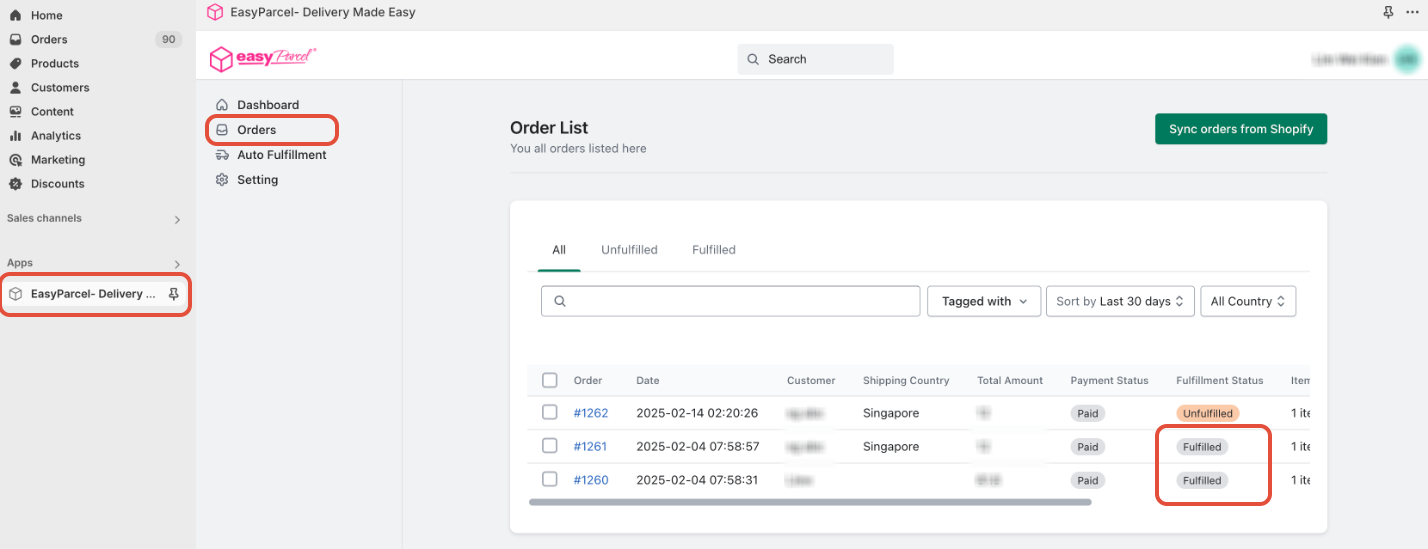
In your Shopify admin, click on "Apps" and select the "EasyParcel- Delivery Made Easy" Shopify APP.
- Note: If you haven't installed the EasyParcel Shopify app, learn how to integrate with EasyParcel here.
Step 2: Activate Order Status Update Settings
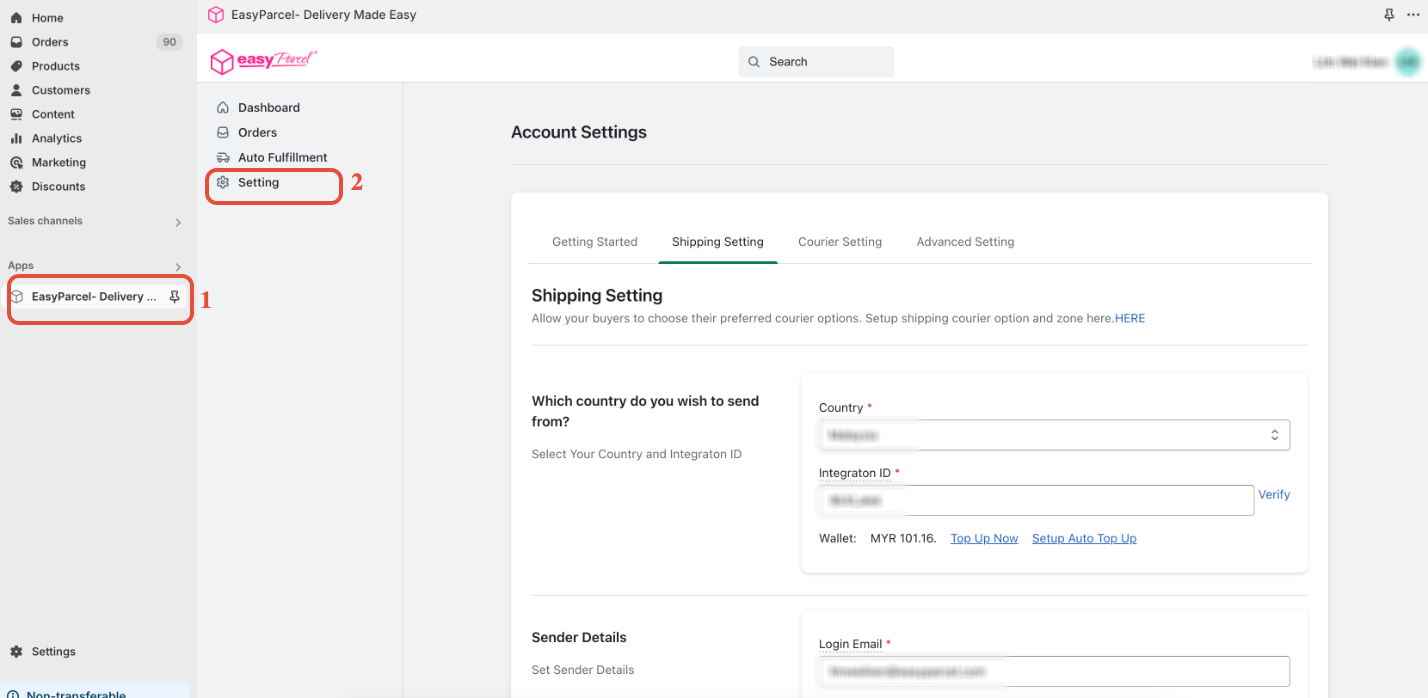
- Click on "Settings" within the EasyParcel Shopify app. Scroll down to the "Order Status Update Settings" section and click the "Activate" button.
 Step 3: Fulfill Your Order in Shopify with EasyParcel
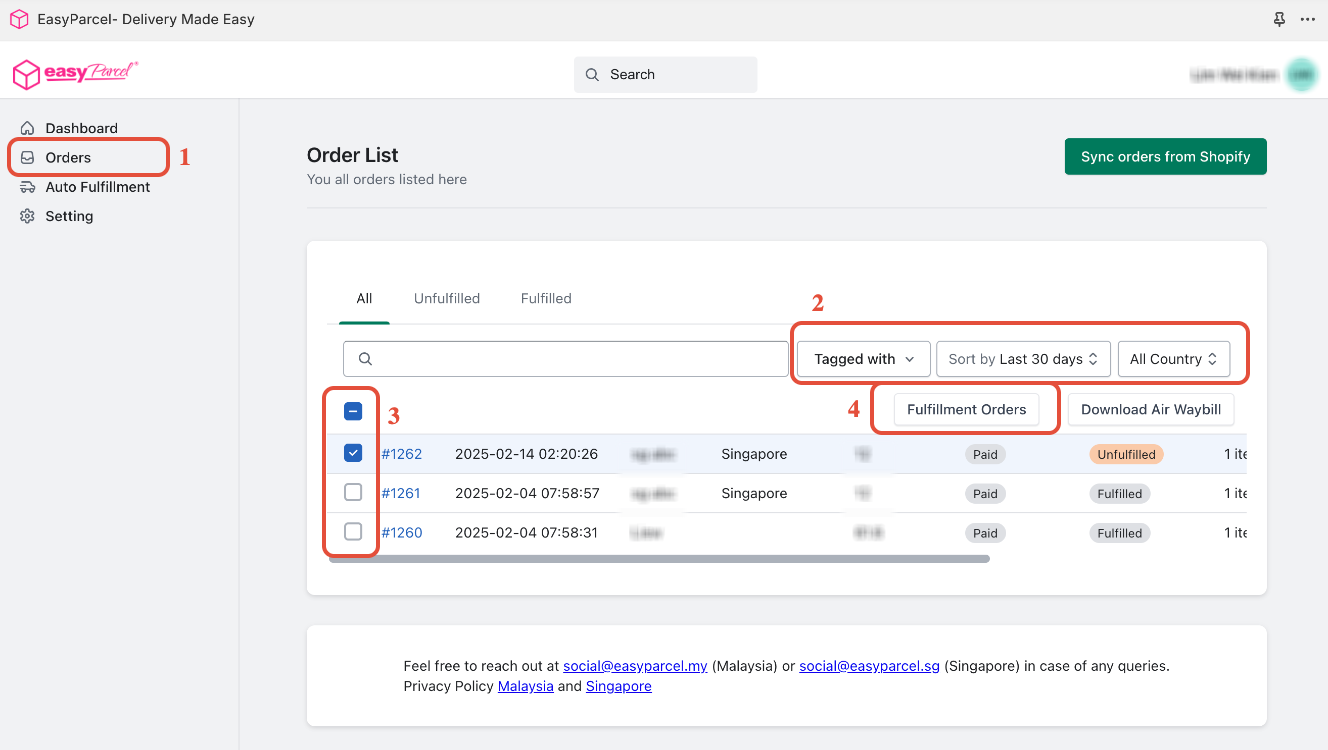
Fulfill your Shopify order using the EasyParcel shipping options.
- Note:If you are unsure how to fulfill Shopify orders with EasyParcel, refer to these instructions to learn more.
Step 4: Automatic Order Status Update
- After fulfilling the order with EasyParcel, the order status in Shopify will automatically change to "Fulfilled." This eliminates the need for manual updates.
Step 5: AWB Generation and Tracking
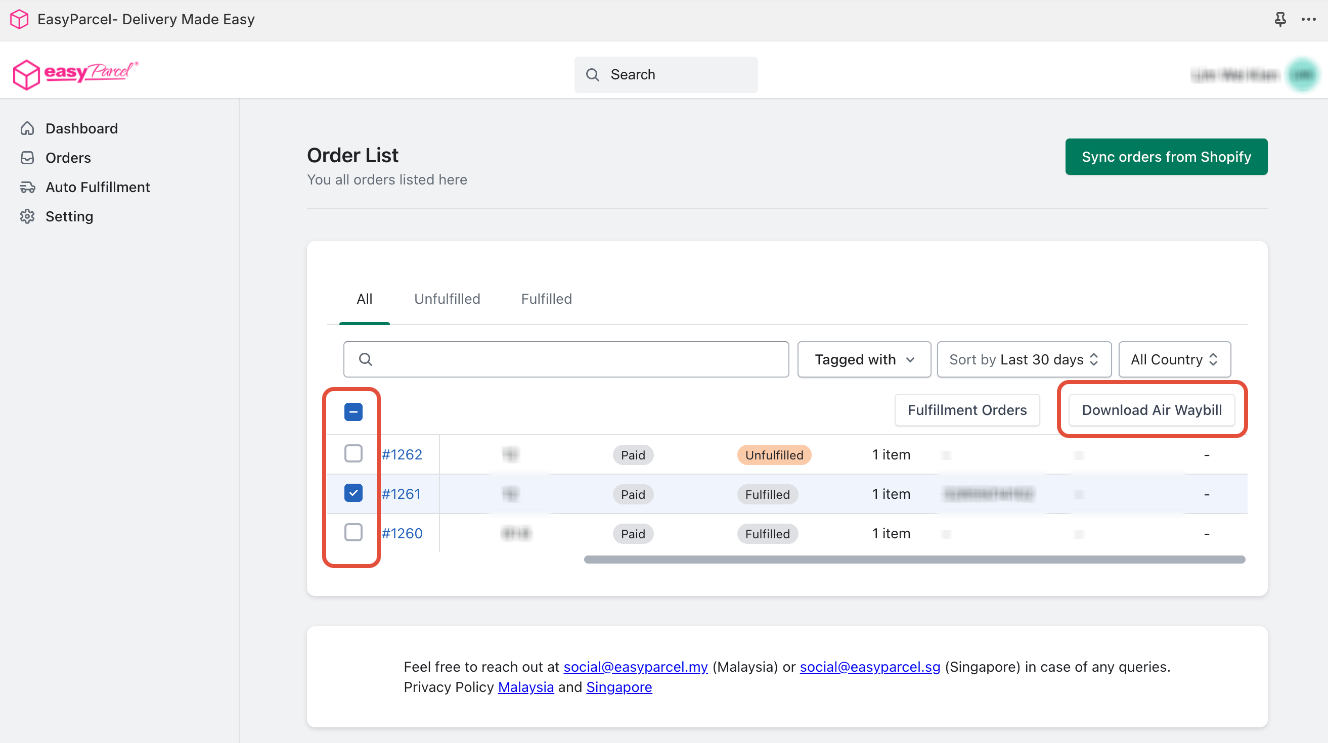
- Your Air Waybills (AWBs) will be generated automatically.
- You can find the tracking numbers on "Tracking Number" coulumn.
- Click "Download AWB" to print and attach the AWBs to your parcels.
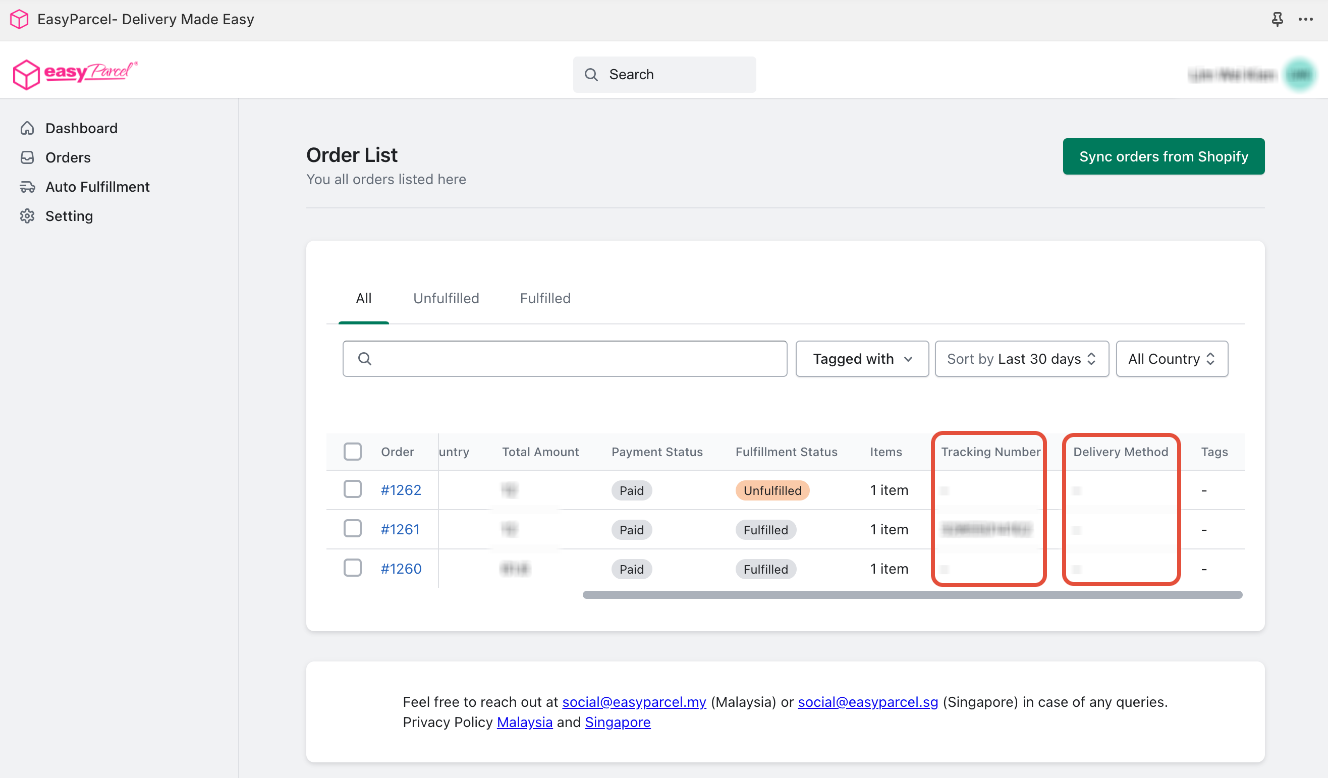
Step 6: You may refer the tracking status of your order here too.