
Quick Summary
To fulfill orders, go to your WooCommerce Orders page. For single orders, click the specific order and select "Fulfill Order." For bulk fulfillment, select multiple orders, choose "Order Fulfillment" from the bulk actions menu, and click "Apply." After selecting your courier and pickup date, your Air Waybills (AWBs) will be generated for download, and tracking info will sync automatically. This simplifies Singapore logistics by automating label creation and status updates.
We'll Cover:
This guide explains how to fulfill your WooCommerce orders through EasyParcel, whether it's a single order or multiple orders in bulk. You’ll also learn how to download Air Waybills (AWBs) and check order statuses after fulfillment.
If you haven't installed the EasyParcel plugin, learn how to integrate with EasyParcel here.
How to fulfill WooCommerce orders?
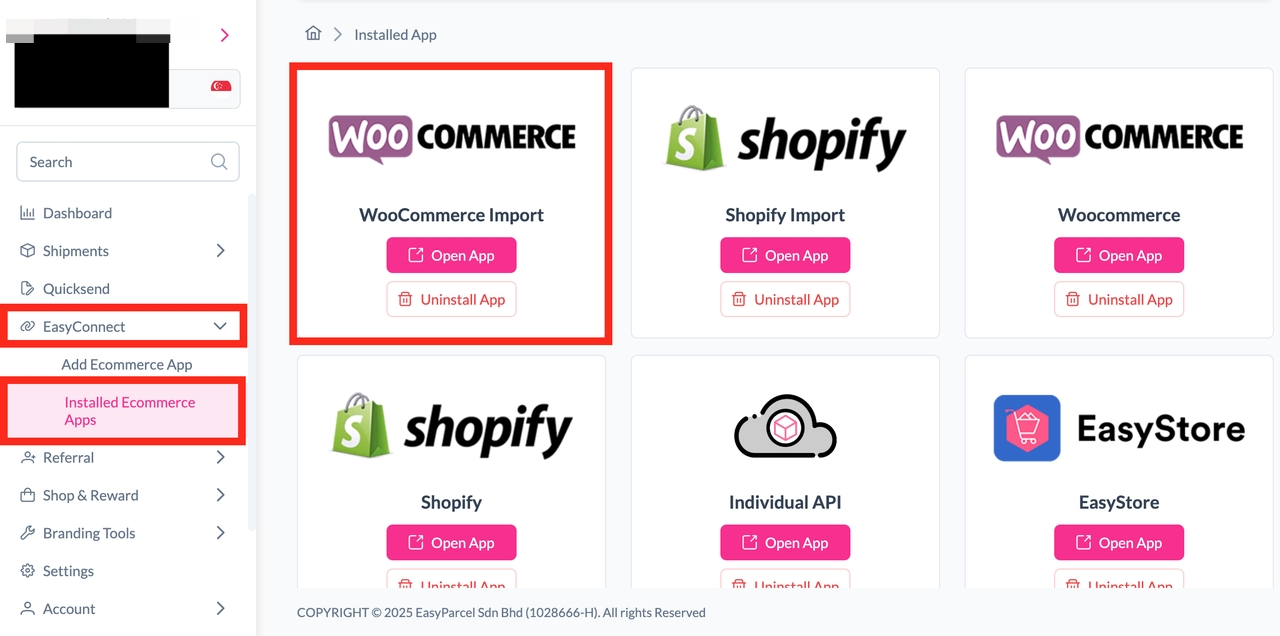
Step 1: Under "EasyConnect", click on "Installed Ecommerce Apps", find "WooCommerce Import" and click on "Open App" button.
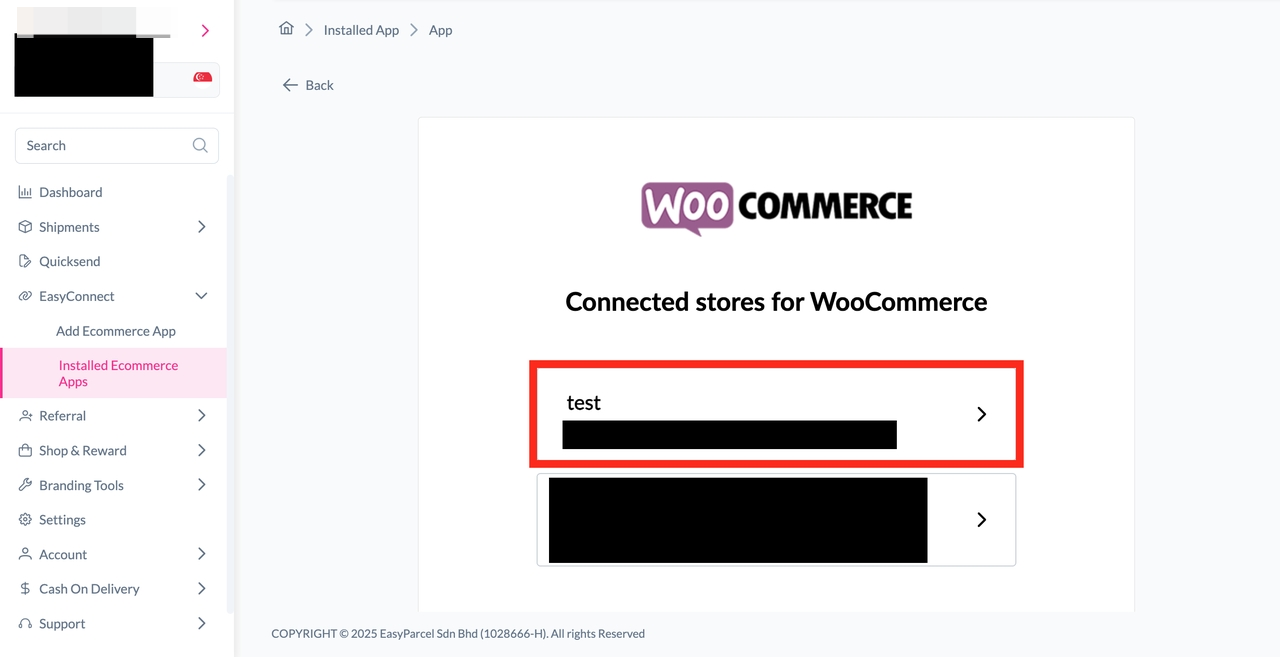
Step 2: Find your connected store on the store page, and click into the store.
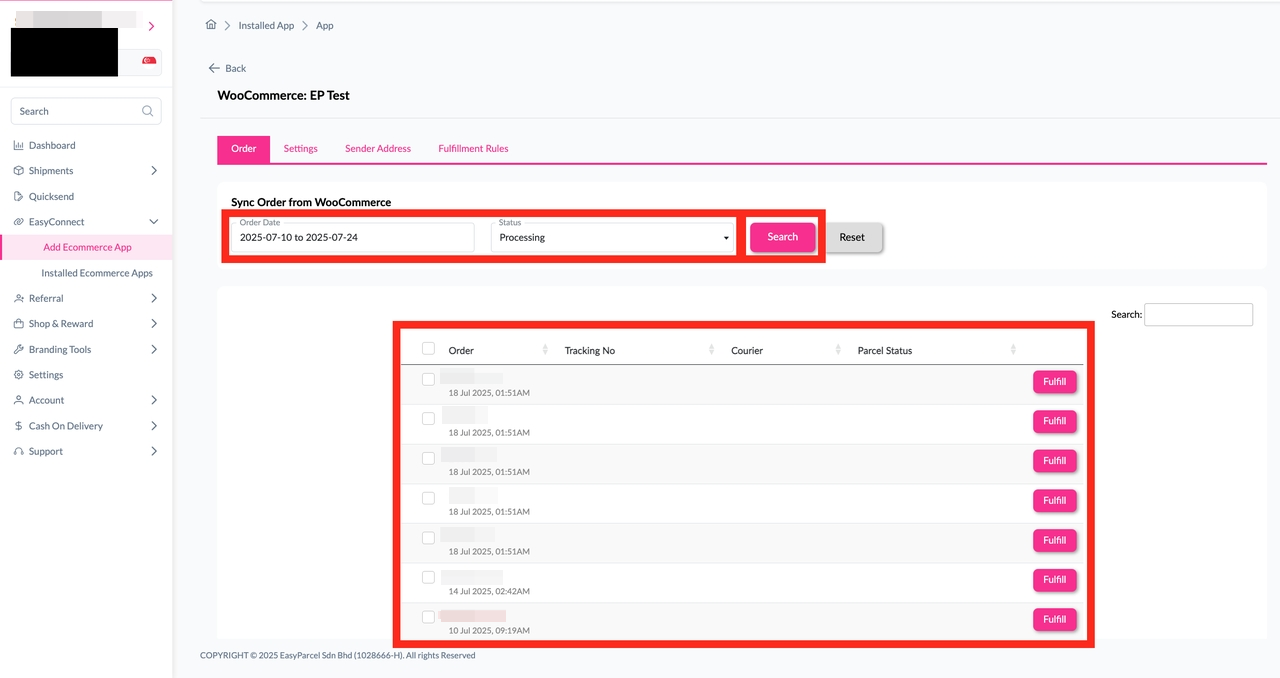
Step 3: Click on "Order", select the order date and order status and click on the "Search" button. The order will be imported and shown in the list below. Then, click the "Fulfill" button on the order you want to fulfill.
Step 4: After clicking the "Fulfill" button, you can find your order details and click on the "Get Quote" button.
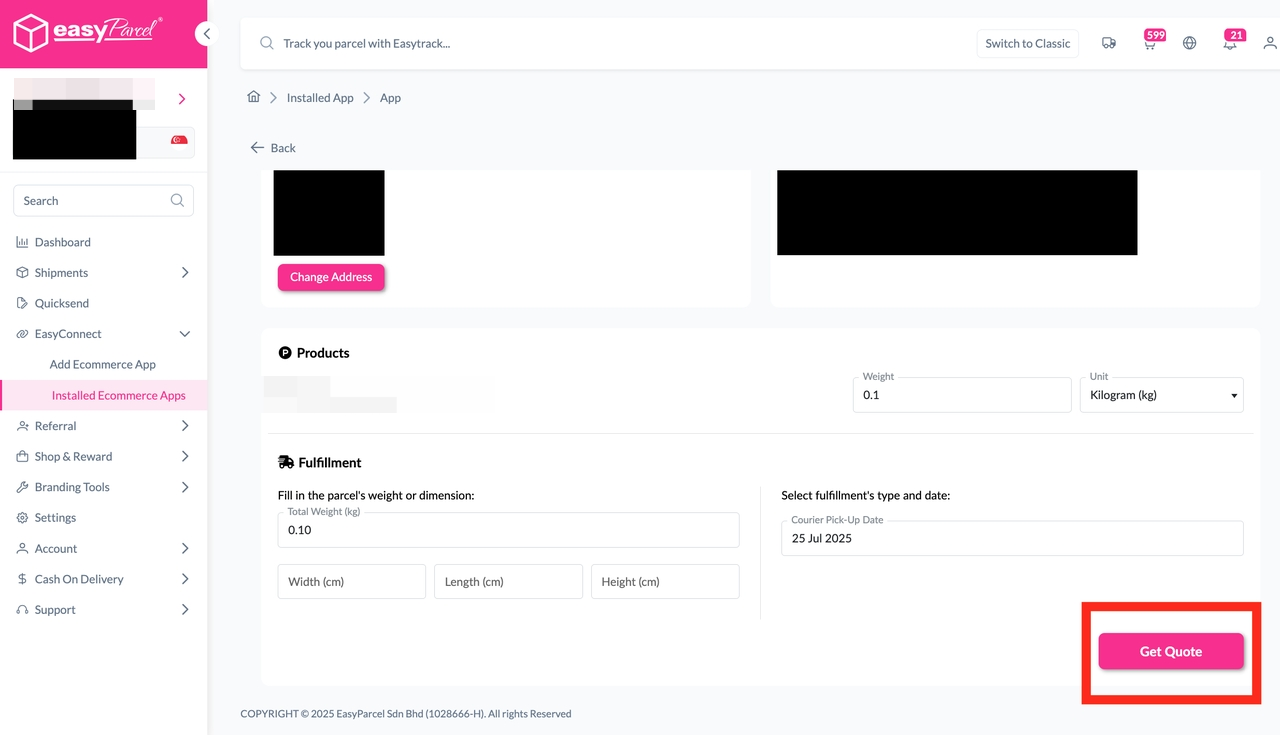
Step 5: Choose the preferred courier option and click on the "Proceed to Payment" button.
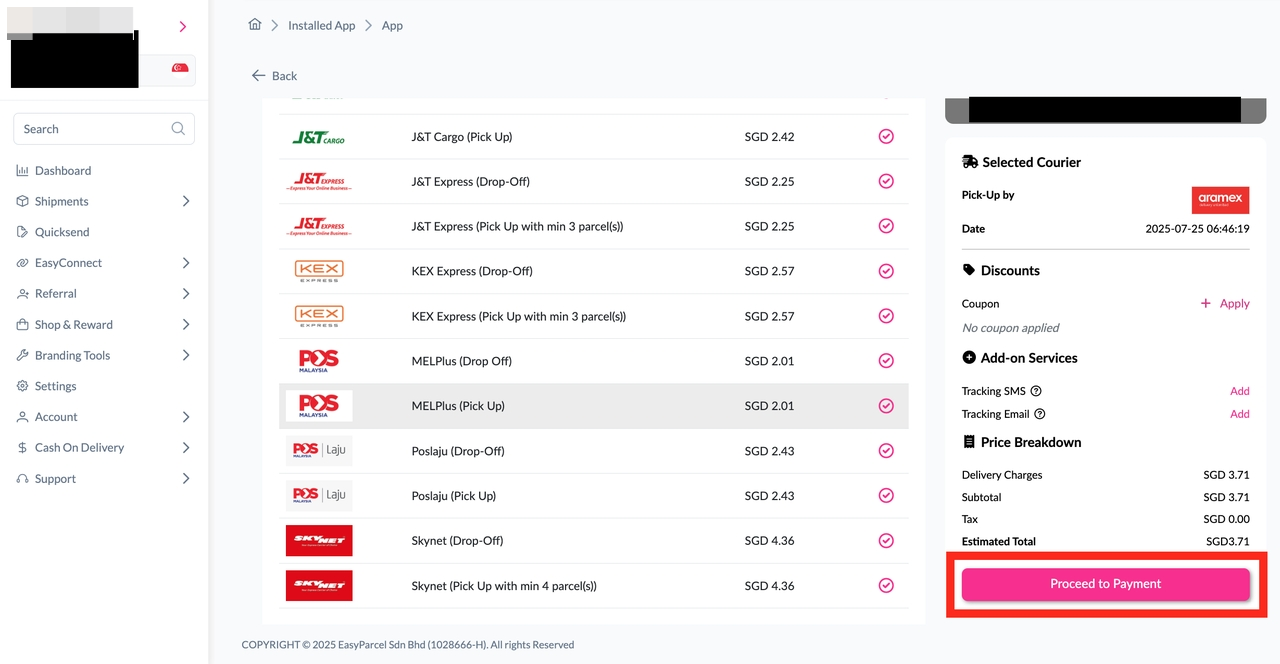
Step 6: The order status, order number, shipment number, and price will be displayed. Click on the "View Orders" button.
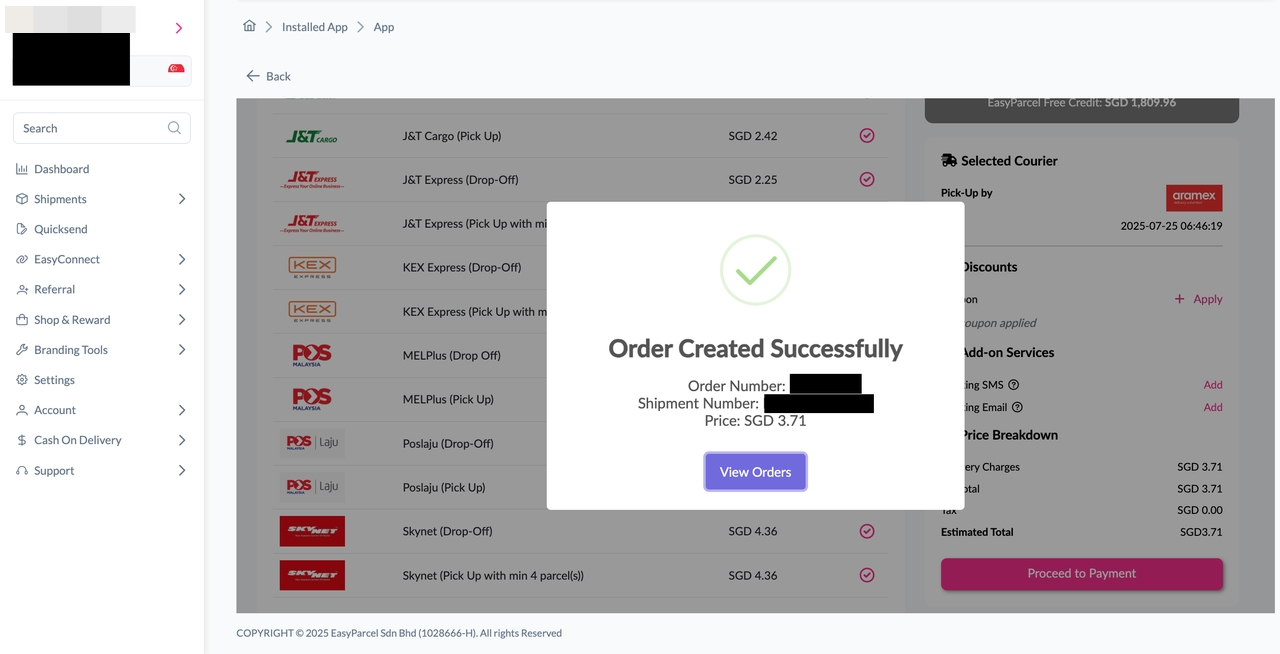
Step 7: The fulfilled order will now be displayed on the Order Page.
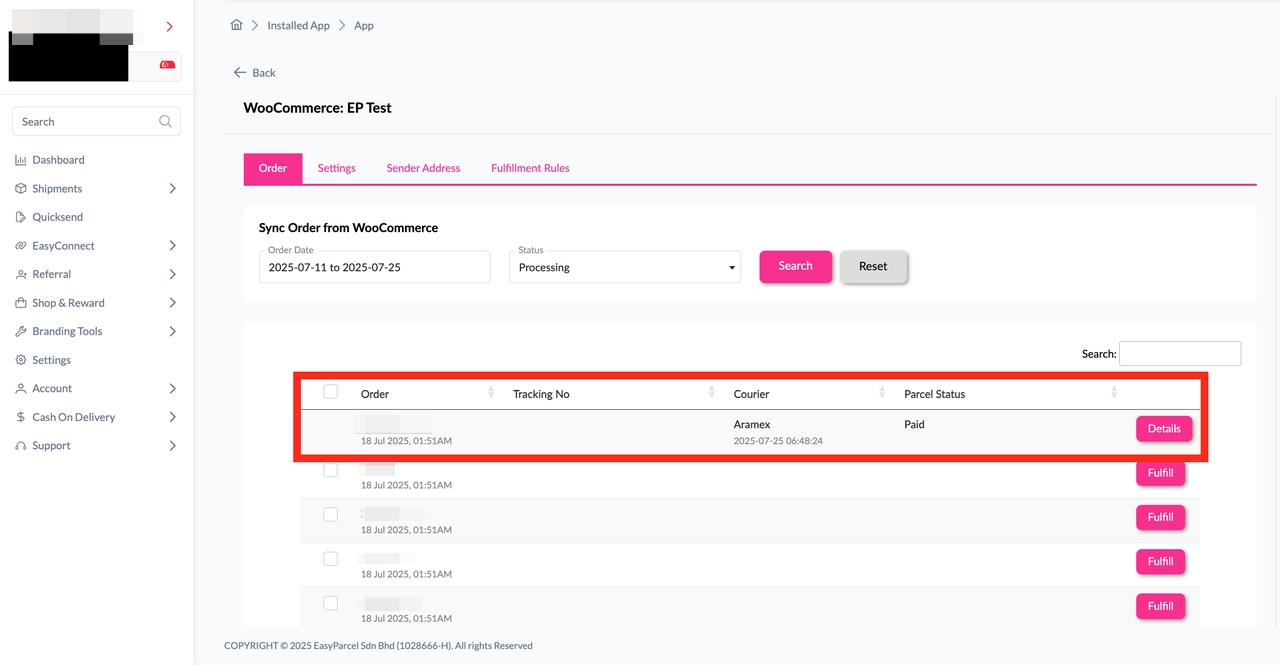
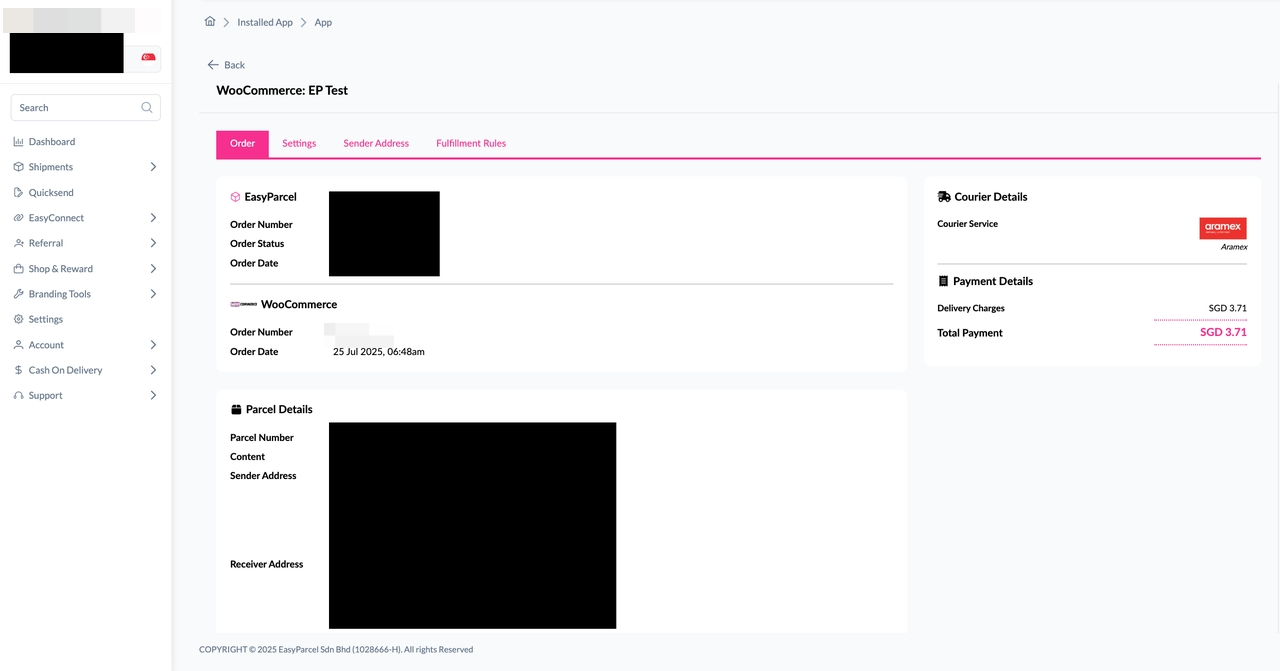
Step 8: Click on the "Details" button. Order details will be displayed on the page.
Don't know how to add live rates to checkout page for WooCommerce orders? You may read here.
And there you have it! You've just mastered integrating EasyParcel with WooCommerce. We're really excited for you! We hope this guide was helpful but if you still have questions, don't worry – we've got you covered. Check out our other articles or reach out to our friendly support team. We're happy to help you every step of the way!