
Quick Summary
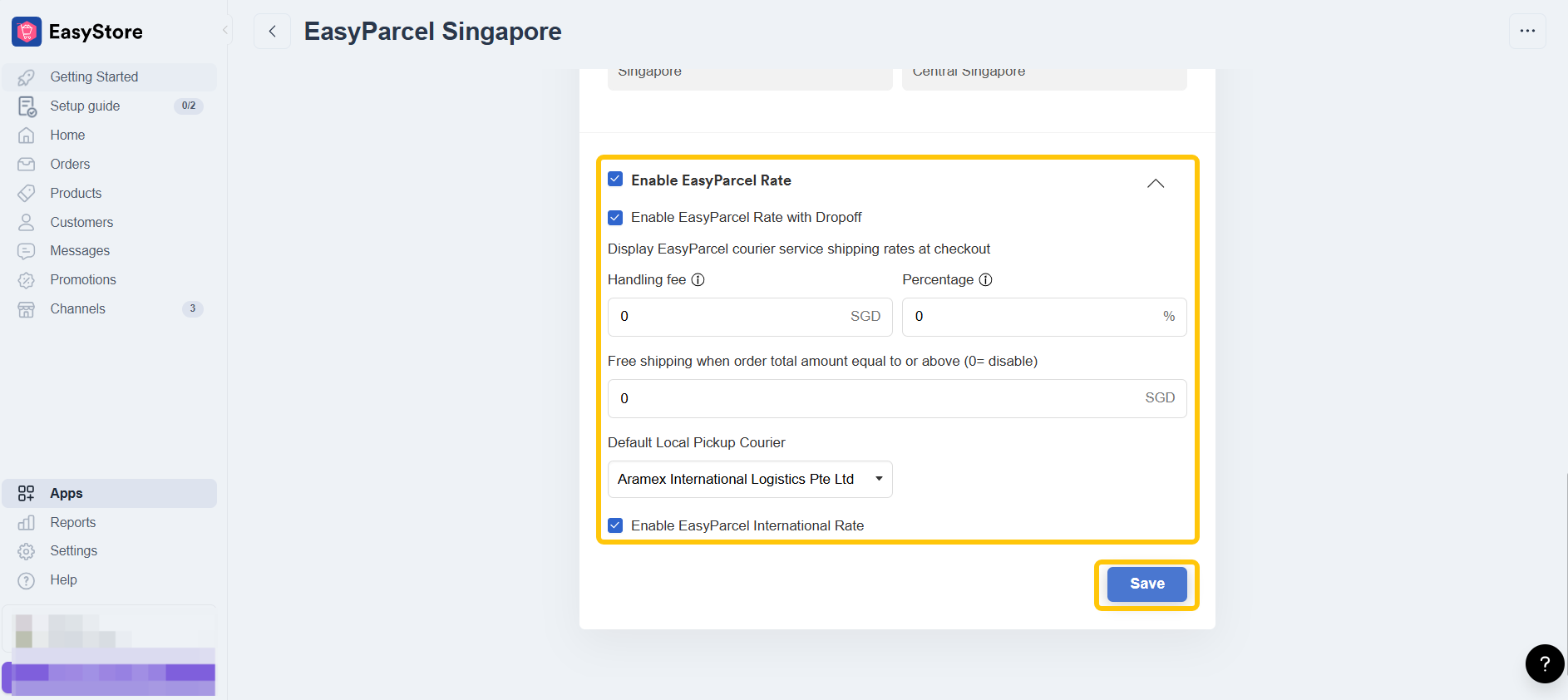
To enable live rates, log into your EasyStore admin, go to Apps, and click EasyParcel Singapore. Scroll to the Enable EasyParcel Rate section and toggle on your preferred options, such as EasyParcel Rate, Dropoff, or International Rate, then click Save. This ensures your Singapore customers see accurate courier fees based on their parcel weight and destination during checkout.
Want your customers to see real-time shipping rates at checkout? By enabling live rates on your EasyStore, you can display accurate courier fees based on destination, parcel weight, and selected services. This guide will show you how to set up EasyParcel live rates on your EasyStore checkout page in just a few simple steps.
If you haven't installed the EasyParcel apps, learn how to integrate with EasyParcel here.
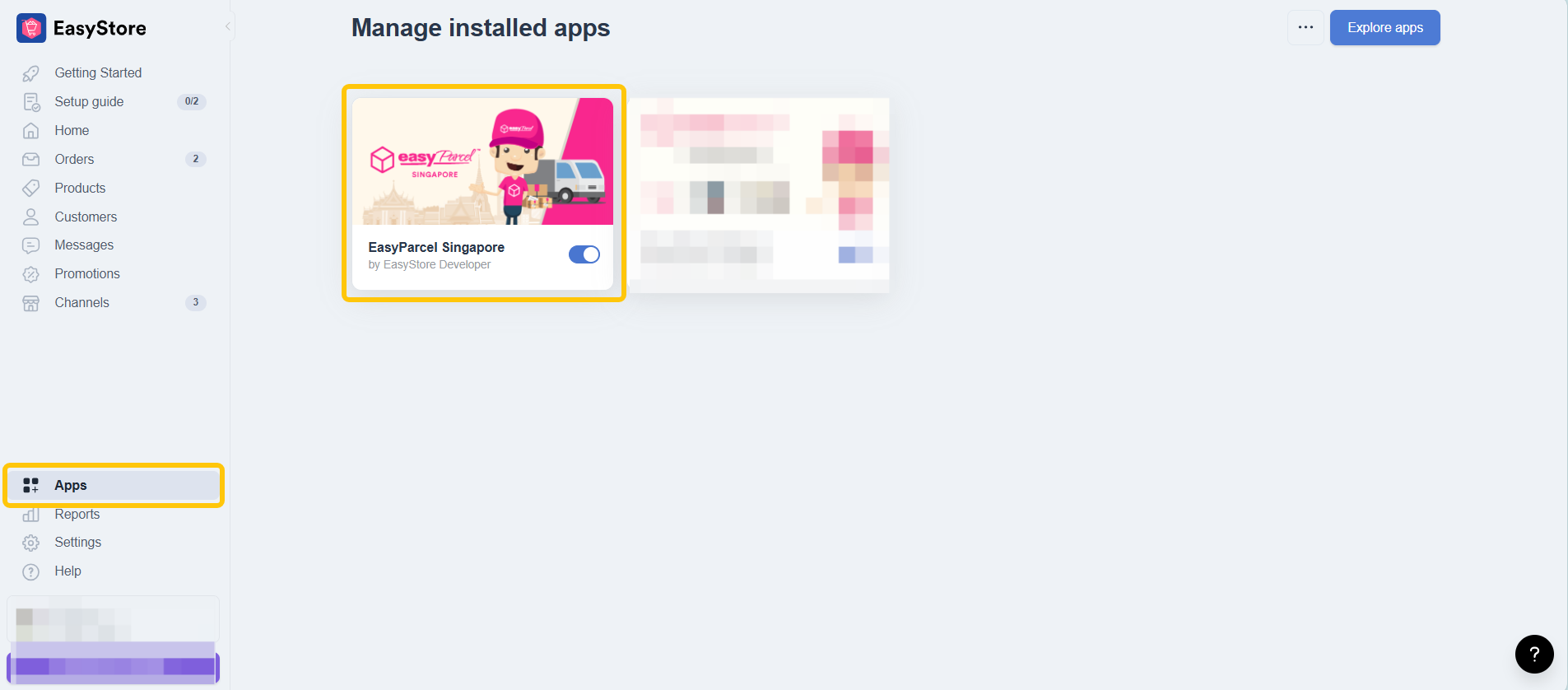
Step 1: Navigate to Apps, click EasyParcel Singapore.
Step 2: Scroll down and enable EasyParcel Rate, EasyParcel Rate with Dropoff, EasyParcel International Rate. Click Save once you're enabled.
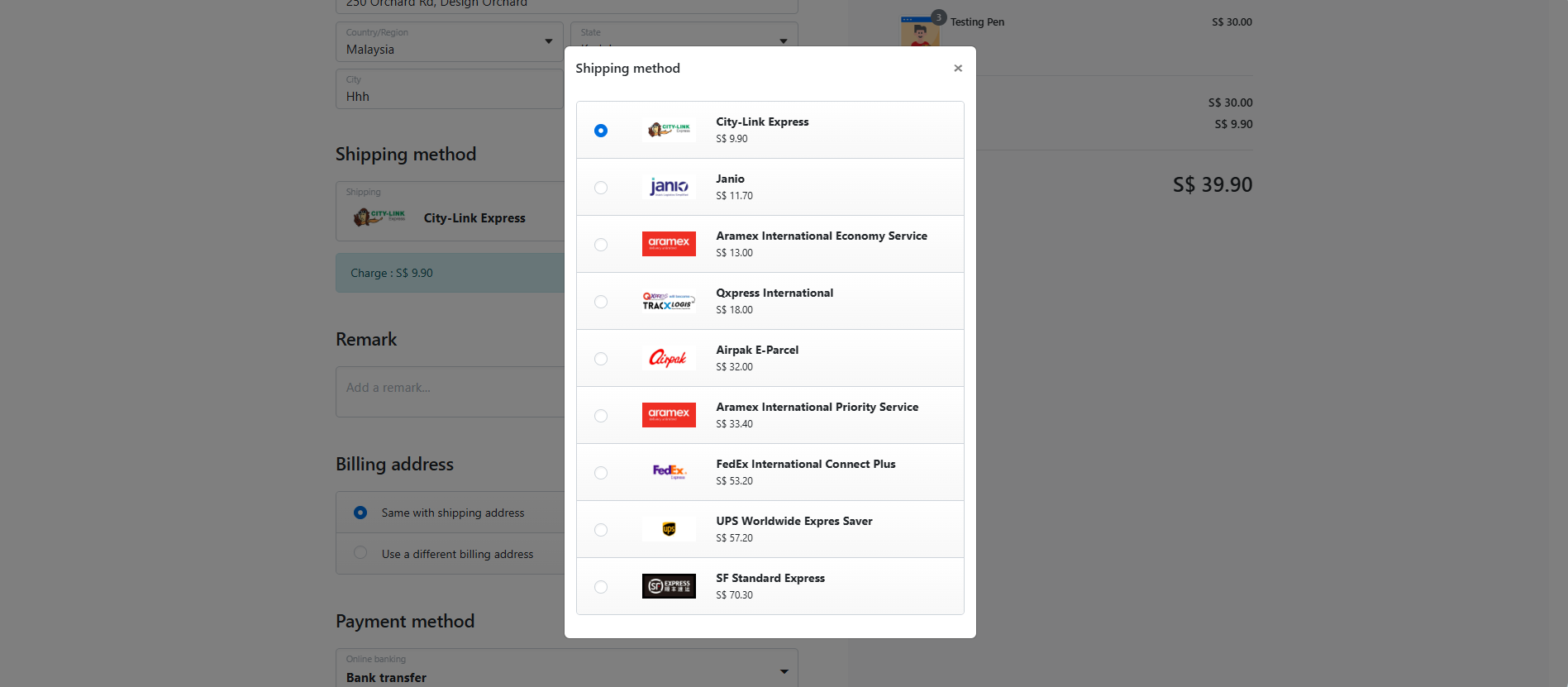
Your shipping live rates will display on your checkout page:
You're all set! Now that you’ve integrated EasyParcel with WooCommerce, managing your orders just got a whole lot easier. Got questions? No worries — explore more guidesor chat with our support team. We're here for you!