
Quick Summary
Send Parcel is where you check delivery prices, book your parcel and pay — all in one place. Open Send Parcel in the left menu and choose Domestic Delivery, International Delivery, On-Demand Delivery or Bulk Upload. Every booking starts with a quote, so you can compare couriers before you decide.
We'll Cover:
Where to find Send Parcel?
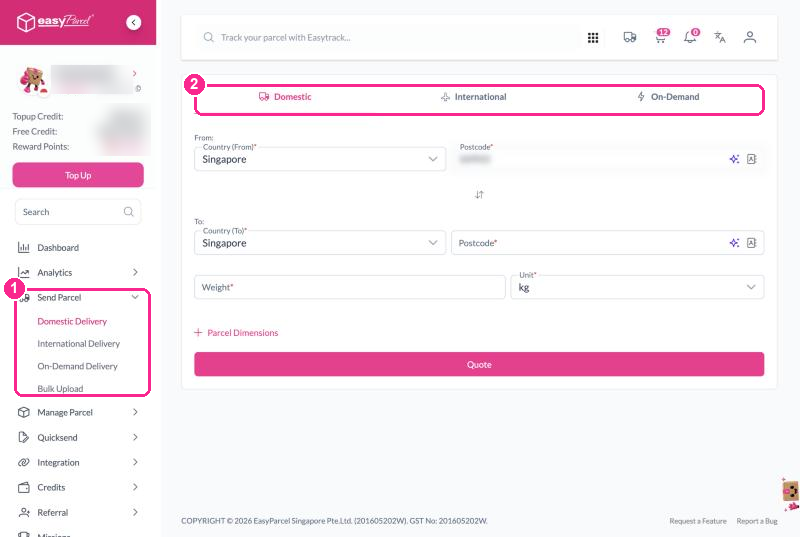
Click Send Parcel (1) in the left menu to open the delivery options. The quote form has three tabs at the top (2): Domestic, International and On-Demand.
Which delivery type to choose?
- Domestic Delivery – parcels sent within Singapore
- International Delivery – parcels sent to another country
- On-Demand Delivery – same-day delivery by on-demand couriers
- Bulk Upload – book many parcels at once from one file
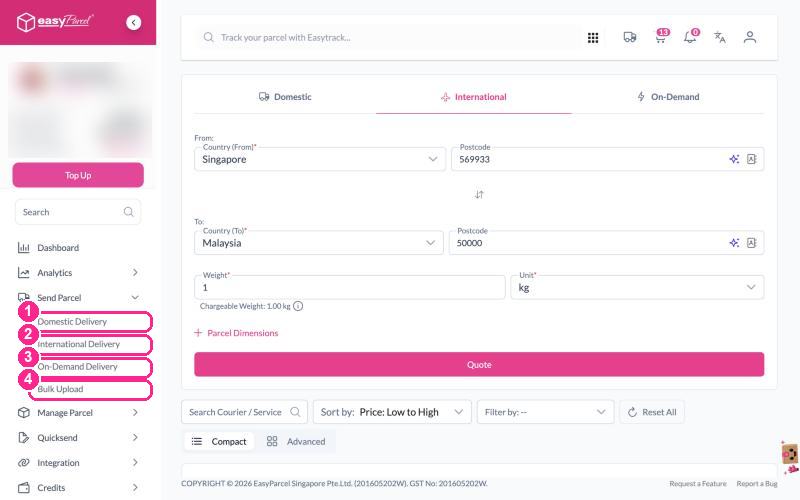
Choose a delivery type under Send Parcel in the left menu: Domestic Delivery (1), International Delivery (2), On-Demand Delivery (3) or Bulk Upload (4).
How a booking works?
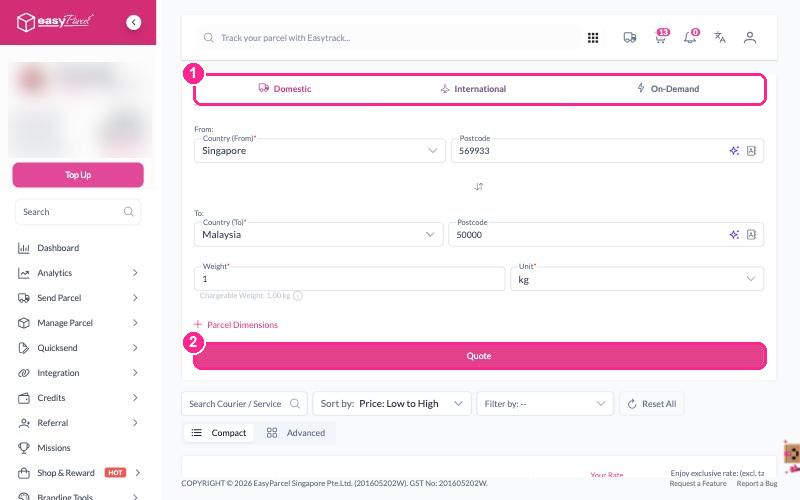
Step 1: Get a quote – choose Domestic, International or On-Demand (1), enter where the parcel is going and its weight, then click Quote (2).
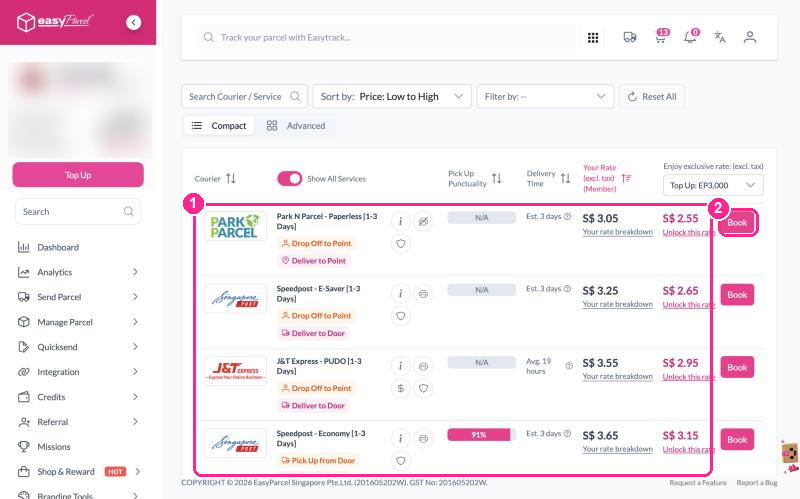
Step 2: Compare couriers – check the price, delivery time and service type (1), then click Book (2).
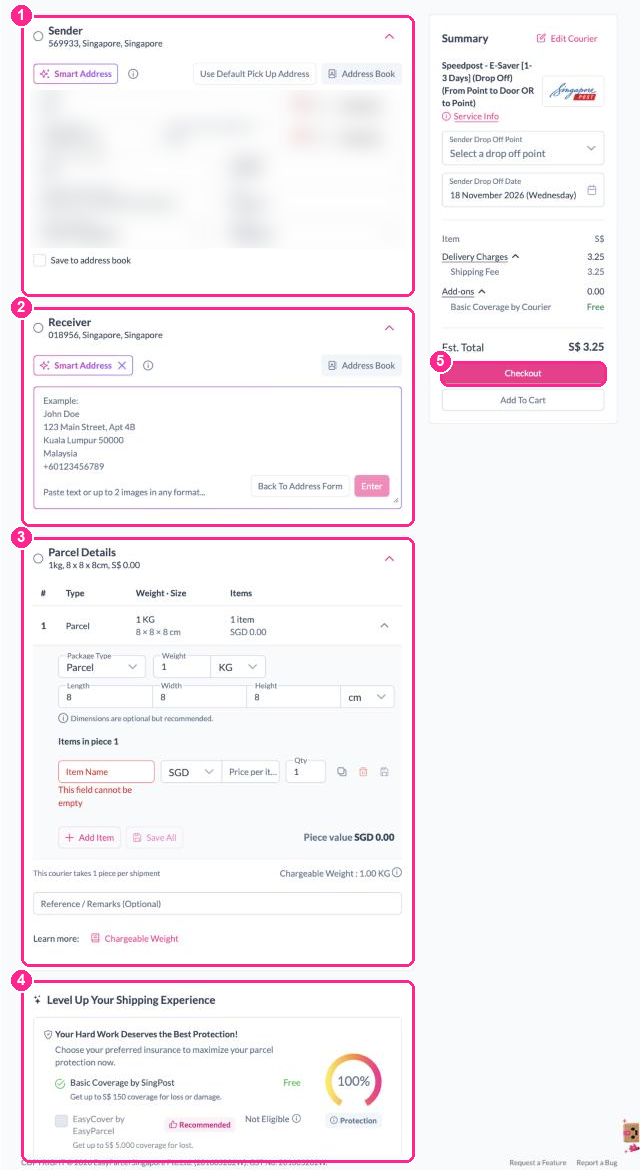
Step 3: Book – fill in the Sender (1), Receiver (2) and Parcel Details (3), choose any add-ons (4), then click Checkout (5).
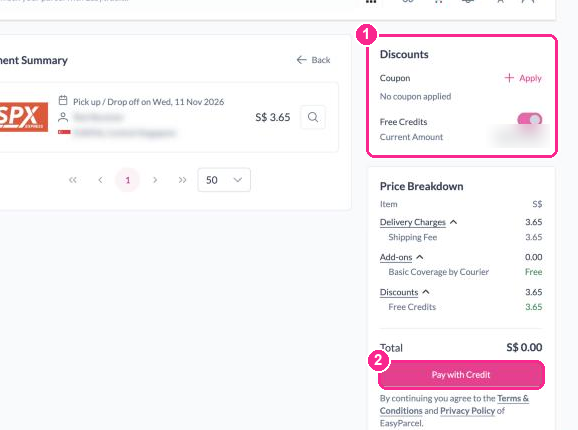
Step 4: Pay – switch on Free Credits (1) if you have them, then click Pay with Credit (2). Not enough credit? Top up first.
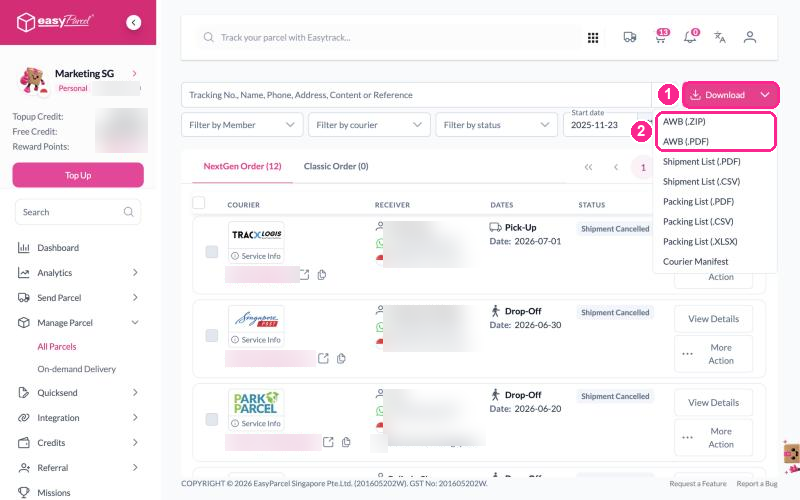
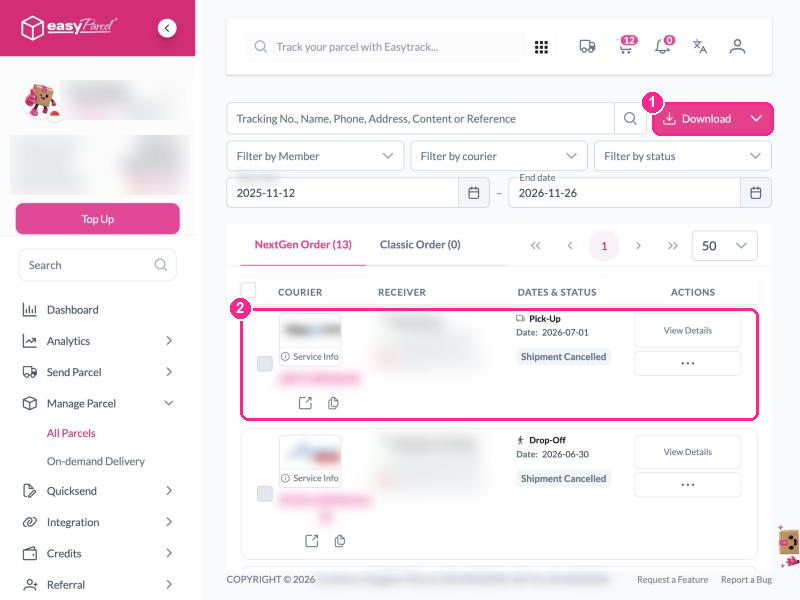
Step 5: Download your shipping label (AWB) – go to Manage Parcel > All Parcels, tick your parcel, click Download (1) and choose AWB (.PDF) or AWB (.ZIP) (2). See What is an AWB, and how do I print or download it?
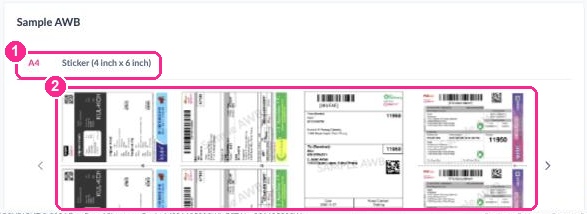
Step 6: Attach the AWB to your parcel – print it on A4 paper or a 4 x 6 inch sticker (1). Your label looks like these samples (2). Stick it on the top of the parcel and keep the barcode fully visible. Then hand the parcel to the courier on the pick-up date, or drop it off at the courier's point.
Step 7: Track the delivery status – in All Parcels, each parcel shows its latest status (2).
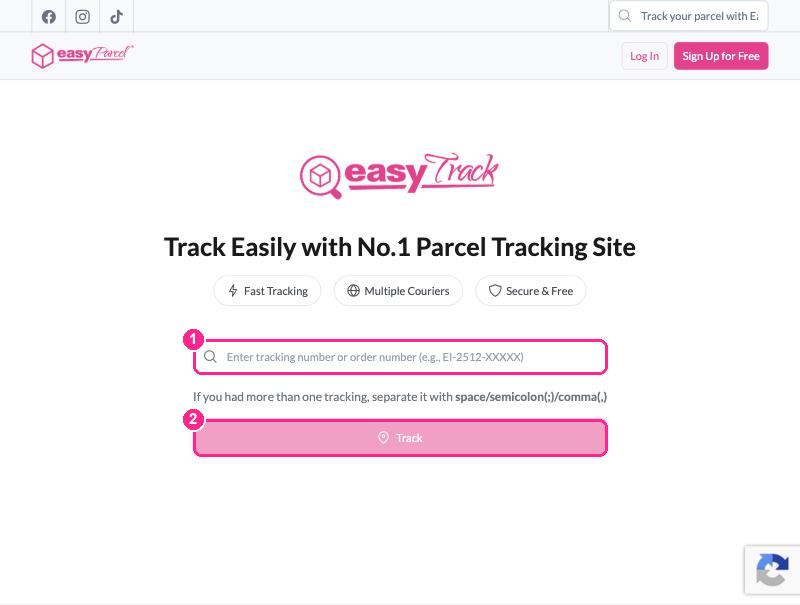
You can also enter the tracking number in EasyTrack (1) and click Track (2). See How do I track my parcel?
Note: A quote is only a price check. Nothing is booked or charged until you complete the booking and payment.
What's next?
Still need help?
Our team is happy to help. ? Live Chat | ✉️ Contact Us