
Quick Summary
Click the "i" icon beside a courier to open Service Info. It lists how pick-up or drop-off works, the areas the service cannot reach, weight and size limits, and insurance. Read it before you book.
We'll Cover:
How to open Service Info?
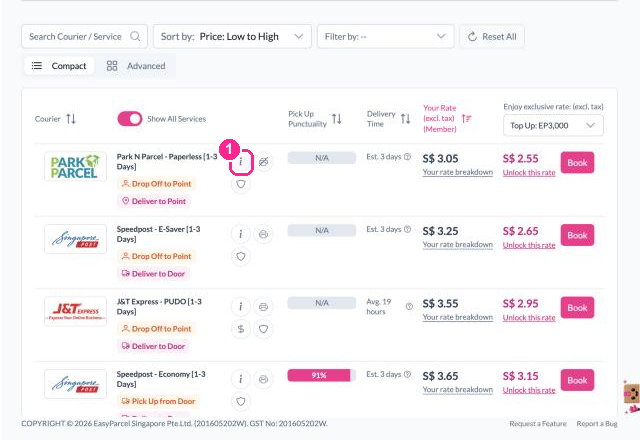
- Get a quote and find the courier service you are interested in.
- Click the i icon (1) beside the courier name.
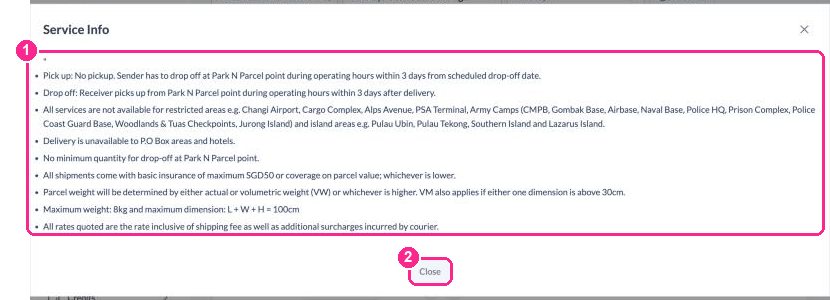
- Read the Service Info notes (1), then click Close (2).
What you can learn from it?
- Pick-up or drop-off rules – who takes the parcel where, and by when
- Restricted areas – places the service does not deliver to
- Weight and size limits – the maximum weight and size for that service
- Insurance – the basic cover that comes with the shipment
- Price notes – what the quoted rate includes
Note: Each courier service has its own rules, so check Service Info for the one you choose. The example above is from one courier service and will differ for others.
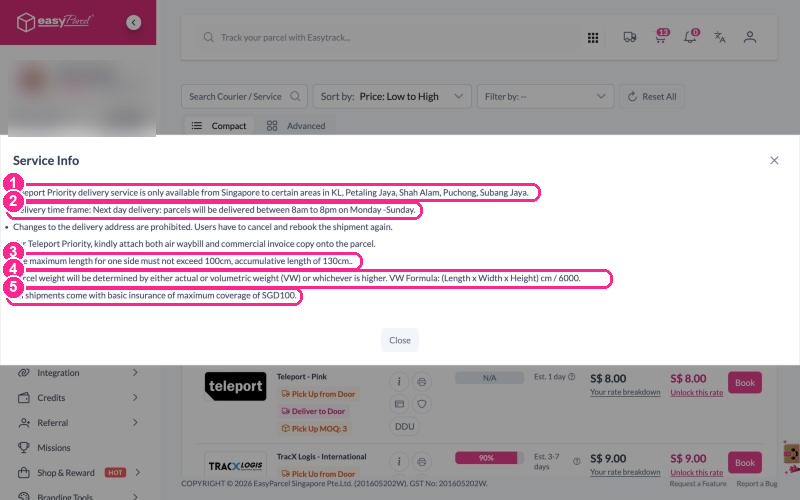
In this example, Service Info shows the areas served (1), delivery time (2), size limit (3), how weight is charged (4) and insurance cover (5).
What's next?
Still need help?
Our team is happy to help. ? Live Chat | ✉️ Contact Us