
Quick Summary
Open Send Parcel > Domestic Delivery, enter the sender and receiver postcodes and the parcel weight, then click Quote. You will see every courier that can deliver your parcel, with the price and delivery time.
We'll Cover:
Get a quote step by step
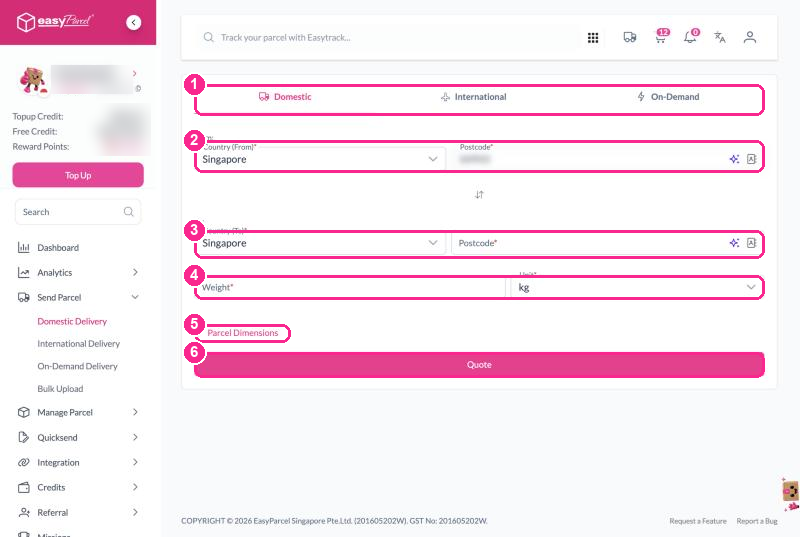
- Click Send Parcel > Domestic Delivery in the left menu.
- Make sure the Domestic tab (1) is selected.
- Under From (2), check the country and enter the sender postcode.
- Under To (3), choose the country and enter the receiver postcode.
- Enter the parcel Weight and choose the unit (4).
- Click Quote (6).
Add parcel dimensions
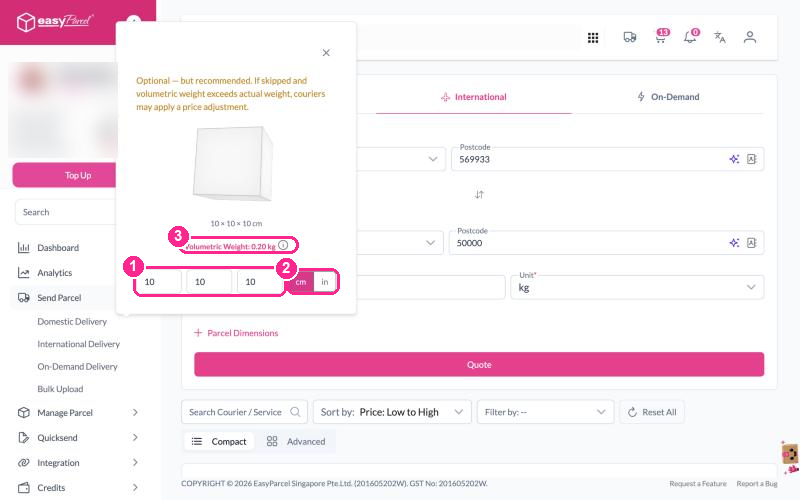
Click + Parcel Dimensions (5) to enter the length, width and height. Dimensions help the courier price your parcel correctly. See How do I get an accurate delivery rate? for more.
Enter the length, width and height (1) and choose cm or in (2). The Volumetric Weight (3) updates for you.
International and on-demand quotes
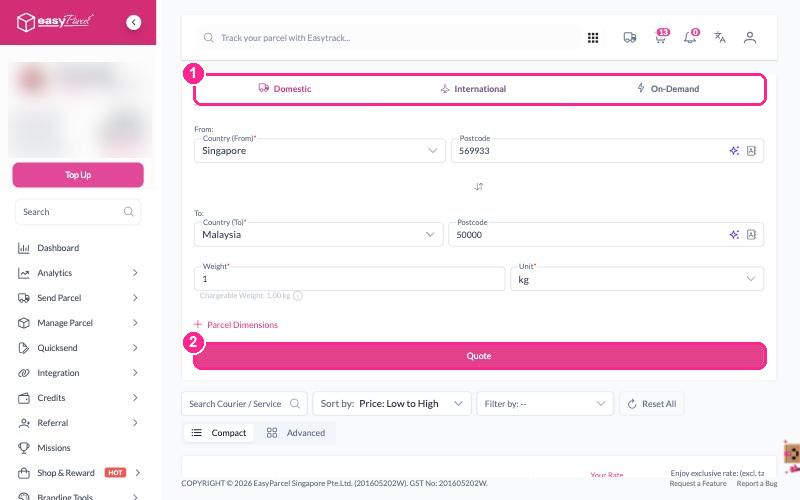
Use the International or On-Demand tab at the top of the same form, or choose them from the Send Parcel menu. The steps are similar: enter where the parcel is going and its details, then click Quote.
Tip: You can use the postcode helper icons beside the postcode box to fill in the address faster.
Note: Getting a quote is free and does not create an order.
Switch tabs at the top of the form (1), fill in the details, then click Quote (2).
What's next?
Still need help?
Our team is happy to help. ? Live Chat | ✉️ Contact Us