
Quick Summary
To update or change your billing information on EasyParcel Singapore, log in to your EasyParcel account, click your profile icon at the top right, and select “Profile.” Under the “Profile Address” tab, click “Edit” to update your billing address details, then save your changes. Your updated billing address will be used for account transactions and payments linked to your EasyParcel profile.
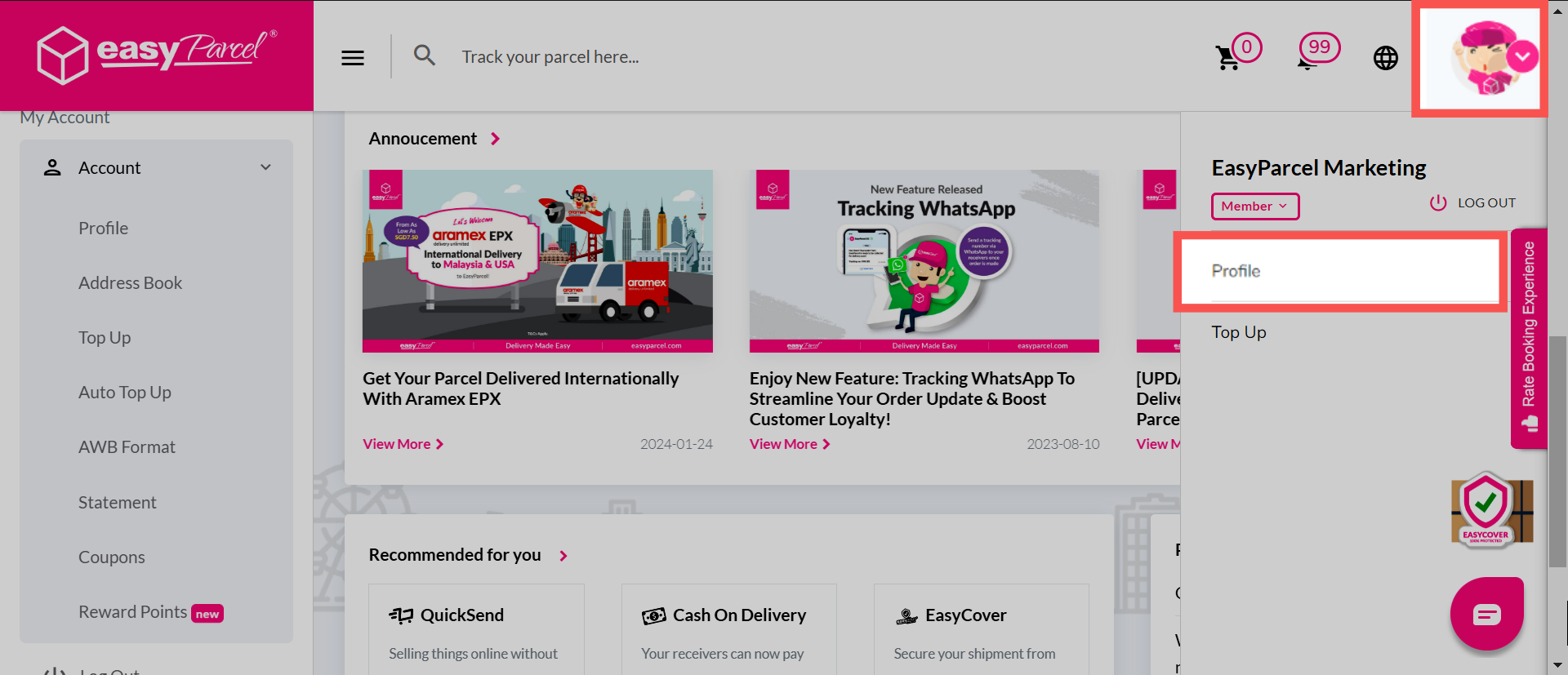
Step 1: Click on your profile icon on the top right of the page, and select 'Profile'.
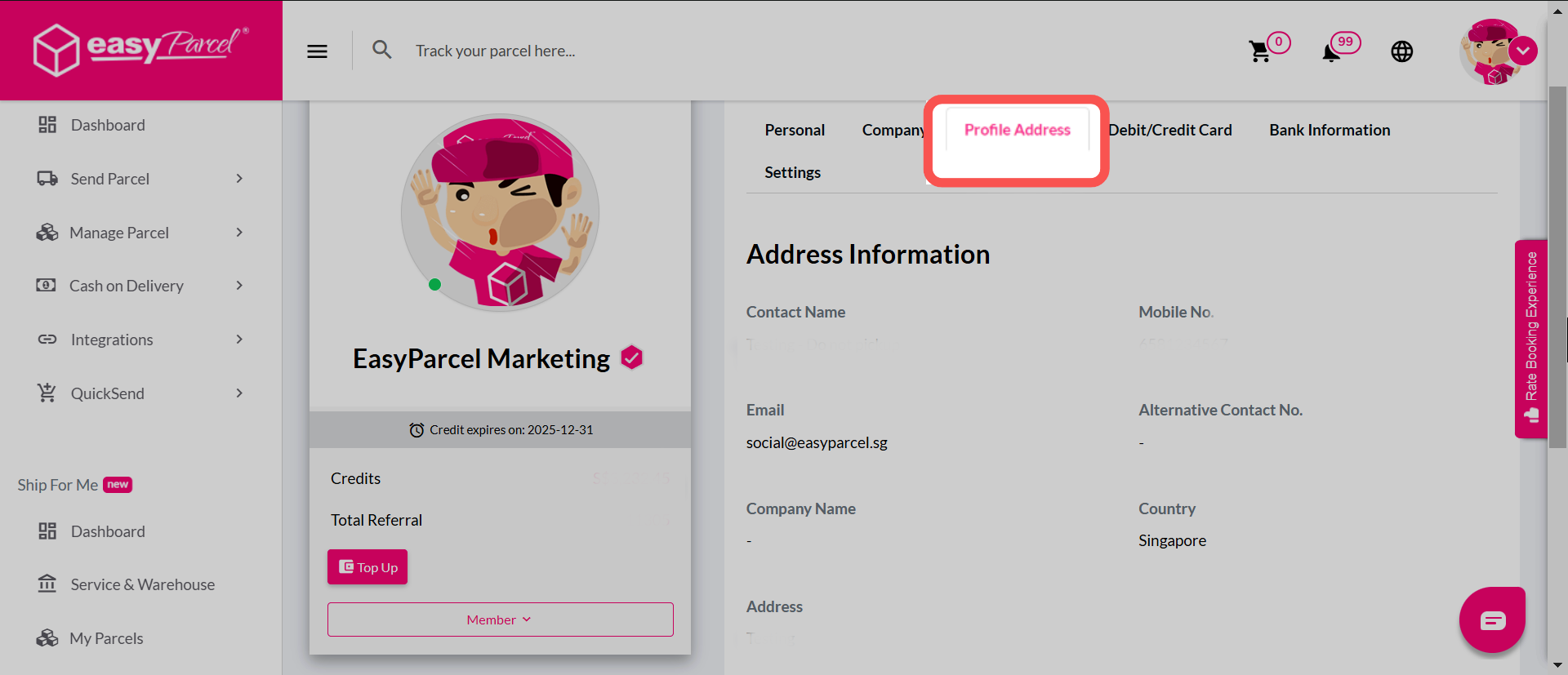
Step 2: Under the 'Profile Address' tab, select 'Edit' to begin changing your address details.
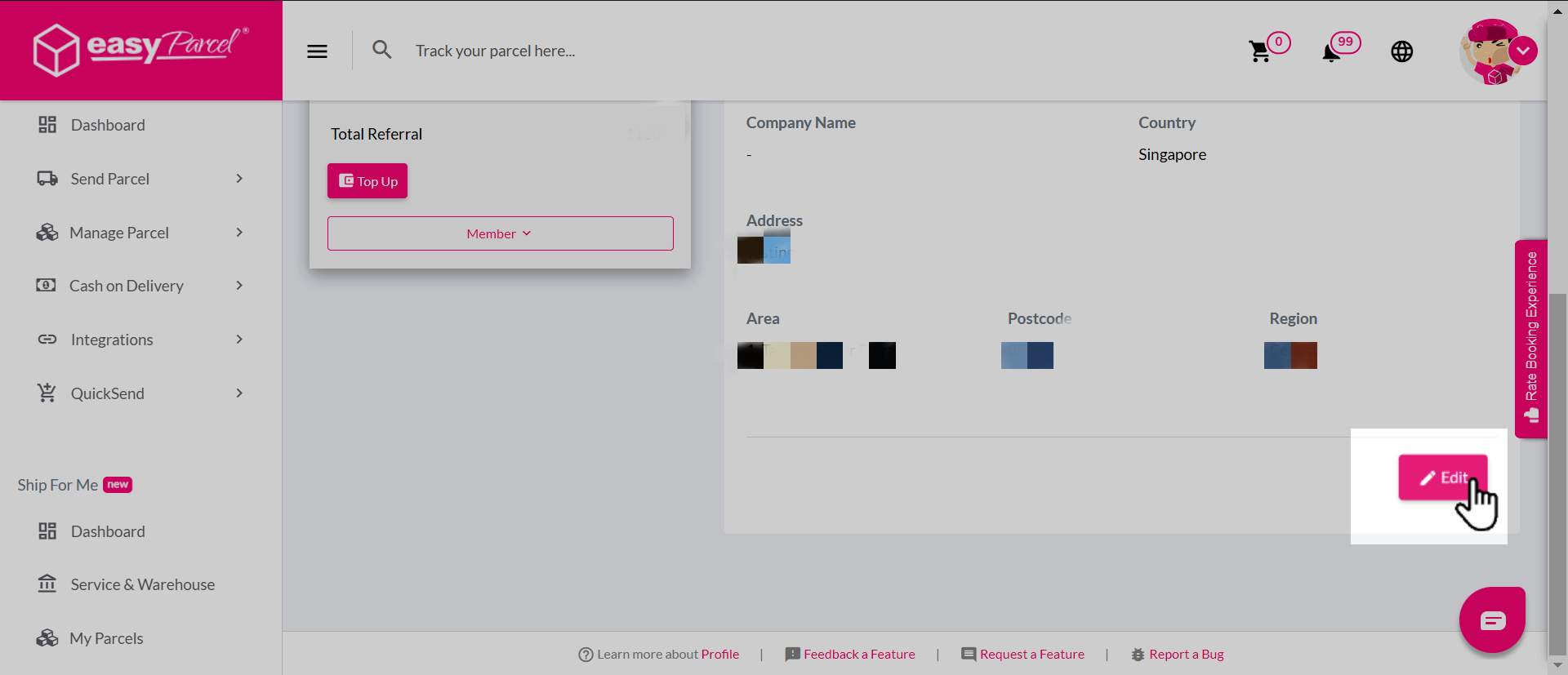
Step 3: Once completed, click on 'Save'.
