Quick Summary
This article explains the different address types in EasyParcel Singapore: profile address, pick‑up address, and receiver address. The profile address is your default account address used for billing and deliveries. The pick‑up address is where the courier collects your parcel, and the receiver address is the delivery destination. You can save multiple addresses in your Address Book for easier bookings.
We'll Cover:
What is a Pick-Up Address in EasyParcel?
Pick up address is the origin destination that the courier will collect the parcel from, which is the sender. You can fill up the pick up address on the booking form under 'Fill in sender details'.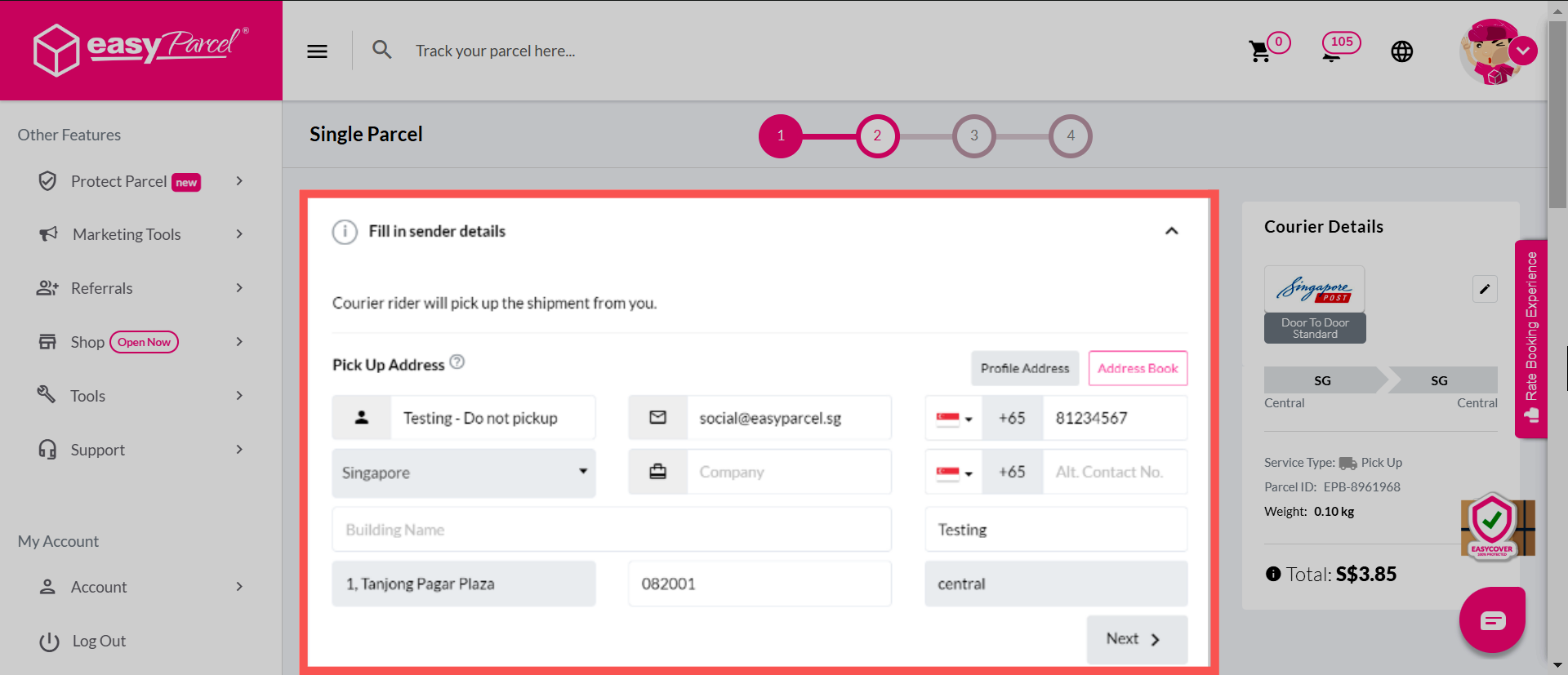
On EasyParcel, you can also add and save multiple origin ship-from addresses for greater convenience by adding and labelling your addresses in the Address Book.
What is a Receiver Address in EasyParcel?
Receiver address is the final destination that the courier will send the parcel to, which will be present on the shipping label or air waybill. You can fill up the receiver address on the booking form under 'Fill in receiver details'.
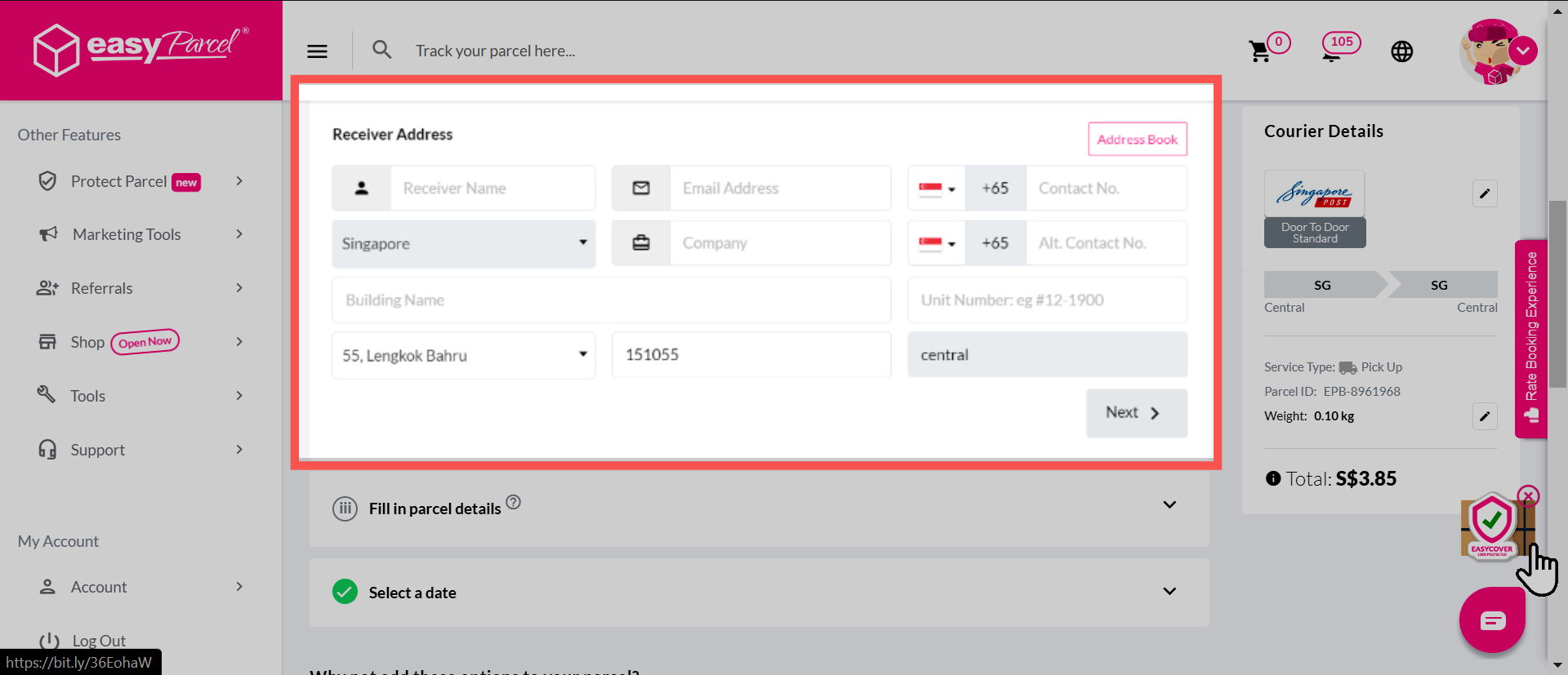
On EasyParcel, you can also add and save multiple ship-to destination addresses for greater convenience by saving or adding and labelling your receivers addresses in the Address Book.
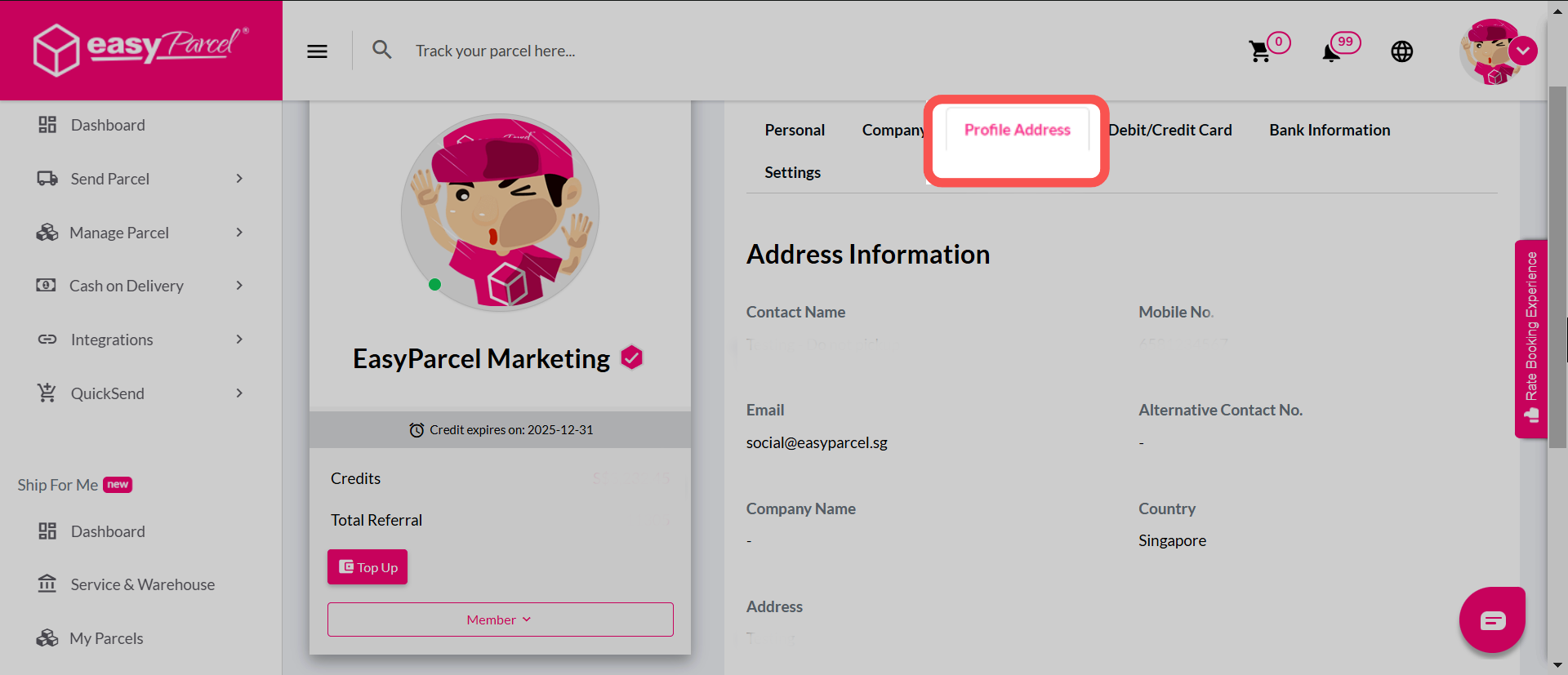
What is a Profile Address in EasyParcel?
A profile address is not only your billing address, which is used for transactional purposes and is entered when adding payment information into a store or software, it is also:
- The default pick up address when you book a parcel (when quote, default "from" postcode is from here)
- Your default delivery address (after redeeming the packaging material, it will be delivered to this address)