
Quick Summary
You can set tracking notifications, AWB branding, EasyCover and your courier choice in your file by adding columns. Put Yes or No for each parcel. You can also set courier preferences and add-ons for the whole upload on the setup page. A value in a row overrides the setting for the whole upload.
We'll Cover:
Columns you can add
- Tracking SMS, Tracking Email and Tracking WhatsApp
- AWB Branding
- EasyCover
- Courier Company and Alternative Courier Company
- Drop off at courier branch
For the Yes/No columns, enter Yes or No for each row.
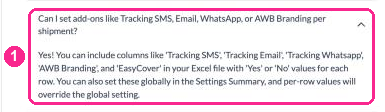
You can read about these columns in Can I set add-ons like Tracking SMS, Email, WhatsApp, or AWB Branding per shipment? (1) in the FAQ on the Bulk Upload page.
Settings for the whole file
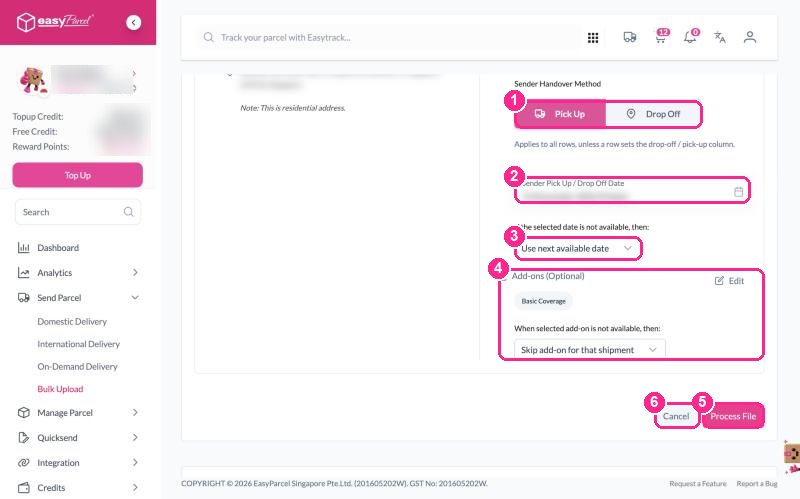
On the setup page, choose a Sender Handover Method (1), a date (2) and Add-ons (4) for every row. A value in a row overrides these settings.
If your courier is not available
Choose a 1st and 2nd courier preference on the setup page. EasyParcel uses your 1st choice. If it is not available for a parcel, it uses your 2nd choice. If neither is available, it uses the courier with the lowest price.
Tip: If you must use one courier only, set the same courier for both preferences.
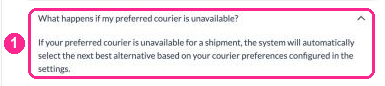
See also What happens if my preferred courier is unavailable? (1) in the FAQ on the Bulk Upload page.
Note: If an add-on is not available for a parcel, you can choose to skip it for that shipment.
What's next after you upload your file?
- Fix any errors: see My bulk file has errors. How do I fix them?
- Check your orders and pay: see Where do I find my uploaded files and orders?
Want the full flow from start to end? See How do I book many parcels with Bulk Upload?
Still need help?
Our team is happy to help. ? Live Chat | ✉️ Contact Us