
Quick Summary
Open Fulfillment Batches and click a Batch ID. AWBs are ready in about 2 minutes.
We'll Cover:
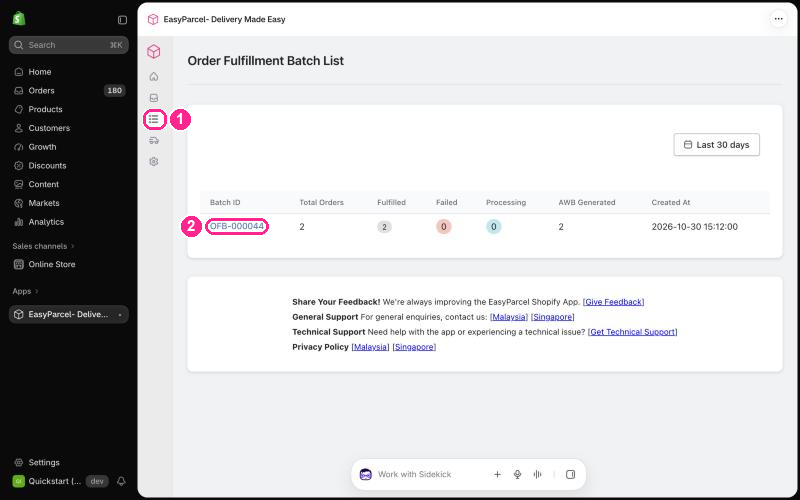
Find a batch
- Click Fulfillment Batches in the app menu.
- Click the Batch ID.
Click Fulfillment Batches (1), then the Batch ID (2).
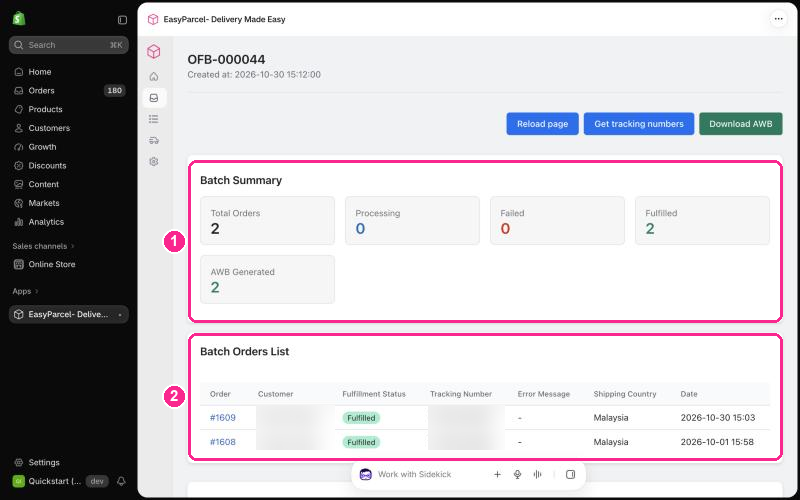
Read the batch page
Batch Summary shows total, Processing, Failed, Fulfilled and AWBs generated. Batch Orders List shows each order's status, tracking number and error message.
Batch Summary (1) and Batch Orders List (2).
Timing
| Time | What happens |
| About 2 minutes | AWBs are ready to download |
| Up to 10 minutes | Shopify statuses fully update |
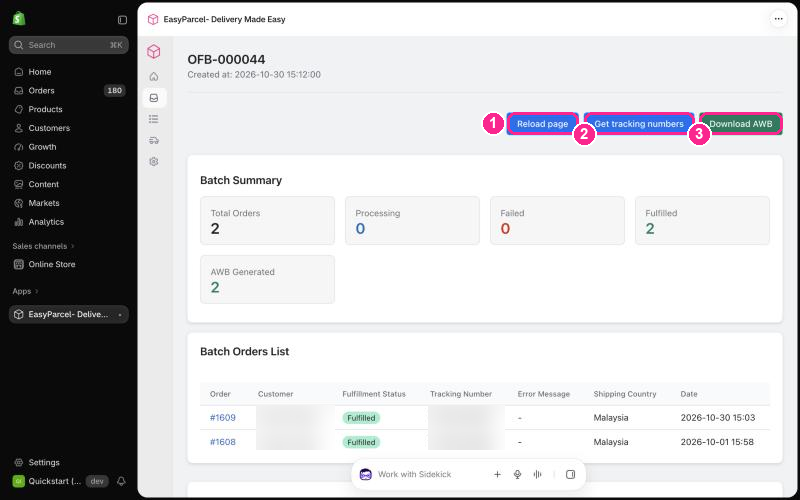
Click Get tracking numbers if numbers are missing. Failed orders can be shipped again from the Failed tab.
Use Reload page (1), Get tracking numbers (2) and Download AWB (3).
What's next?
Still need help?
Our team is happy to help. ? Live Chat | ✉️ Contact Us