
Quick Summary
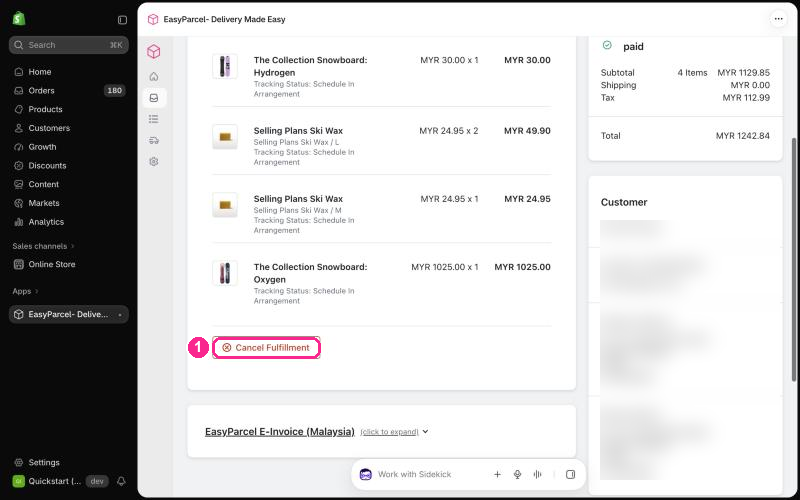
If you fulfilled a Shopify order by mistake, open the order in the EasyParcel app and click Cancel Fulfillment.
We'll Cover:
Steps
- In Shopify, open the EasyParcel app.
- Go to Orders and open the fulfilled order.
- Click Cancel Fulfillment and confirm.
- The order goes back to unfulfilled, so you can fulfil it again.
Click Cancel Fulfillment (1).
Before you cancel
- Cancel before the courier collects the parcel.
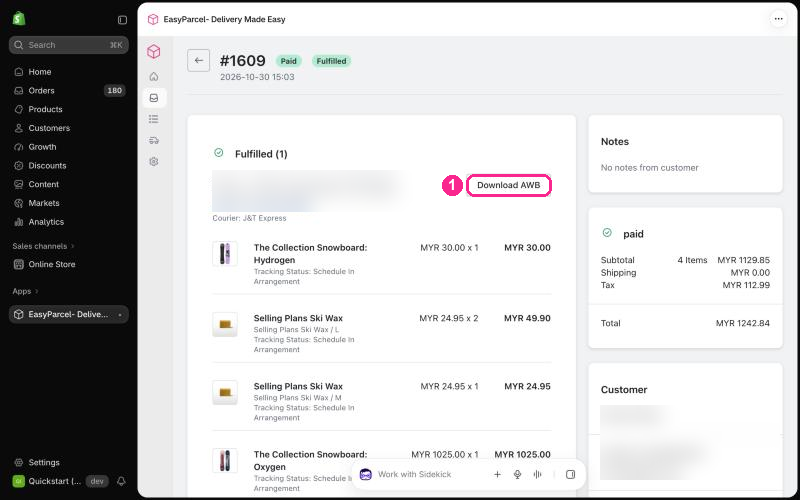
- If you printed the AWB, throw it away so it isn't used.
If you used Download AWB (1) and printed the label, throw it away.
What's next?
Still need help?
Our team is happy to help. ? Live Chat | ✉️ Contact Us
