
Quick Summary
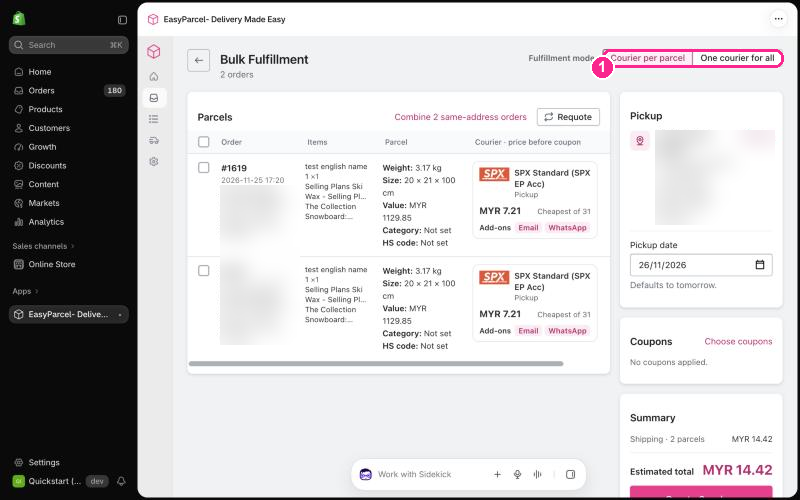
In bulk fulfilment, pick Courier per parcel or One courier for all. Pick the mode first.
We'll Cover:
Modes
| Mode | Best for |
| Courier per parcel | Orders going to different places or needing different couriers |
| One courier for all | Everything going with the same courier |
In One courier for all, the courier list is based on the first parcel. Click Requote to refresh.
Switch with Fulfillment mode (1) on the bulk page.
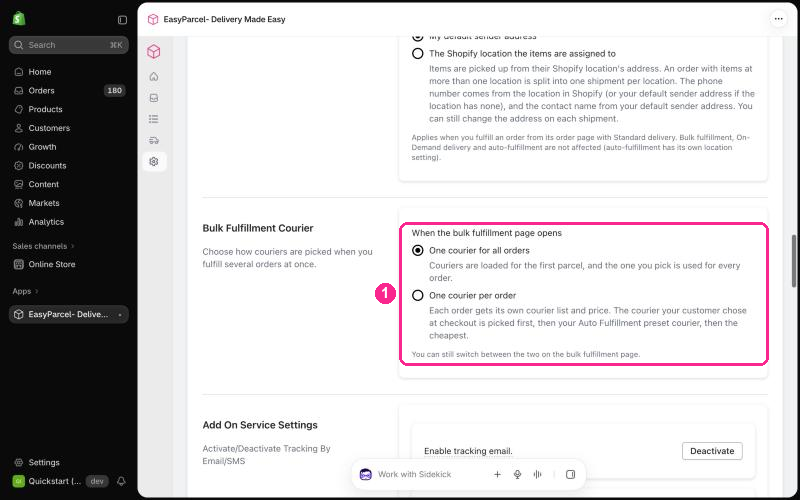
Set the default in Setting > Shipping Setting > Bulk Fulfillment Courier (1).
Why this courier?
| Label | Meaning |
| Customer's choice | The option the customer chose at checkout |
| Preferred courier | The courier you set in Auto Fulfillment |
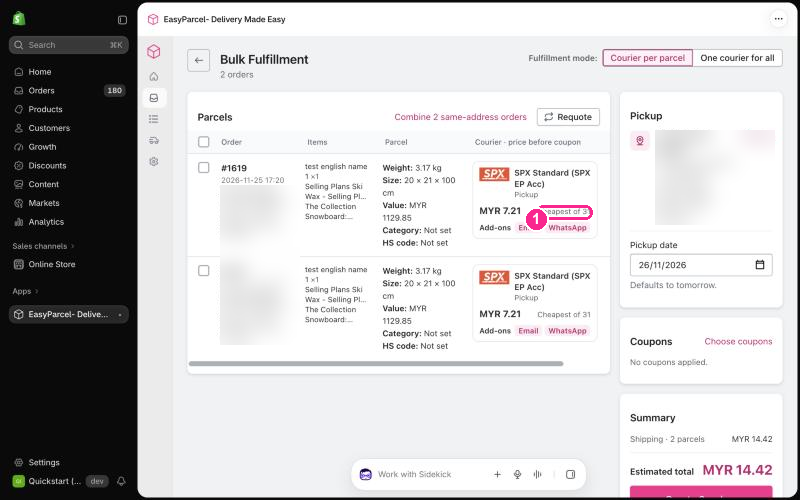
| Cheapest of N | The cheapest courier for this parcel |
| Only courier available | No other courier can take it |
The label is shown next to the price (1), for example Cheapest of 30.
What's next?
Still need help?
Our team is happy to help. ? Live Chat | ✉️ Contact Us