
Quick Summary
Orders going to the same receiver address can be shipped as one parcel with one AWB.
We'll Cover:
Steps
- Click Combine N same-address orders to combine every match, or
- tick rows and click Combine selected.
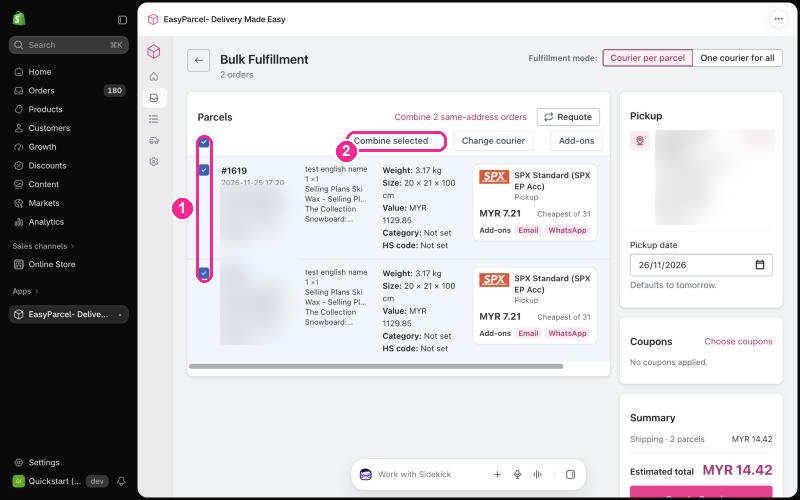
Tick the orders (1) and click Combine selected (2).
Good to know
| Rule | Detail |
| Same address only | Only orders to the same receiver address |
| Up to 20 | One parcel holds up to 20 orders |
| Split | Click Split to ship them separately again |
| Combined tab | Shows only combined parcels |
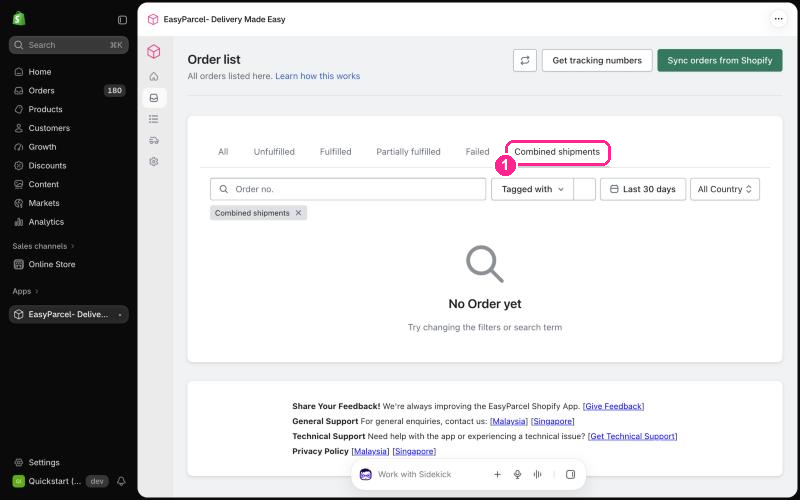
Combined parcels are listed in the Combined shipments (1) tab on the Orders page.
Why combine?
Fewer AWBs to print, less packing and often lower shipping cost.
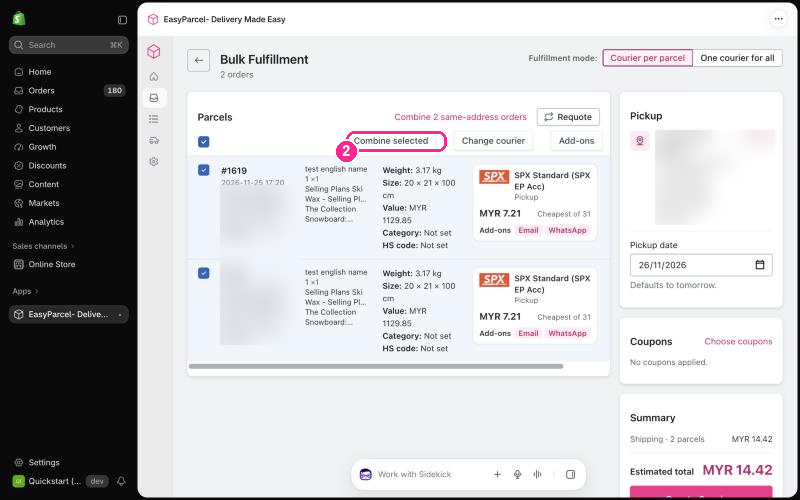
Combine from the bulk page with Combine selected (2).
What's next?
Still need help?
Our team is happy to help. ? Live Chat | ✉️ Contact Us