
Quick Summary
Click Edit on a parcel to change its receiver, parcel details, courier or add-ons for this shipment.
We'll Cover:
What you can edit?
Your changes apply to this shipment only, not the Shopify order. The exception is parcel category and HS code, which are saved to the order after it is fulfilled.
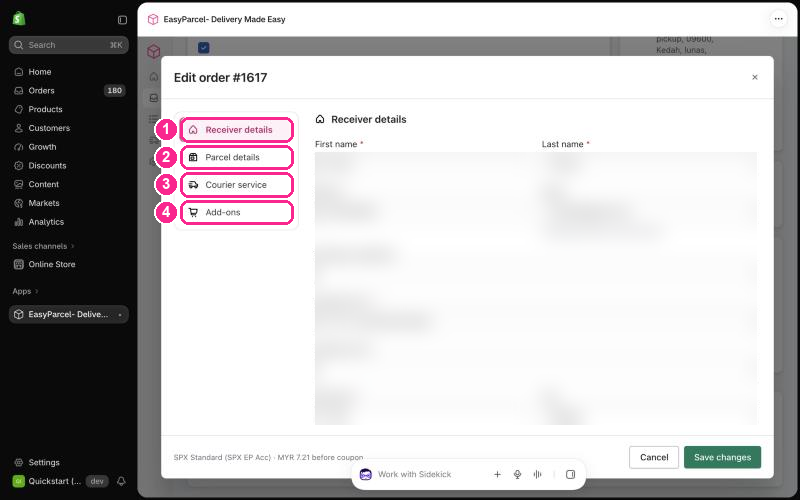
- Receiver details: add a phone or email.
- Parcel details: weight, size, parcel category and HS code.
- Courier service: click Requote or just Save changes.
- Add-ons: tracking notifications, parcel protection or EasyCover, DDP, COD.
The Edit window has Receiver details (1), Parcel details (2), Courier service (3) and Add-ons (4).
Many parcels at once
| Button | What it does |
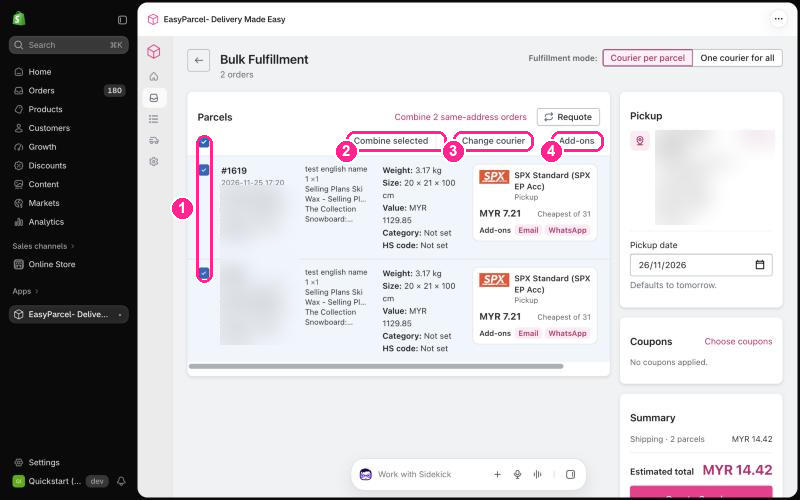
| Combine selected | Ships ticked orders as one parcel |
| Change courier | Picks one courier for all ticked parcels |
| Add-ons | Turns tracking notifications on or off for ticked parcels |
Tick the parcels (1), then use Combine selected (2), Change courier (3) or Add-ons (4).
What's next?
Still need help?
Our team is happy to help. ? Live Chat | ✉️ Contact Us