
Quick Summary
Use Book Return Shipment from the More Action menu in Manage Parcel > All Parcels to send a parcel back. The booking form opens with the sender and receiver swapped and the parcel details filled in.
We'll Cover:
How to book a return?
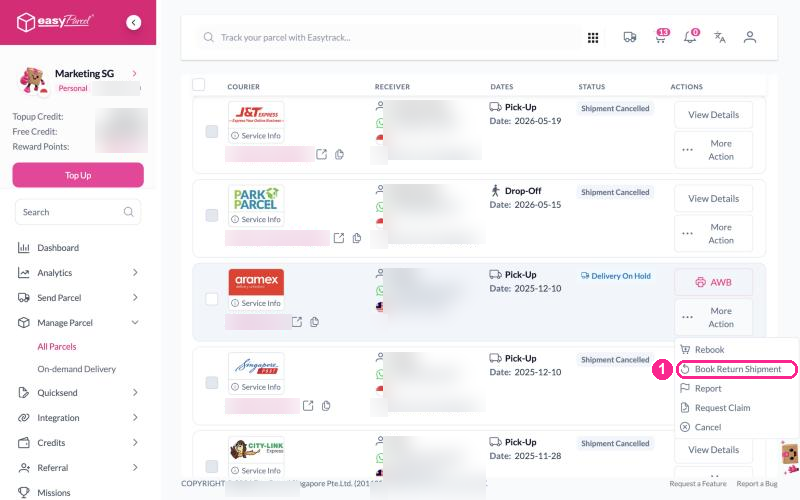
- Go to Manage Parcel > All Parcels.
- Click More Action on the parcel.
- Choose Book Return Shipment (1).
- Choose a courier in Edit Courier, check the details and pay.
In the app
In All Parcels, click More Action on the delivered parcel and choose Book Return Shipment (1).
What's next?
Still need help?
Our team is happy to help. ? Live Chat | ✉️ Contact Us