
Quick Summary
To cancel a parcel, go to Manage Parcel > All Parcels, click More Action on the parcel and choose Cancel. You can also send a Parcel Cancellation report from the same menu. A parcel that is already cancelled cannot be cancelled again.
We'll Cover:
Cancel from All Parcels
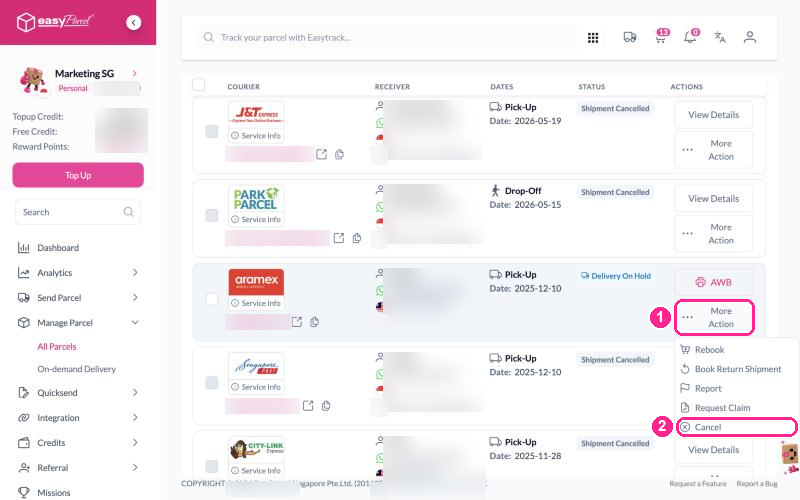
- Go to Manage Parcel > All Parcels.
- Find the parcel and click More Action (1).
- Choose Cancel (2).
When you can cancel?
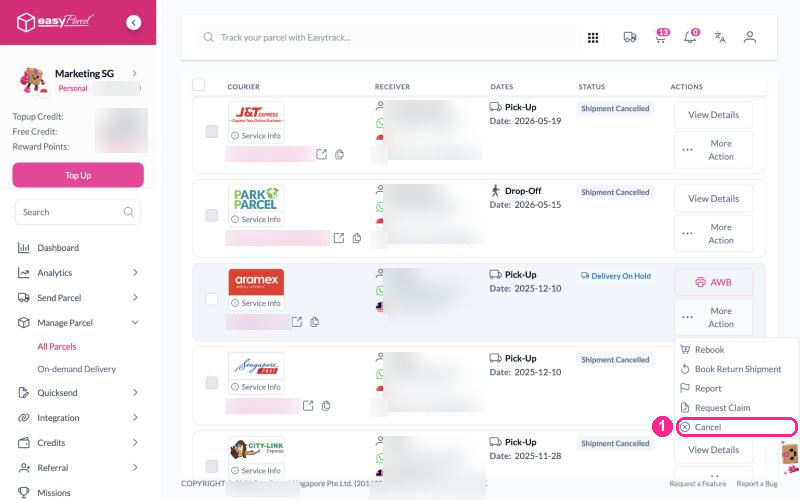
You can cancel a parcel as long as the courier has not yet picked it up, or you have not yet dropped it off at the drop-off point.
Click More Action on the parcel and choose Cancel (1).
If your parcel is already cancelled
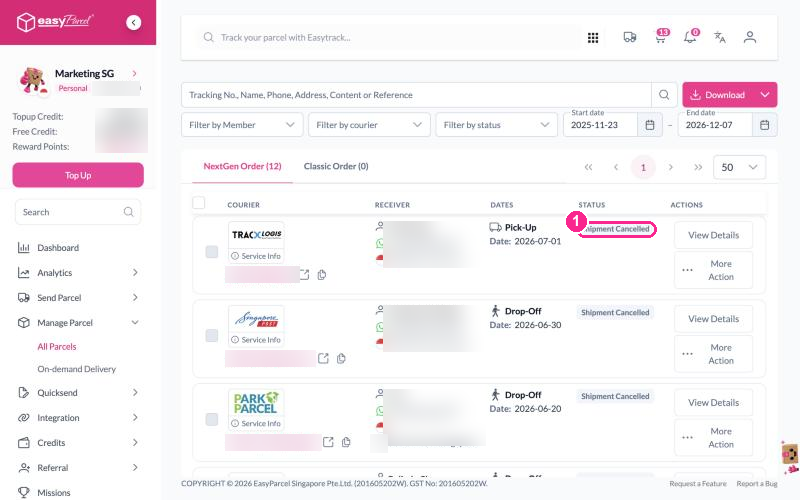
The page shows the message "The selected shipment has already been cancelled". A cancelled parcel shows Shipment Cancelled in the status column.
A cancelled parcel shows Shipment Cancelled (1).
Other options
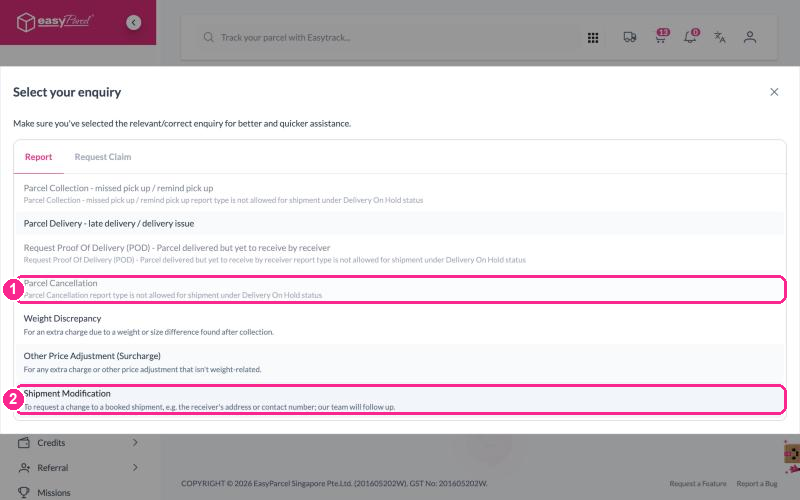
- Parcel Cancellation – choose Report from the same menu and select Parcel Cancellation
- Shipment Modification – to change the receiver's address or contact number instead of cancelling
- Rebook – book the same parcel again from the same menu
Note: The options in the menu depend on the parcel's status. Check the parcel's status before you cancel.
In Report, choose Parcel Cancellation (1) or Shipment Modification (2).
Refund
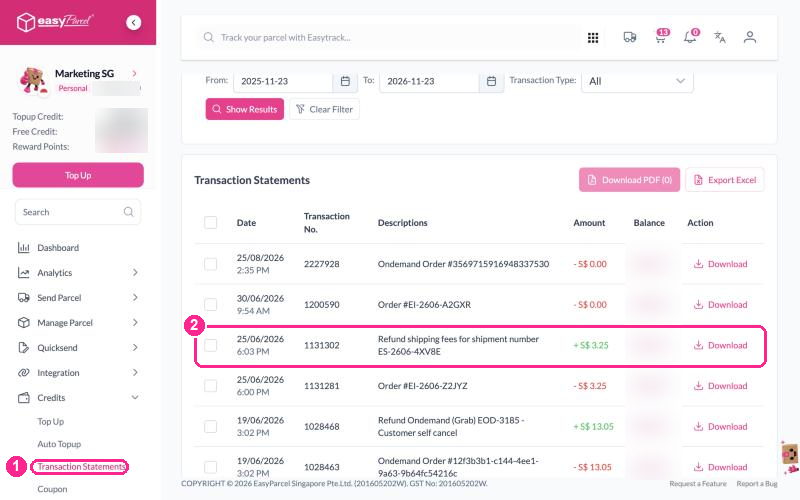
When a parcel is cancelled, the shipping fee is returned to your EasyParcel credit. You can see it in Credits > Transaction Statements as Refund shipping fees for shipment number …
Look for the refund row (2) in Credits > Transaction Statements (1).
Still need help?
Our team is happy to help. ? Live Chat | ✉️ Contact Us