
Quick Summary
See today's pick-ups on your Dashboard, and all scheduled pick-ups in Manage Parcel > All Parcels.
We'll Cover:
Today's pick-ups
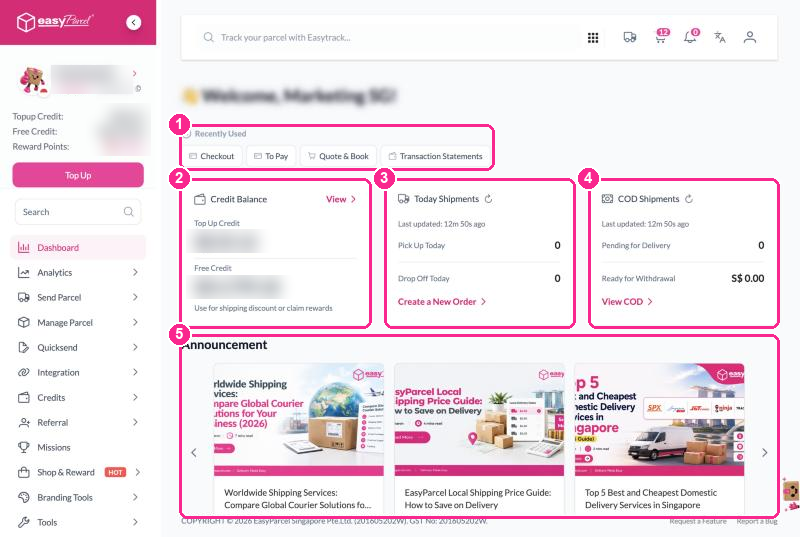
On your Dashboard, the Today Shipments card (3) shows how many parcels are due for Pick Up Today and Drop Off Today.
All scheduled pick-ups
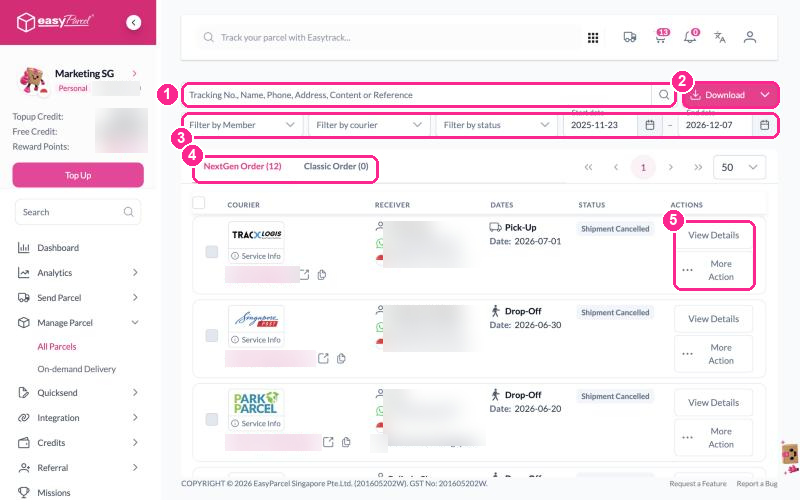
Open Manage Parcel > All Parcels. Use the filters and dates (3) to find parcels by pick-up date or status, and click View Details (5) to see the pick-up date.
Change a pick-up date
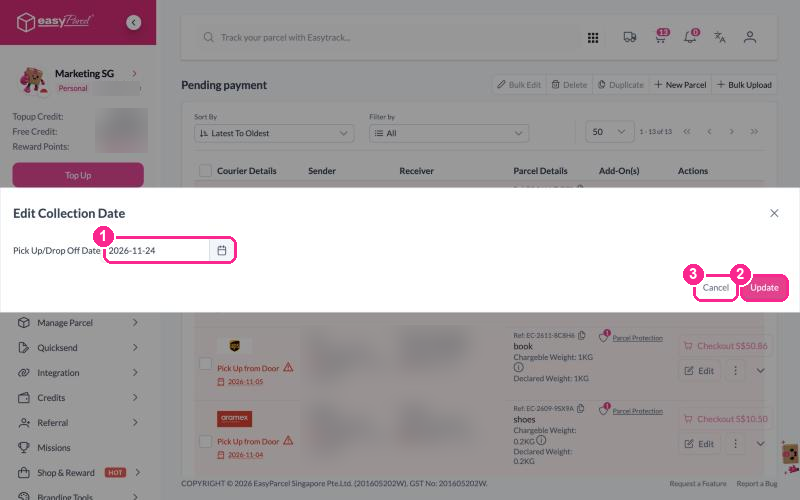
Before you pay, use Change date on the parcel in Pending payment. See How do I change the courier, pick-up date or add-ons before I pay? After payment, report a missed pick-up from the parcel menu. See What if my parcel was not collected or missed pick-up?
In Edit Collection Date, choose the Pick Up/Drop Off Date (1) and click Update (2).
Prefer a video?
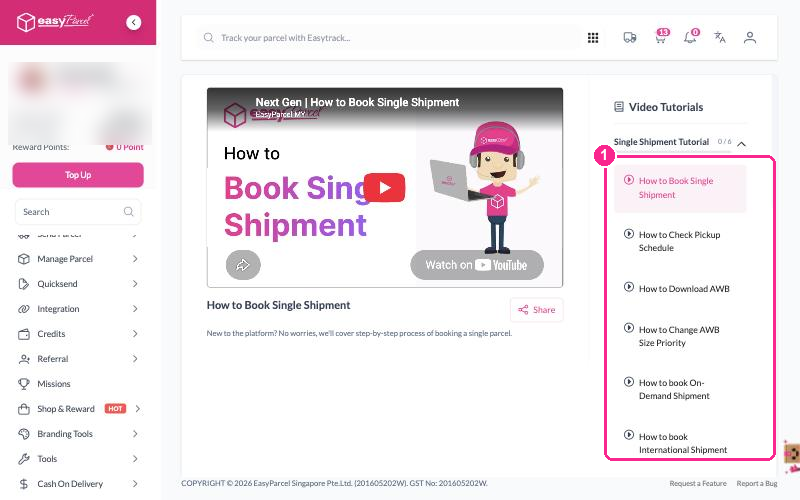
Watch How to Check Pickup Schedule in Support > Video Tutorial.
Open Support > Video Tutorial.
What's next?
Still need help?
Our team is happy to help. ? Live Chat | ✉️ Contact Us