
Quick Summary
After delivery, rate your courier in Manage Parcel > All Parcels > View Details > Review. Give 0 to 5 stars for pick-up or drop-off, for delivery and for whether you recommend the courier, and add a comment.
We'll Cover:
Leave a review
- Open the parcel with View Details.
- Click the Review tab.
- Rate Pick Up / Drop Off, Delivery and Recommend the courier to others, and write a comment in each box.
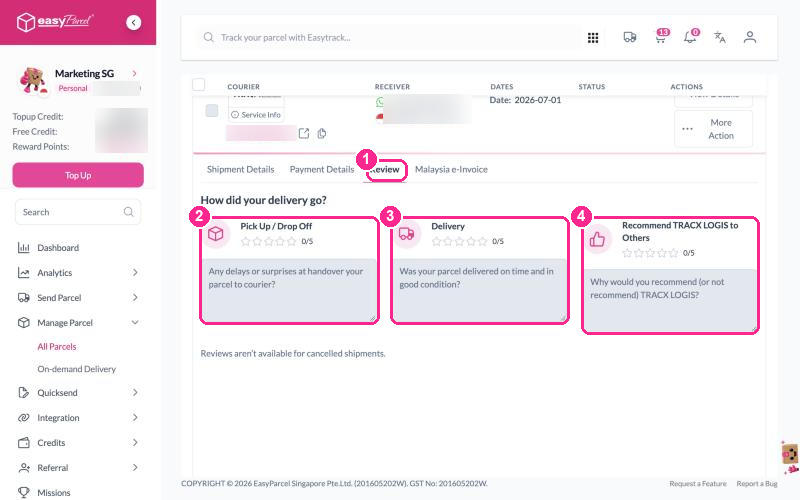
Note: Reviews are not available for cancelled shipments.
What's next?
Still need help?
Our team is happy to help. ? Live Chat | ✉️ Contact Us