
Quick Summary
After you pay, you cannot edit the parcel or the receiver's address yourself. For the smoothest delivery, send a Shipment Modification report so our team can help, or cancel the parcel and rebook with the correct details if the courier has not collected it yet. This helps avoid a lost or delayed parcel.
We'll Cover:
- What we recommend?
- Cancel and rebook
- Contact support
- Refund
- Cancel from All Parcels
- Ask for a change
- Before you pay next time
What we recommend?
Check the sender, receiver and parcel details carefully before you pay. If something is wrong after payment, do not rely on changing it yourself. Cancel and rebook, or ask our support team.
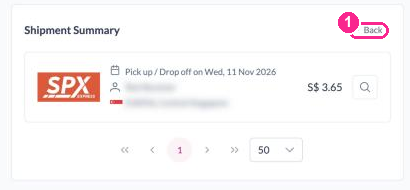
On the checkout page, check the Shipment Summary and click Back (1) if you need to change anything before you pay.
Cancel and rebook
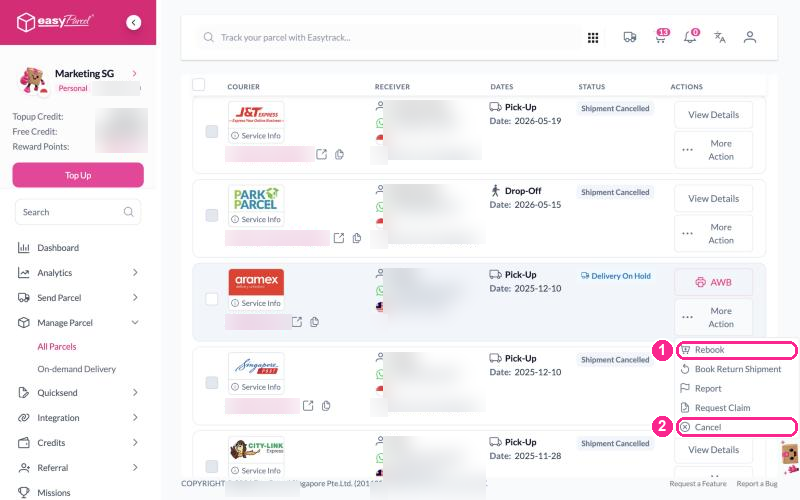
As long as the courier has not picked up your parcel, or you have not dropped it off, you can cancel it and book again. See How do I cancel a parcel? You can also use Rebook from the More Action menu in Manage Parcel > All Parcels.
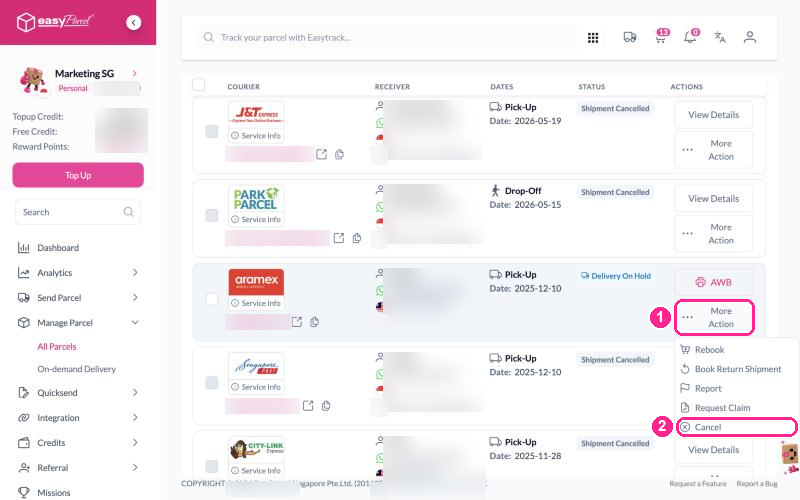
Click More Action on the parcel and choose Rebook (1) or Cancel (2).
Contact support
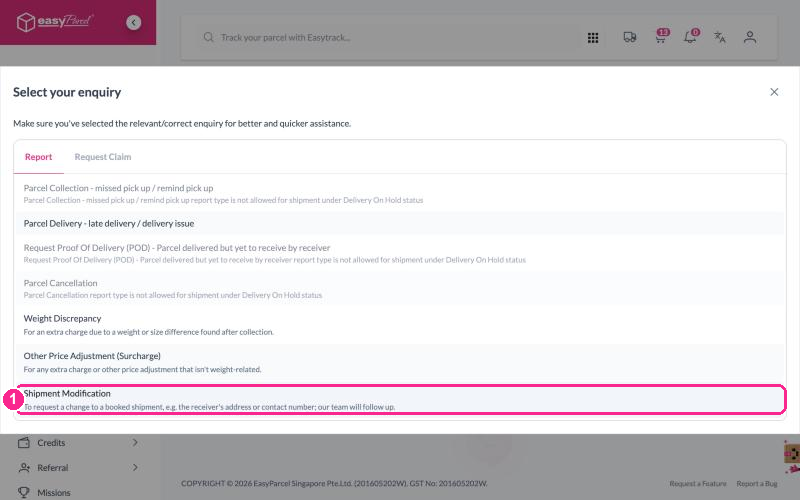
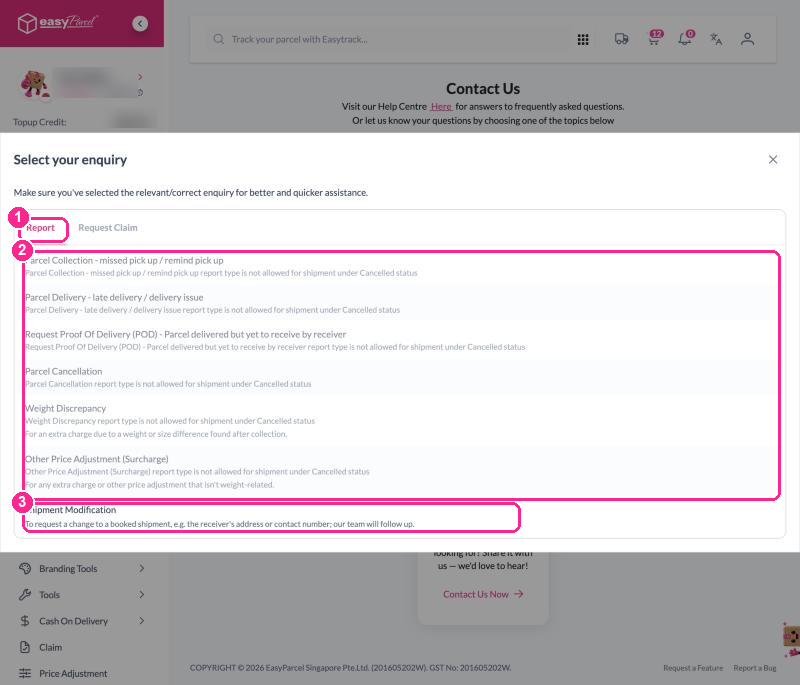
Go to Manage Parcel > All Parcels, click More Action, choose Report and select Shipment Modification to ask for a change such as the receiver's address or contact number. Our team will follow up.
Choose Shipment Modification (1) in the Report list.
Refund
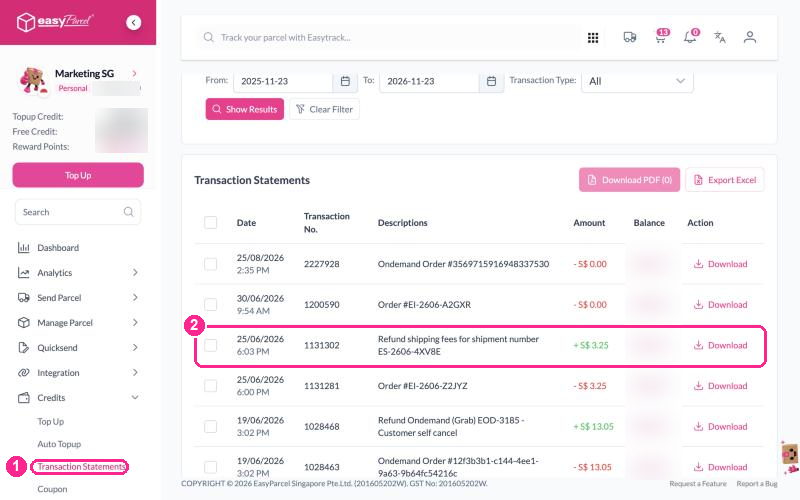
When you cancel a parcel, the shipping fee goes back to your EasyParcel credit. You can see it in Credits > Transaction Statements as Refund shipping fees for shipment number …. See How do I cancel a parcel?
Look for the refund row (2) in Credits > Transaction Statements (1).
Cancel from All Parcels
In Manage Parcel > All Parcels, click More Action (1) on the parcel and choose Cancel (2). To change details, cancel and book again.
Ask for a change
- Go to Manage Parcel > All Parcels.
- Click More Action on the parcel and choose Report.
- Select Shipment Modification (3) and enter the correct address or phone number.
Before you pay next time
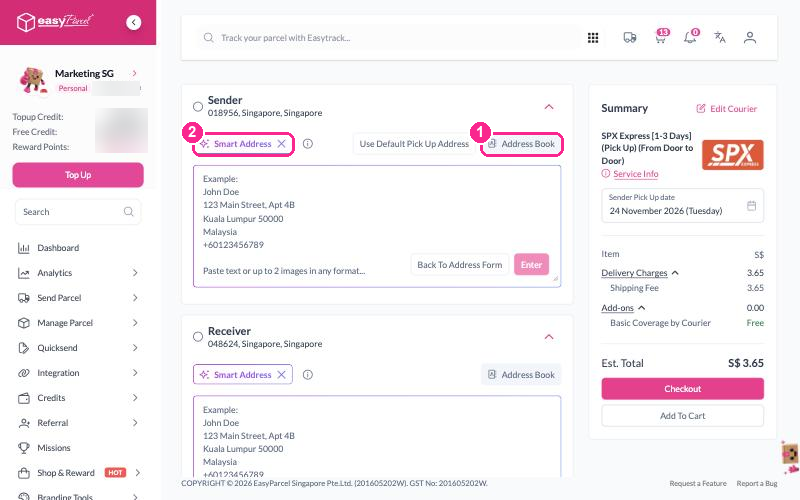
Check the receiver details carefully. Use Smart Address and your Address Book to avoid typing mistakes. See Can I change or cancel a parcel after I have paid?
On the booking page, use Address Book (1) or Smart Address (2) to avoid typing mistakes.
What's next?
Still need help?
Our team is happy to help. ? Live Chat | ✉️ Contact Us