
Quick Summary
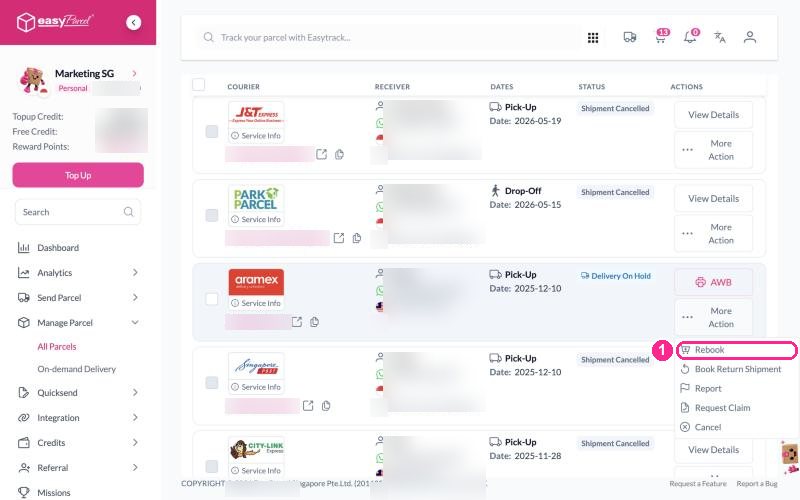
Use Rebook from the More Action menu in Manage Parcel > All Parcels to book the same parcel again. It saves you from filling in the form from the start.
We'll Cover:
How to rebook?
- Go to Manage Parcel > All Parcels.
- Click More Action on the parcel and choose Rebook (1).
- Check the details, choose a courier and pay.
For On-Demand orders, use Rebook in Manage Parcel > On-demand Delivery.
What's next?
Still need help?
Our team is happy to help. ? Live Chat | ✉️ Contact Us