
Quick Summary
Use Currency Conversion when your store currency is different from your EasyParcel currency.
We'll Cover:
- Where to find it
- What to enter?
- Example
Where to find it
- Go to WooCommerce > Settings > Shipping > EasyParcel Shipping.
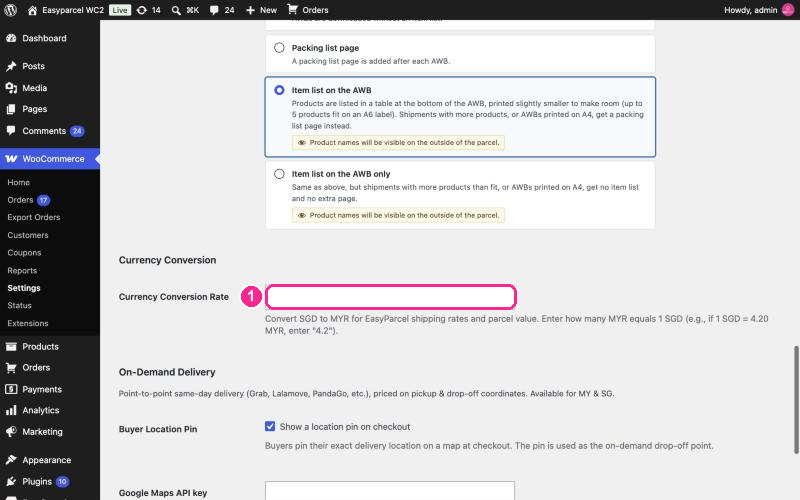
- Find Currency Conversion and the Currency Conversion Rate field.
- Enter the rate and click Save changes.
This field only shows when your store currency is different from your EasyParcel currency (the currency of your sender country). If you do not see it, you do not need it.
Enter the rate in Currency Conversion Rate (1). The note under the field shows your two currencies.
What to enter?
Enter how many units of your EasyParcel currency equal 1 unit of your store currency.
The note under the field shows your two currencies, for example Convert USD to SGD.
Example
If 1 USD = 1.35 SGD, enter 1.35. A shipping price of SGD 6.75 shows to the customer as 6.75 / 1.35 = 5.00 USD. A product of USD 100 is sent to EasyParcel as SGD 135.
What's next?
Still need help?
Our team is happy to help. ? Live Chat | ✉️ Contact Us