Quick Summary
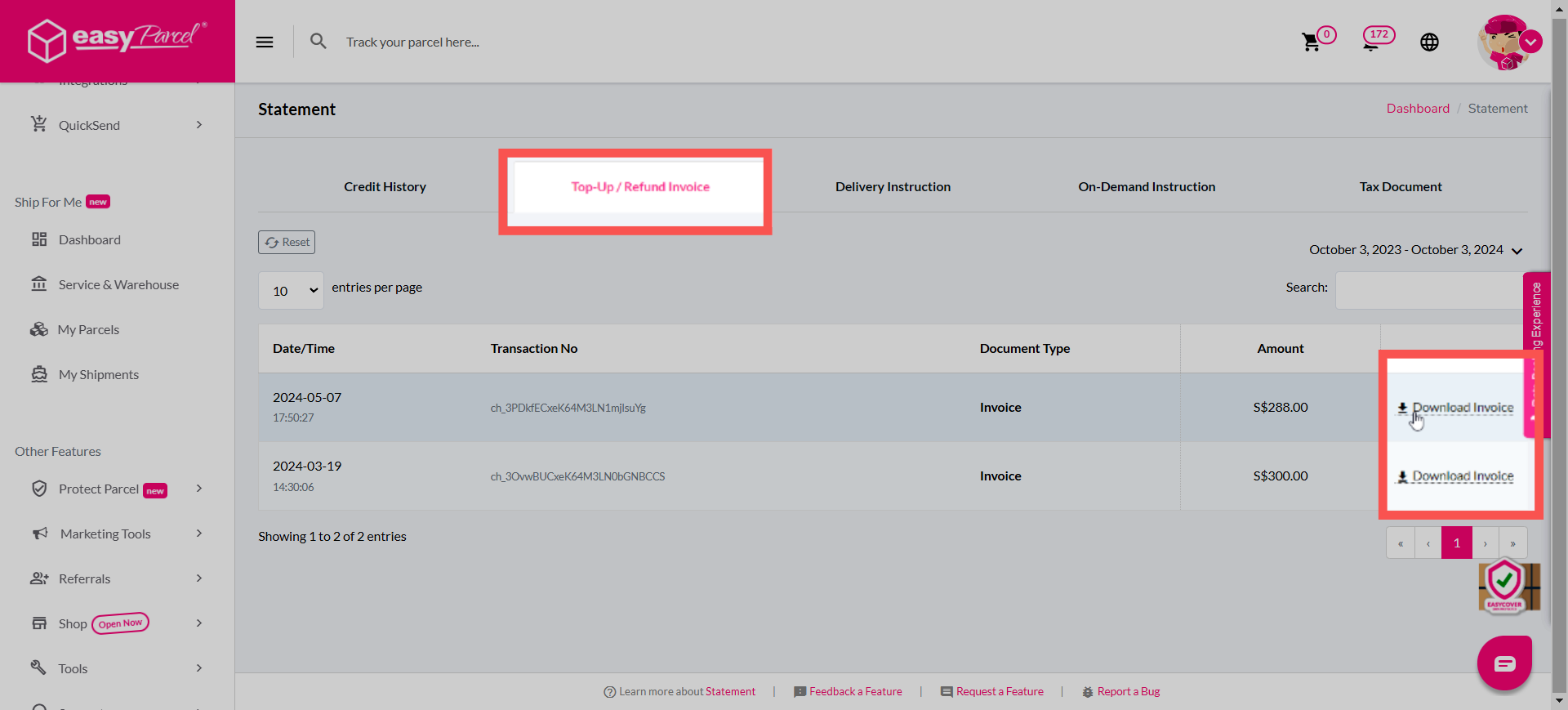
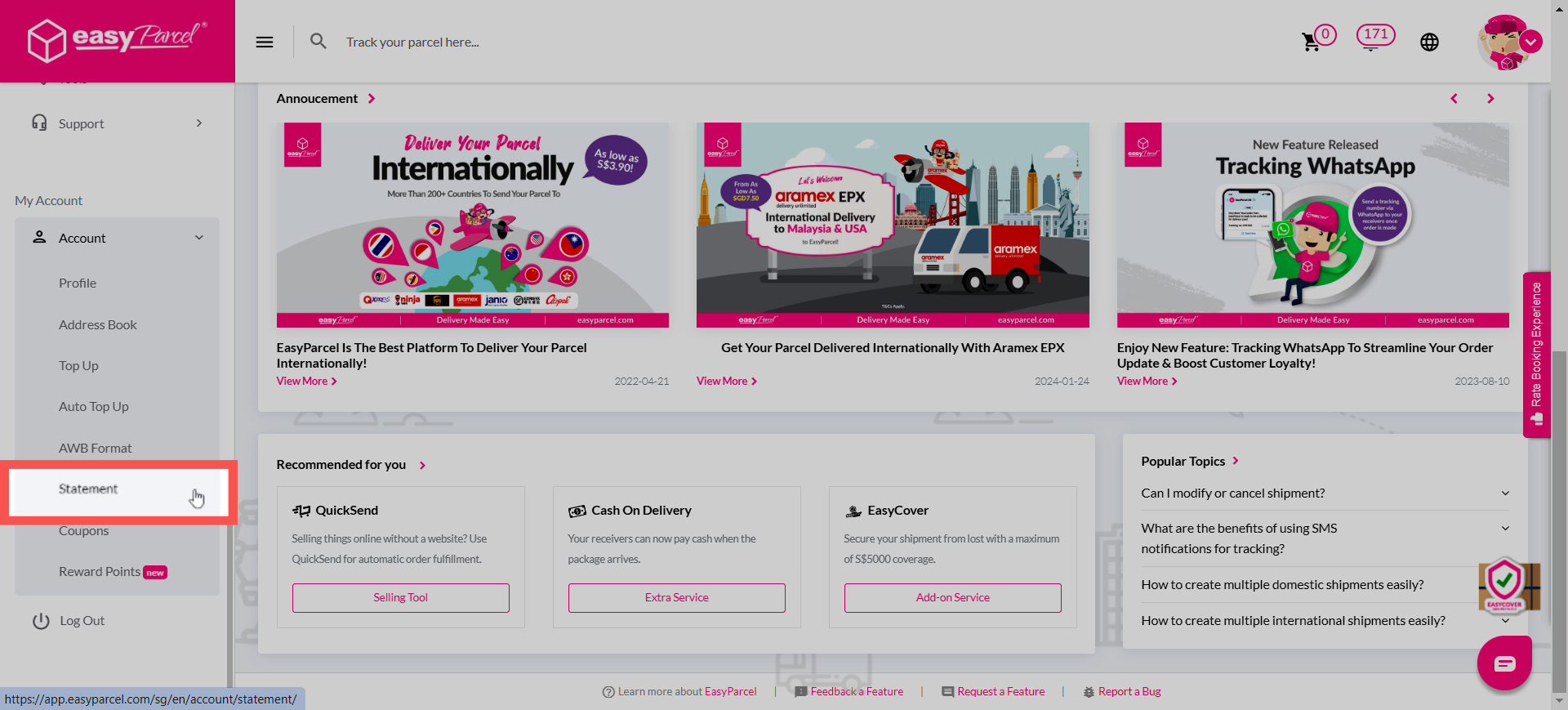
After completing a top-up, you can retrieve your documents directly from the EasyParcel SG dashboard. Simply log in and navigate to Account > Statement. From there, click on the "Top Up Invoice" tab to view your full transaction history. You can then use the download icon next to each entry to save your auto-generated invoice for your business records or GST filing.
After successfully making a new top up, you can easily get your invoices and statement in your EasyParcel account. Simply follow these steps:
Step 1: Log in to your EasyParcel account, go to 'Account' and click on 'Statement'.
Step 2: Click on 'Top Up Invoice' to search for your statement history and click on the download icon to download your statement.