
Quick Summary
An international parcel needs a commercial invoice with its label. If the invoice is missing, check that every item has a full description, price, quantity and HS code, then download the documents again from All Parcels.
We'll Cover:
Why it can be missing?
- An incomplete item description
- Incorrect booking settings
- A system problem
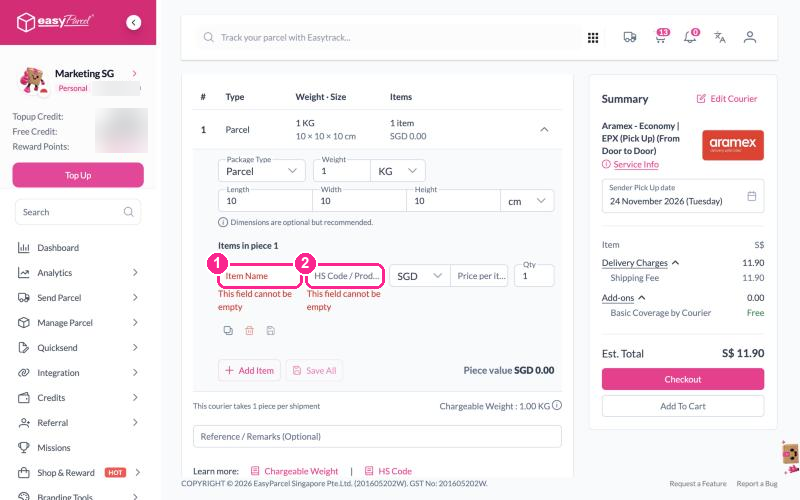
The invoice uses the item details you enter: Item Name (1) and HS Code / Product (2).
What to do?
Check your item details. See How do I declare my items for an international parcel? Then download the documents again. See What is an AWB, and how do I print or download it? If it is still missing, contact our support team.
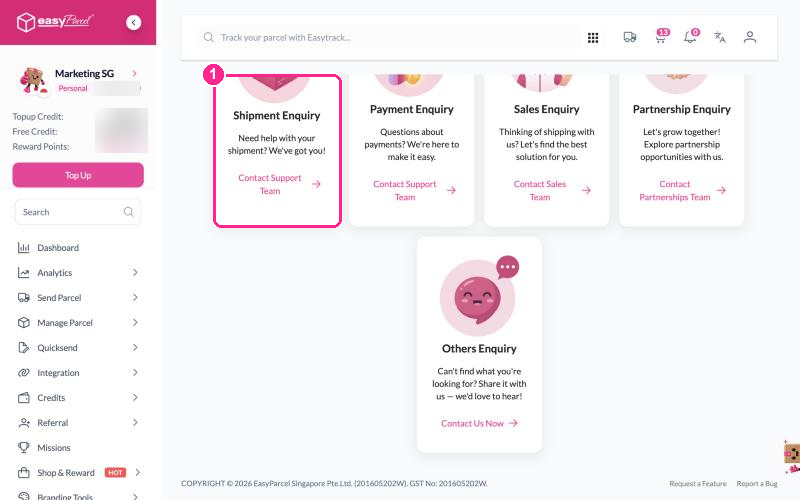
To contact us, go to Contact Us and choose Shipment Enquiry (1).
In the app
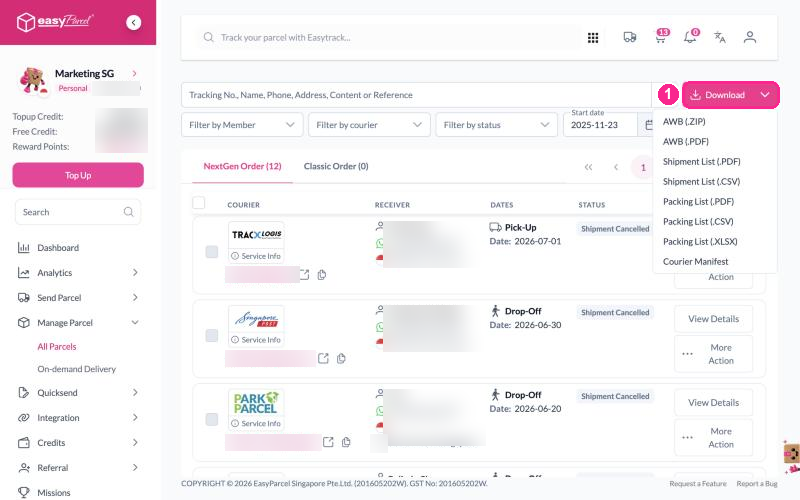
In Manage Parcel > All Parcels, tick the parcel and click Download (1) to get the documents again.
Still need help?
Our team is happy to help. ? Live Chat | ✉️ Contact Us