
Quick Summary
Turn on Enable auto fulfillment in Auto Fulfillment > Setting, choose your preferred courier and a collection date. New orders are then booked automatically.
We'll Cover:
Turn it on
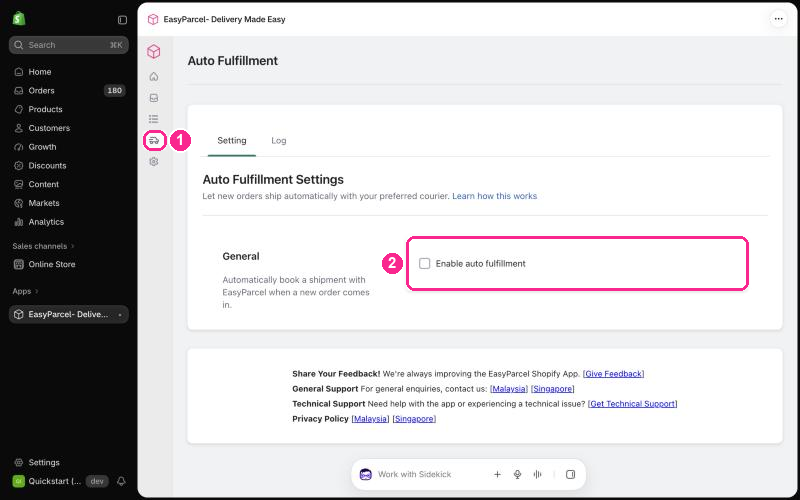
Under General, tick Enable auto fulfillment. You can also tick Check product inventory (skips out-of-stock items) and Allow multiple fulfillments for orders with multiple inventory locations.
Click Auto Fulfillment (1) in the app menu and tick Enable auto fulfillment (2). The other settings appear after you tick it.
Courier
Choose Same courier for all orders or Separate couriers for domestic and international orders, then pick the courier and Pickup or Dropoff. If your customer chose an EasyParcel courier at checkout, that courier is used. Otherwise your preferred courier is used.
Collection date
| Schedule | How it works |
| Next day | Collected the day after the order |
| Same day | Collected the same day |
| Every... | Collected on a set day of the week |
| After n day(s) | A set number of days after the order (maximum 14) |
Log
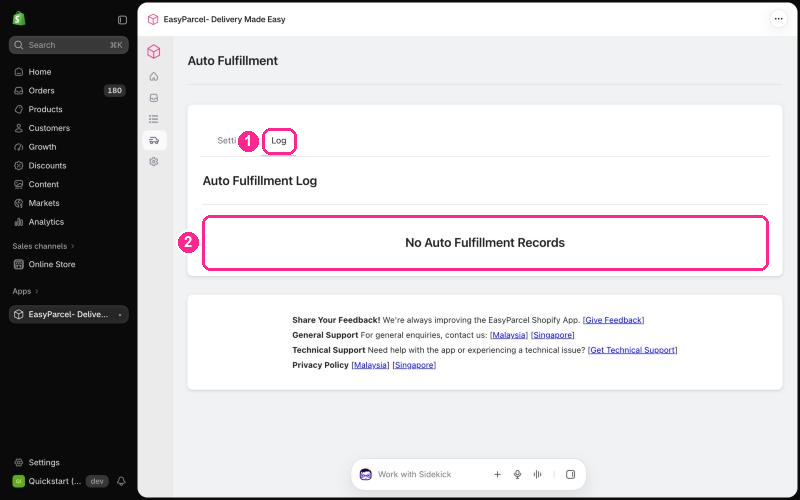
The Log tab shows each order with its date, Success or Failed status and description. Failed orders can be shipped by hand. Keep your credit topped up, and if you change API version, reset your preferred courier and drop-off point.
Open the Log (1) tab. Each attempt is listed here (2).
What's next?
Still need help?
Our team is happy to help. ? Live Chat | ✉️ Contact Us
