
Quick Summary
Turn on Order Number On AWB to match labels to orders. Shipping Label Rename turns on label renaming.
We'll Cover:
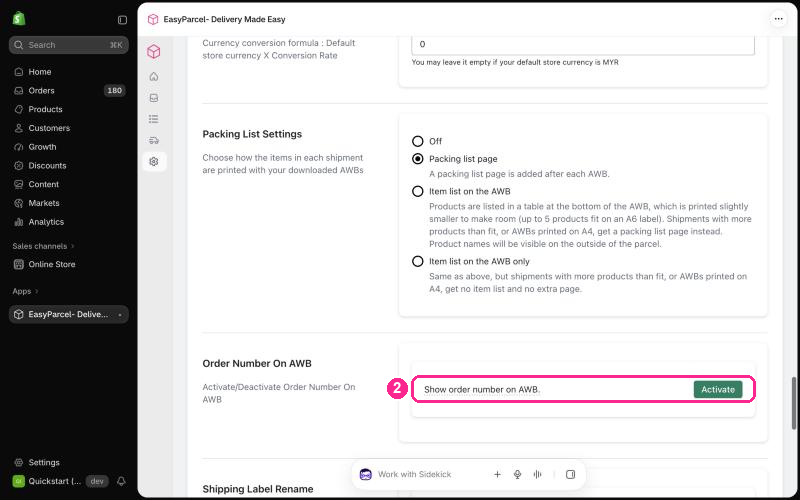
Order Number On AWB
Prints the order number on the AWB. Helpful when you pack many parcels at once.
Turn on Show order number on AWB (2).
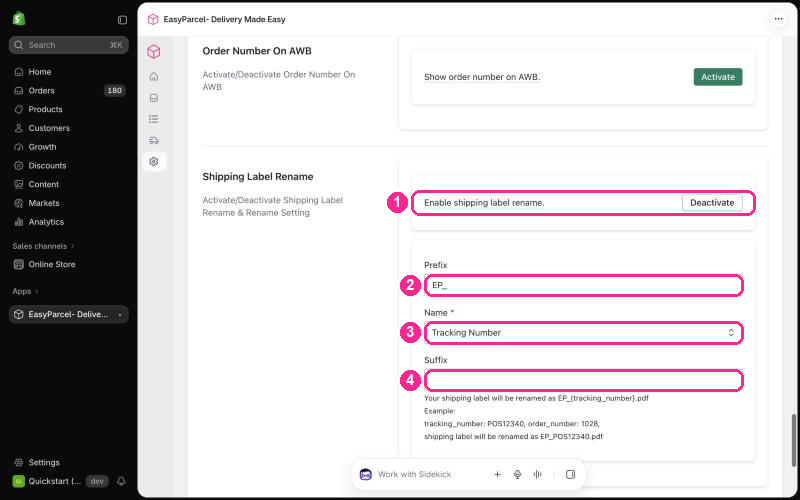
Shipping Label Rename
Turns on shipping label renaming and its rename setting.
Turn on Enable shipping label rename (1), then set the Prefix (2), Name (3) and Suffix (4). The page shows an example file name.
Packing List
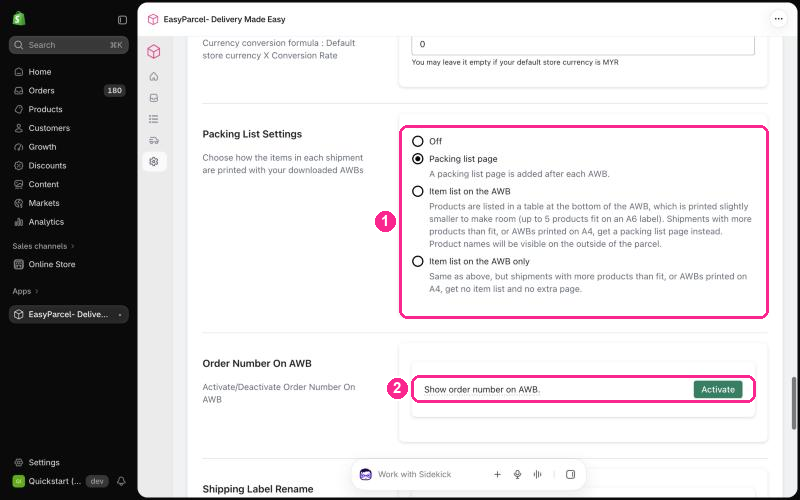
Under Packing List Settings (1), choose one:
- Off: no packing list.
- Packing list page: a packing list page is added after each AWB.
- Item list on the AWB: items are listed in a table at the bottom of the AWB (up to 5 products on an A6 label). Bigger orders, or AWBs printed on A4, get a packing list page instead.
- Item list on the AWB only: same, but bigger orders and A4 AWBs get no list and no extra page.
What's next?
Still need help?
Our team is happy to help. ? Live Chat | ✉️ Contact Us