
Quick Summary
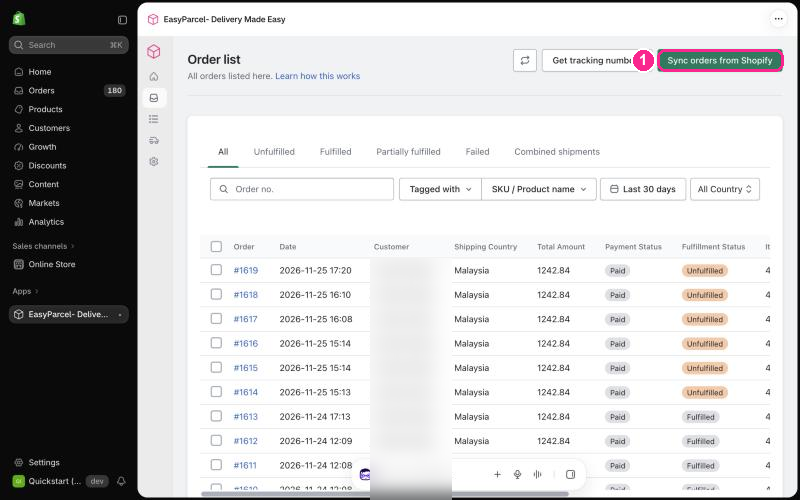
Click Sync orders from Shopify on the Orders page to pull in your newest orders.
We'll Cover:
When to sync?
If a new order is not showing, click Sync orders from Shopify. Also check the order is marked Paid, because only paid orders can be fulfilled.
Click Sync orders from Shopify (1).
Other buttons
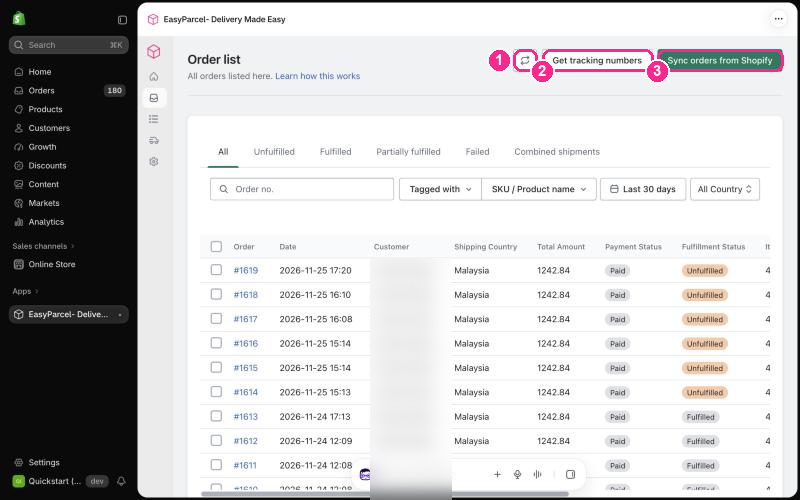
| Button | What it does |
| Reload Page | Refreshes the view |
| Get tracking numbers | Fetches the latest AWB numbers |
Reload (1), Get tracking numbers (2) and Sync orders from Shopify (3).
What's next?
Still need help?
Our team is happy to help. ? Live Chat | ✉️ Contact Us
