
Quick Summary
On the order page, check Parcel Weight and Dimension, Parcel Content and Declared Value before you get a quote.
We'll Cover:
Weight and size
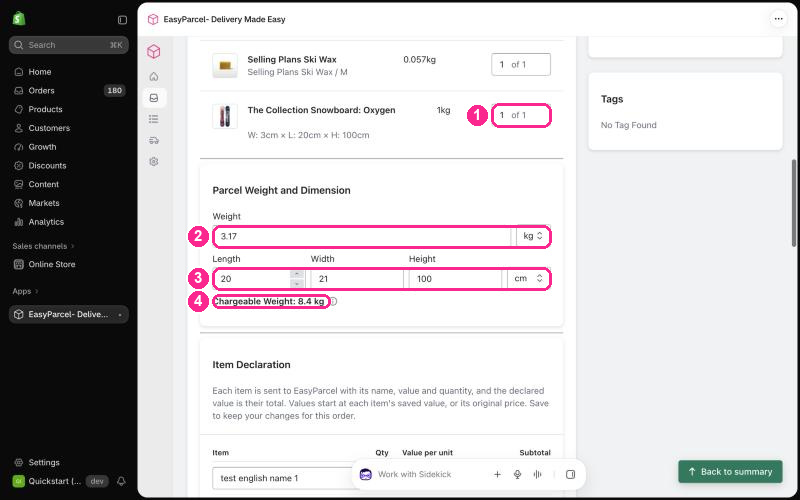
Enter or confirm Weight and Length, Width, Height. Couriers charge the higher of actual weight and volumetric weight, so a big light box can cost more. Accurate measurements give accurate rates.
Change the quantity (1) if needed, then enter the Weight (2) and Length, Width, Height (3). The Chargeable Weight (4) updates for you.
Parcel content
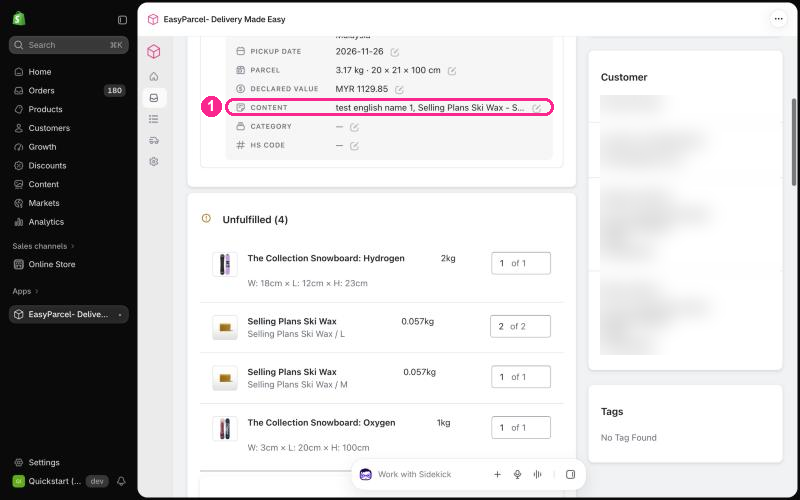
A short description of what is inside. It is filled from the order. Maximum 35 characters, letters only.
You can change it in the Content (1) row of the Booking summary.
Declared value
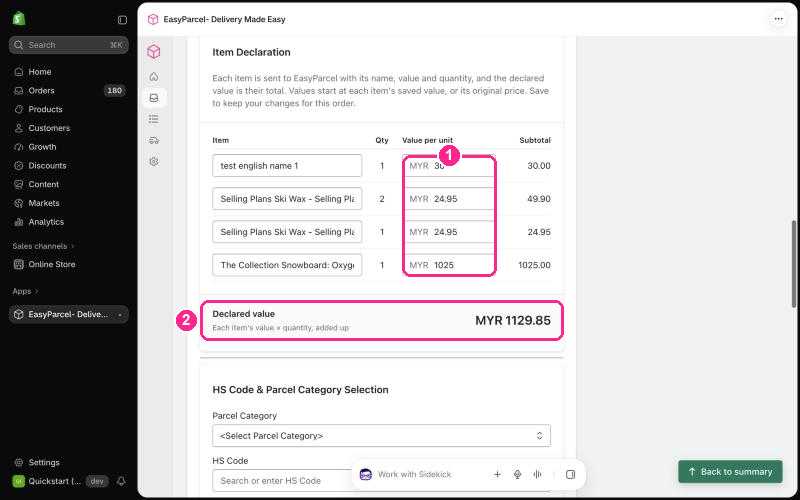
The app works out the value and pre-fills it. Check it looks right.
Under Item Declaration, check the Value per unit (1) and the Declared value (2).
What's next?
Still need help?
Our team is happy to help. ? Live Chat | ✉️ Contact Us