
Quick Summary
You can download your courier manifest directly from your EasyParcel SG account after booking your shipments. Simply go to 'Manage Parcel' > 'All Parcels', select the parcels you are handing over, and click the 'Download' button to choose 'Courier Manifest'. This document acts as official proof of collection or drop-off; once printed, have the courier sign it upon pickup to verify that your parcels were successfully handed over for delivery.
What is a courier Manifest?
When handing a bulk of shipments over to a courier, you can actually give the delivery heroes a list of shipment as proof of collection. This document is called Courier Manifest.
It contains all the sender’s details and tracking numbers. The best part is you can now generate it digitally just inside the EasyParcel website for FREE in a few clicks!

Whenever you book for parcel delivery, you can print out the courier manifest to be signed upon collection and used as proof that the number of parcels that have been collected by the delivery heroes.
How To Download the Courier Manifest?
We generate all courier manifests digitally inside your EasyParcel account once the parcel is booked. All you need to do is just:-
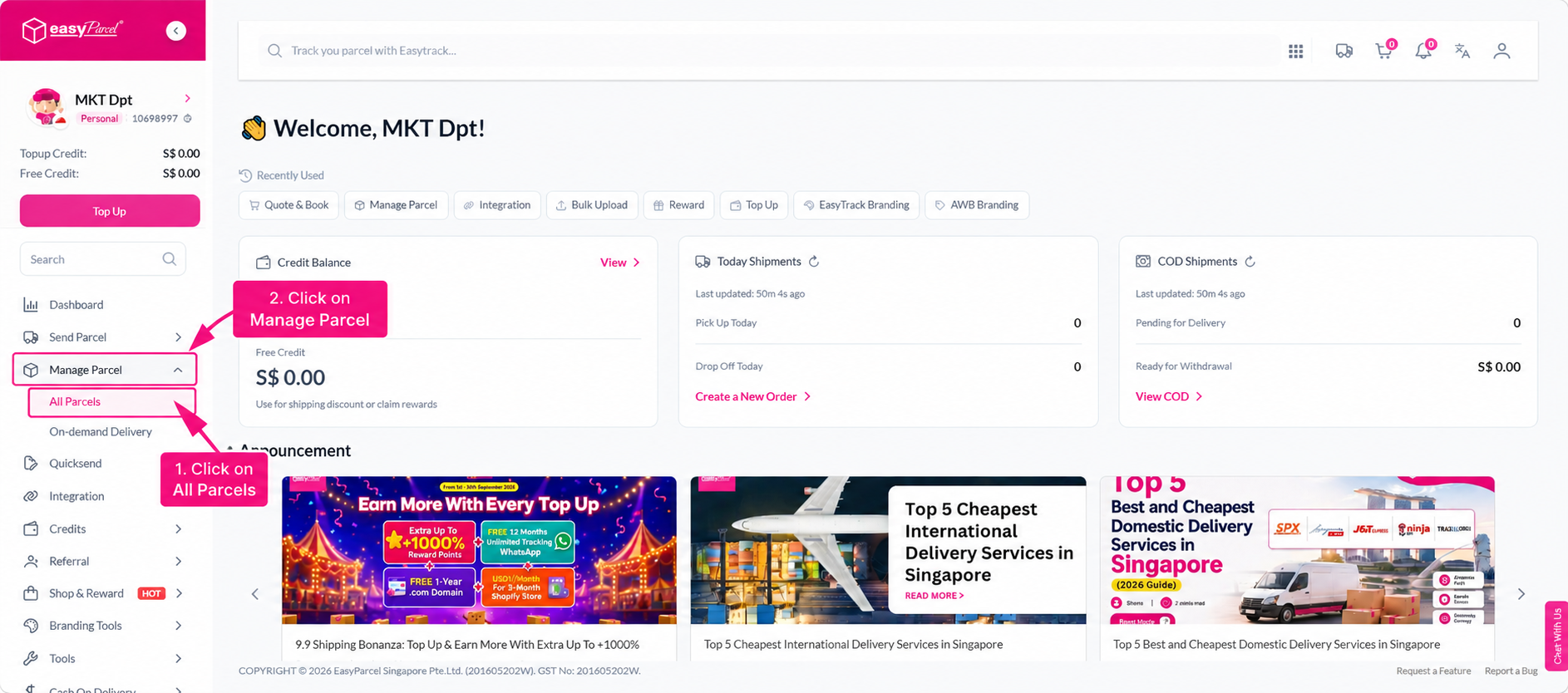
Step 1: Head over to “Manage Parcel” and click on “All Parcel".
Step 2: Tick the box of any shipments that you want to grab the courier manifest.
Step 3: Click on the “Download” button and then select “Courier Manifest”.
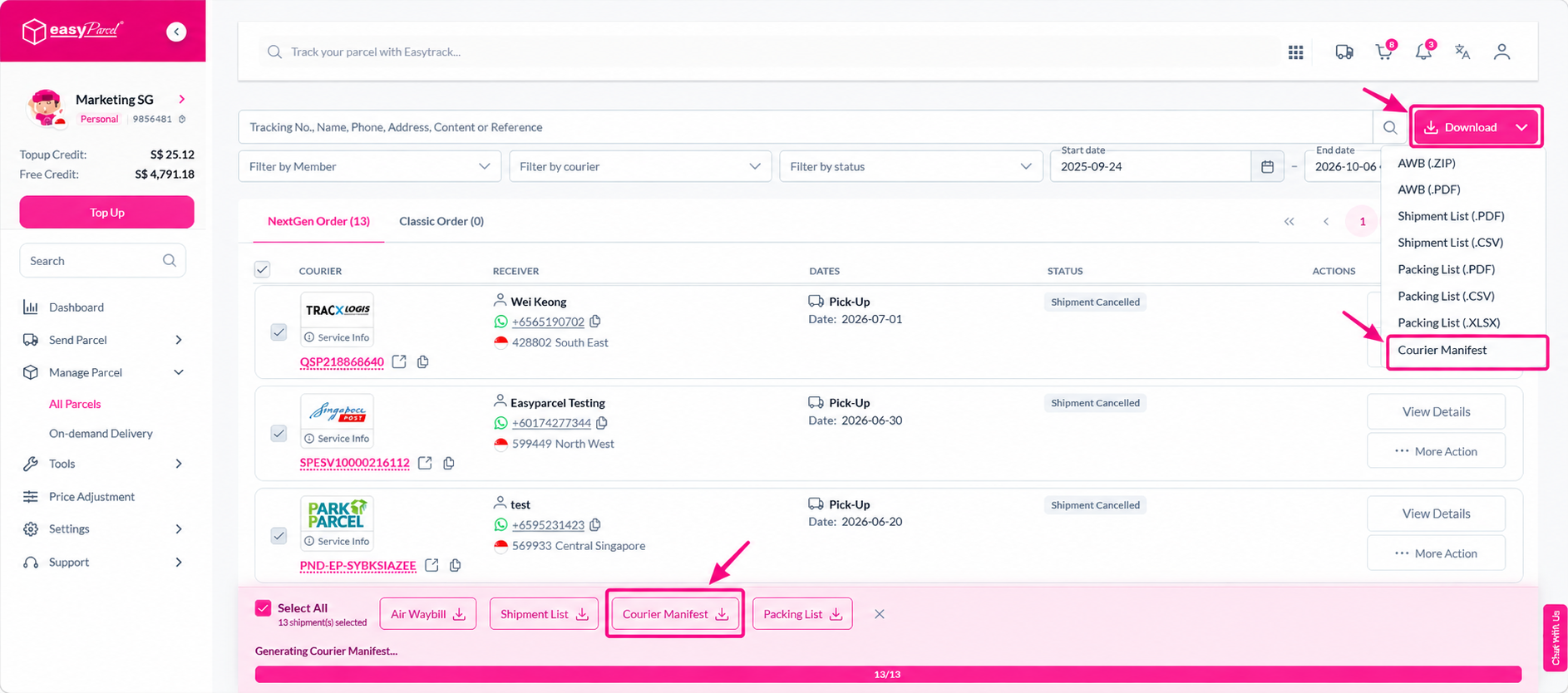
Step 4: In the ZIP file, the courier manifest will be separated according to the couriers available. You can now print them out and let delivery heroes to sign on it upon collection.
