
Quick Summary
You can track your parcels on EasyParcel SG through four convenient methods: log in to your account and navigate to 'Manage Parcel' to view 'All Parcels' or 'On-Demand Parcels' for live updates; use the 'Tracking Parcel' section for a detailed movement timeline; or use 'EasyTrack' on the homepage to track up to 15 shipments simultaneously without logging in. Simply enter your tracking number and select the courier to see real-time delivery status and estimated arrival dates.
We'll Cover:
How do I track and view all my parcels?
Step 1: Log in to your EasyParcel account; under 'Manage Parcel' click 'All Parcel'.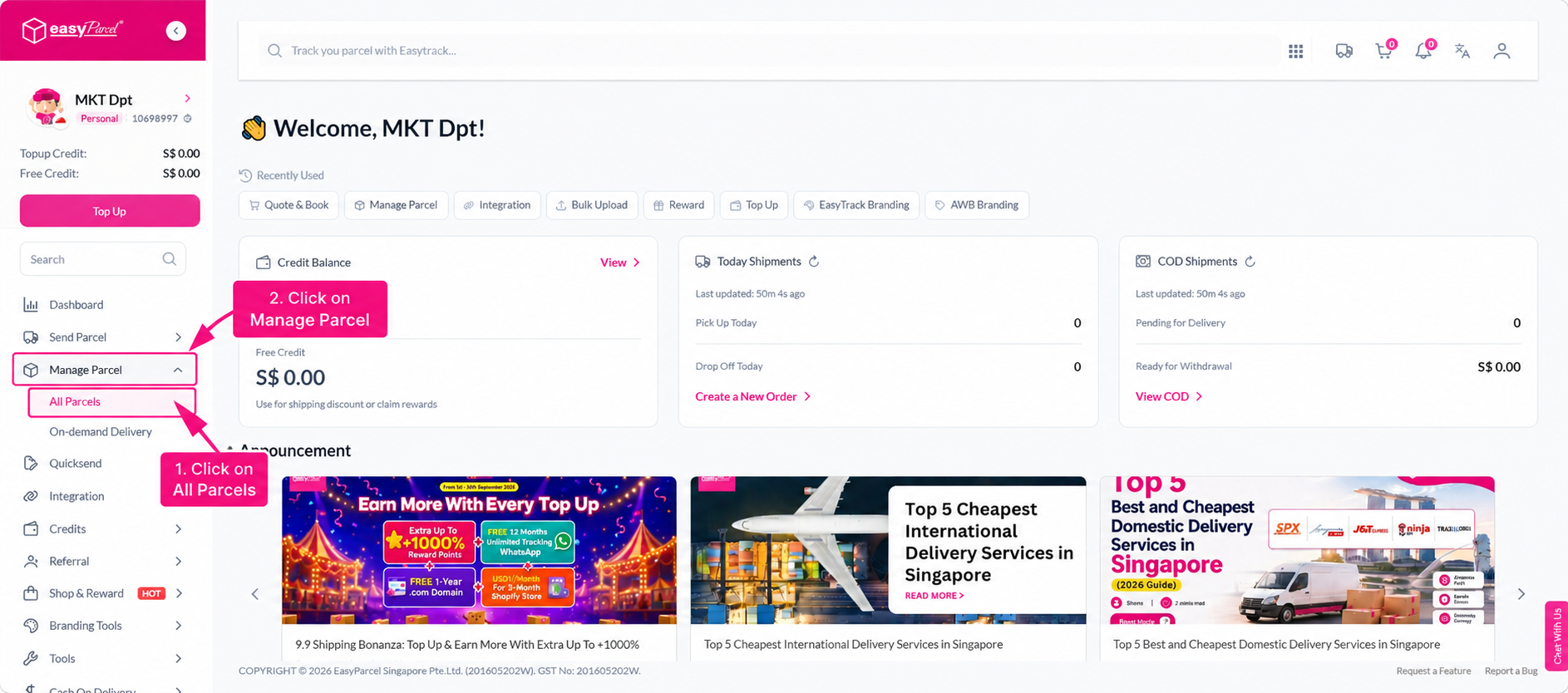
Step 2: You can view all your parcels on one page and simply choose which parcel you wish to track, check out the status, or click on its tracking number.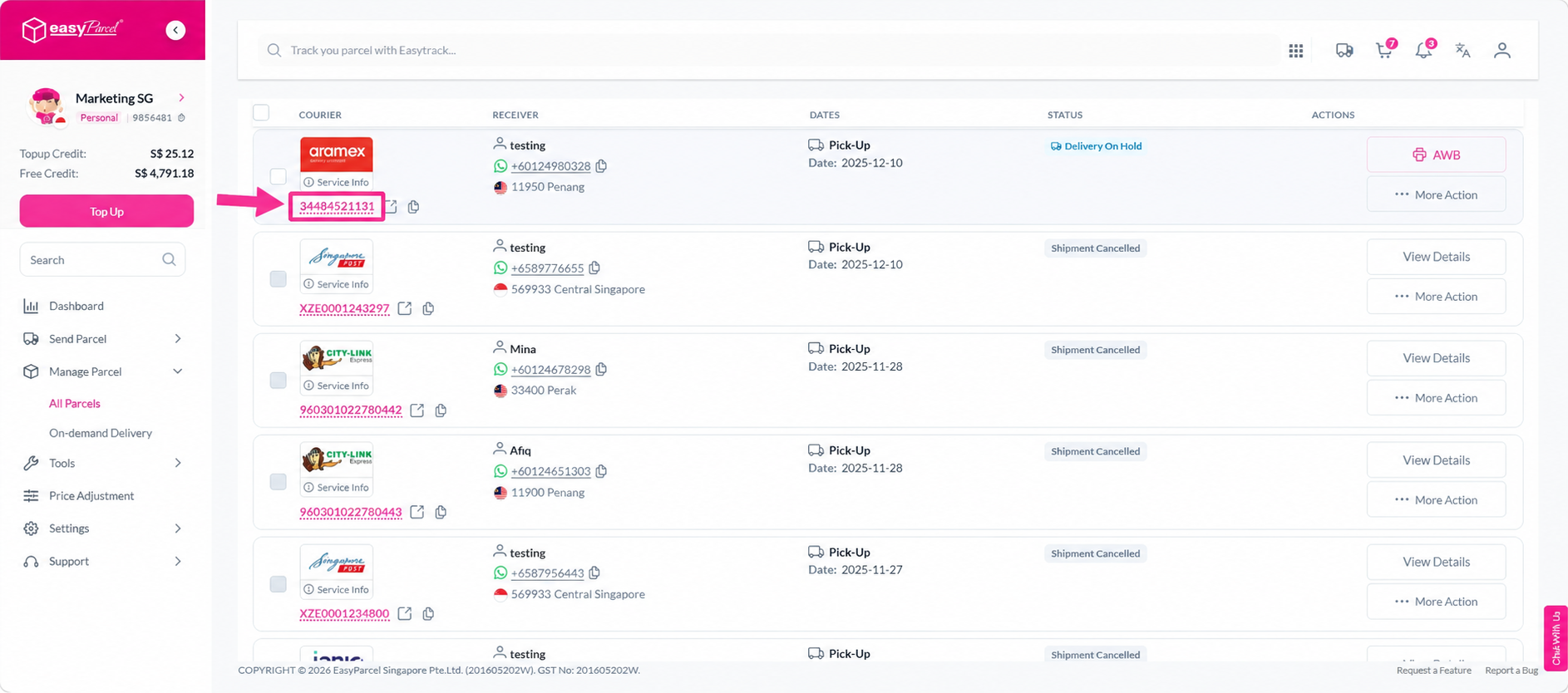
How do I track on-demand parcels?
Step 1: Log in to your EasyParcel account; under 'Manage Parcel' click 'On-Demand Parcel' and choose your on-demand parcel.
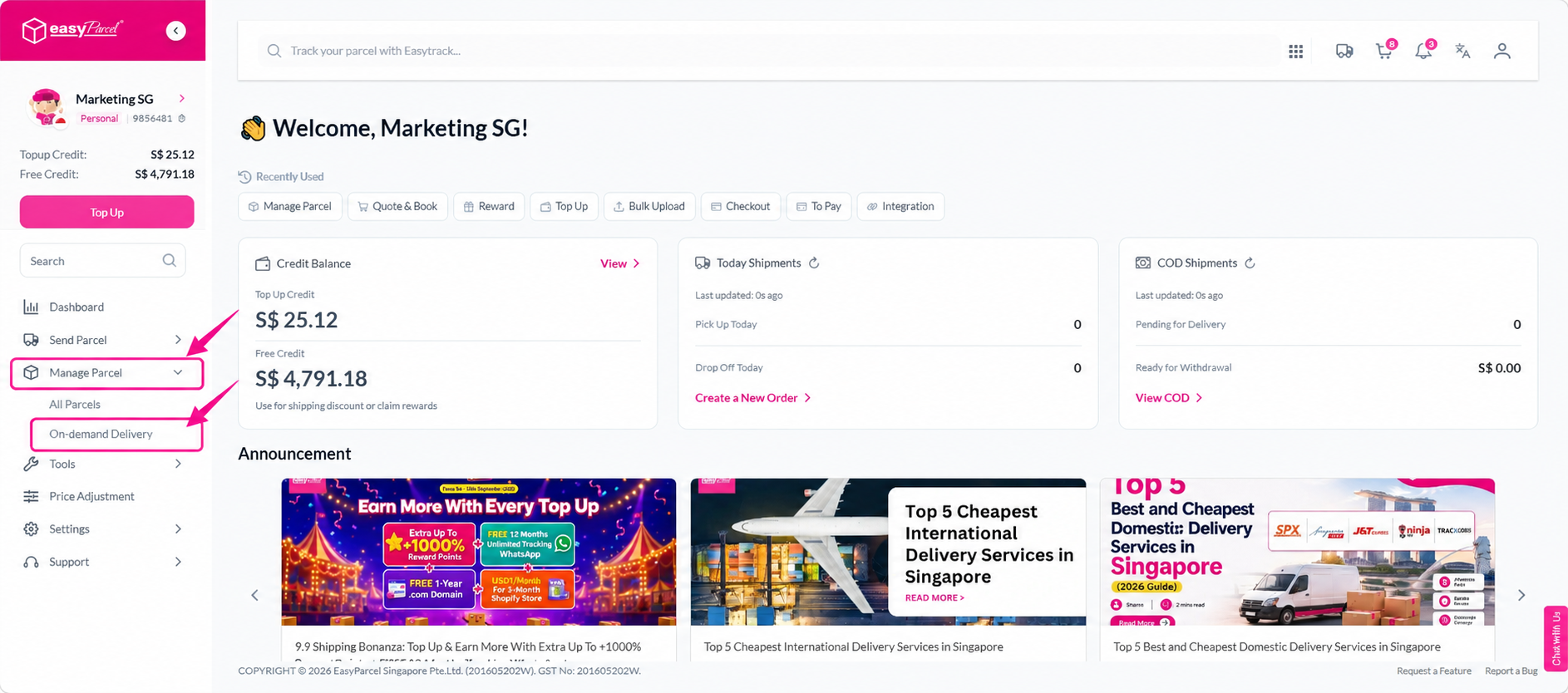
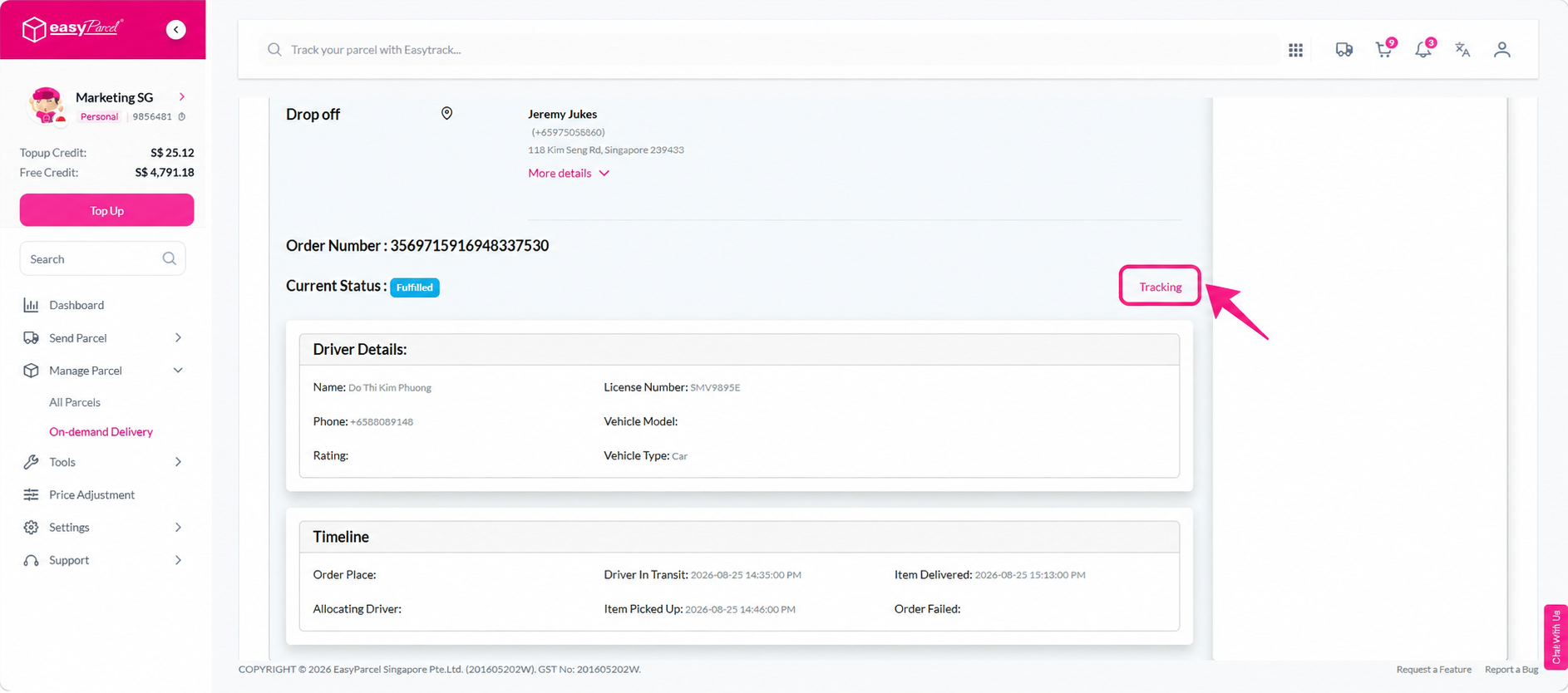 Step 2: You can view your on-demand parcel live-tracking.

How to keep track my parcel via Tracking Parcel?
Step 1: Log in to your EasyParcel account; under 'Manage Parcel' click on 'All Parcel', choose which parcel you want to track and simply click the tracking numbers.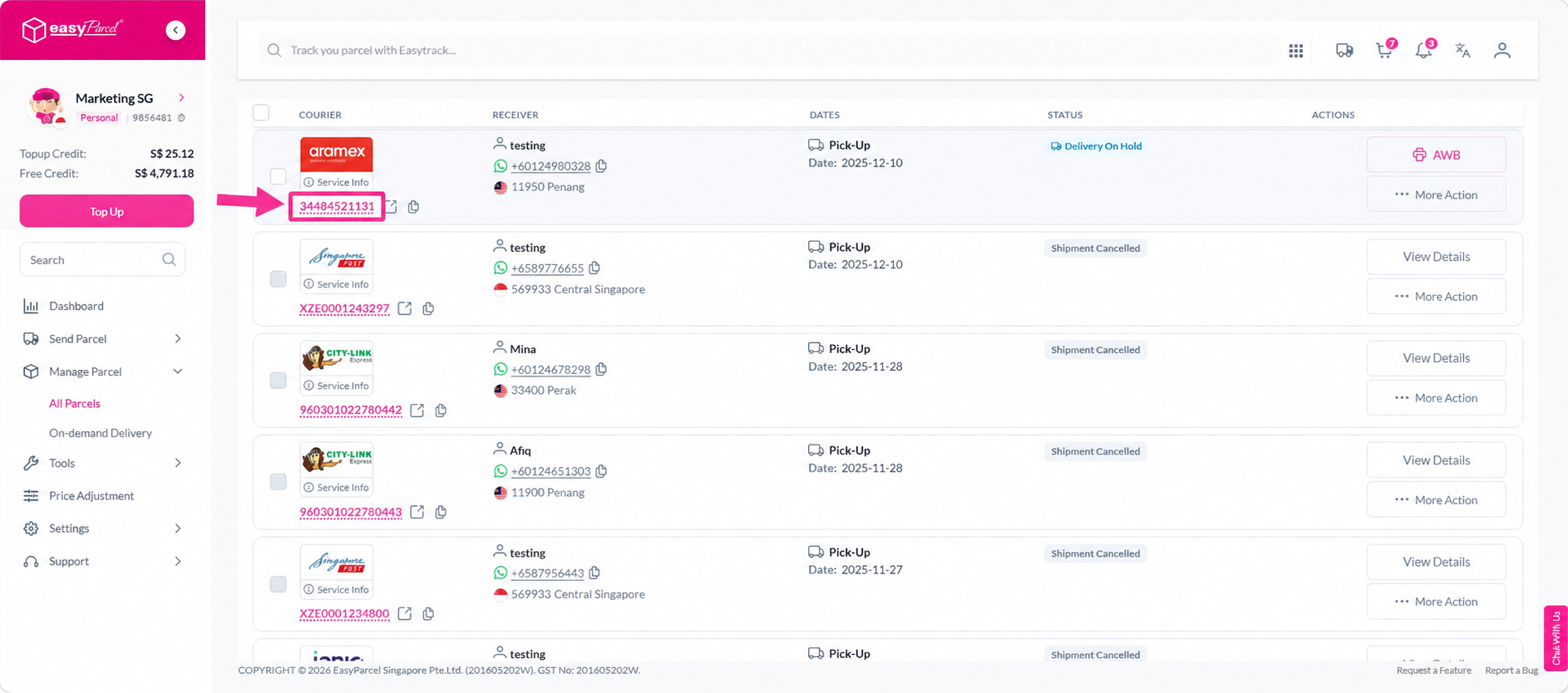
Step 2: You can now view the full timeline of your parcel movement.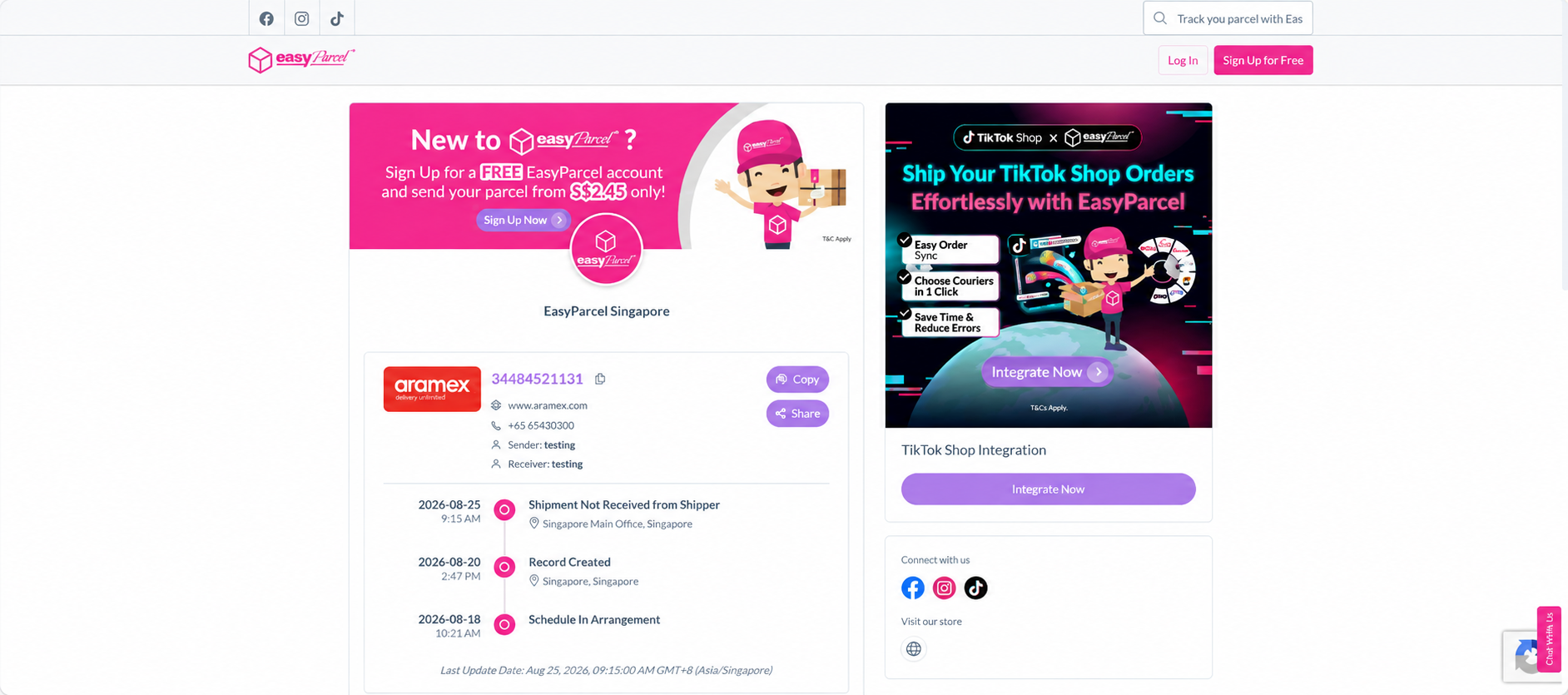
How can I track my parcels without logging in using EasyTrack?
If you're not logged in to your account, then you can use our EasyTrack for easy tracking.
Step 1: Head over to the EasyParcel website, hover over'Service' > 'Exclusive Features" and click on 'EasyTrack'.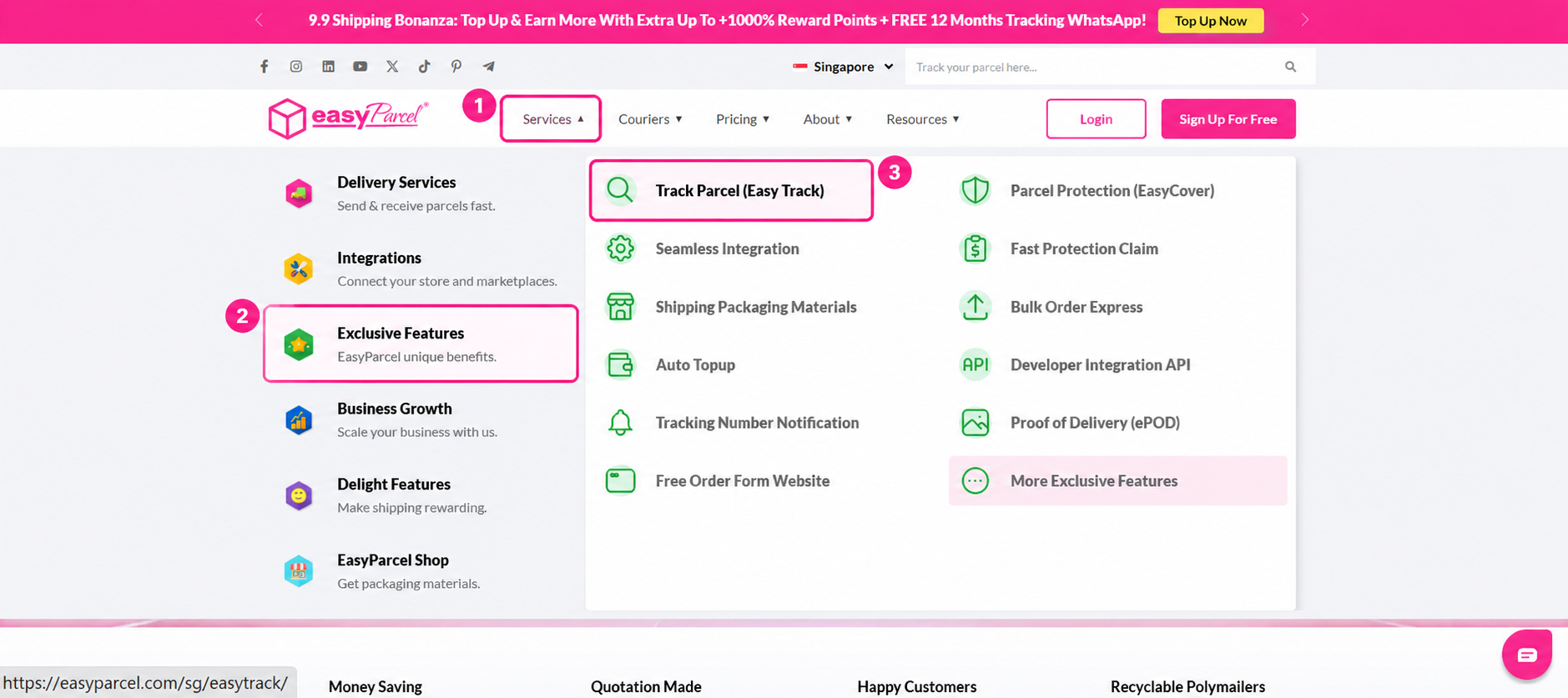
Step 2: You will be directed to the EasyTrack page. Key in your tracking number inside the column.
Note: You may enter up to 15 tracking numbers. Separate with a semicolon (;) or return (enter).
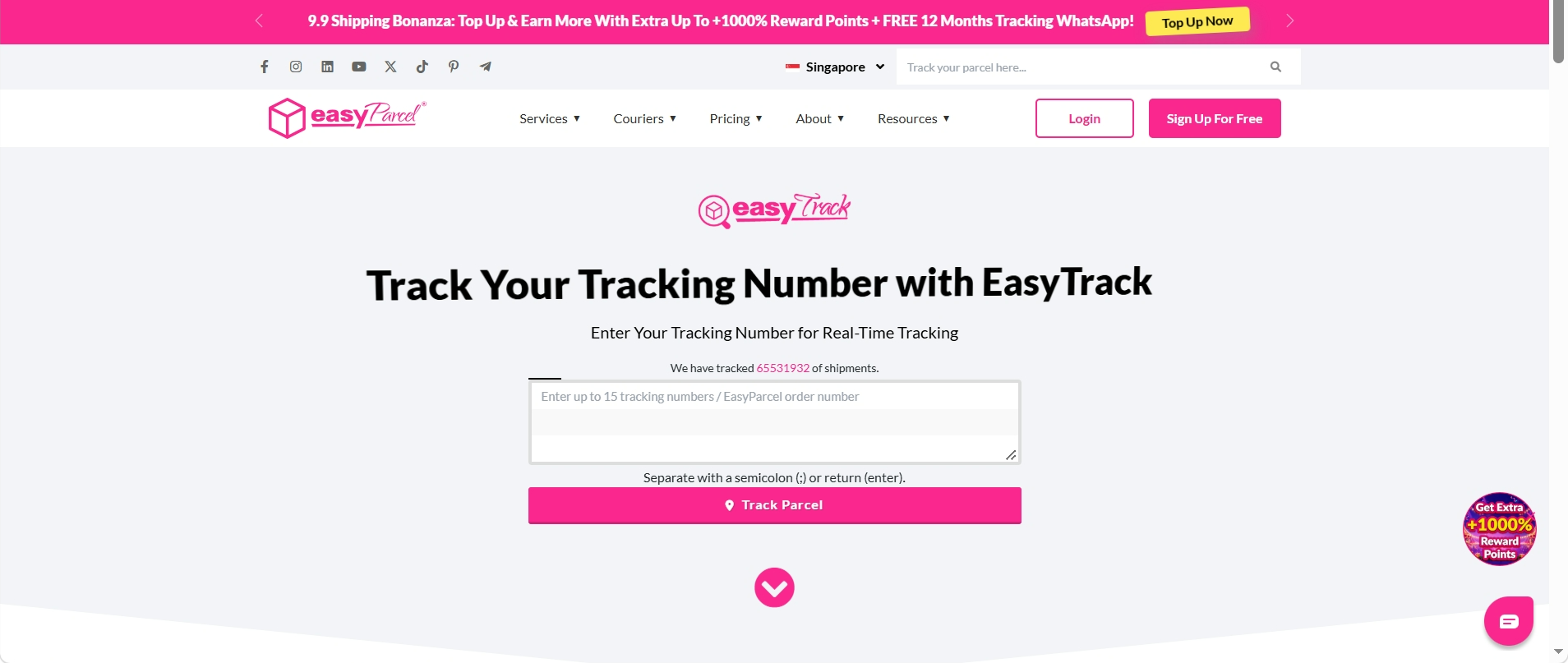
Step 3: Select the courier service.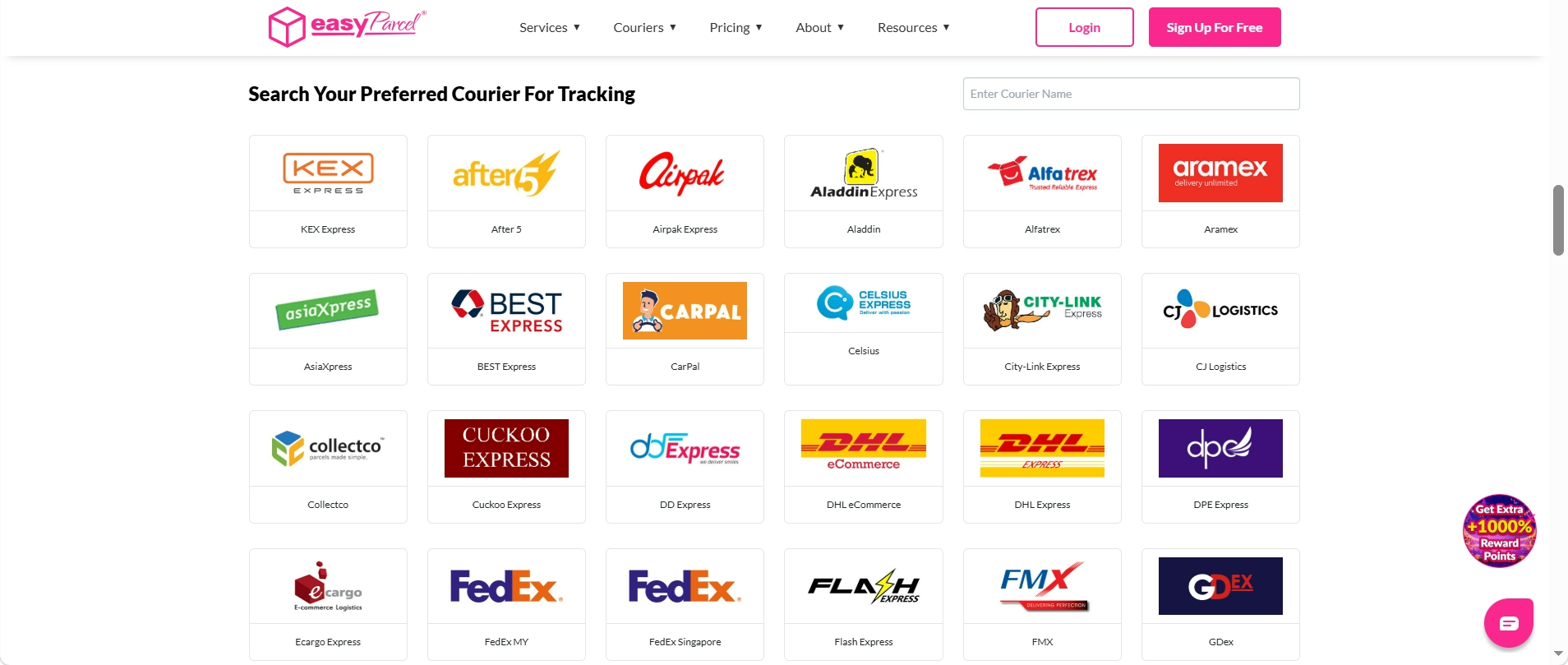
Step 4: You will be able to see the delivery status and the estimated delivery date of your parcels.

If you have any issues or concerns regarding your parcel, you can contact EasyParcel's customer support for assistance.