
Quick Summary
You can download up to 500 AWBs at once directly from Manage Parcel > All Parcels. Select the parcels you need, click Download, and choose Download AWB. The AWBs will be downloaded as a file, allowing you to view and print multiple AWBs together without downloading each one individually.
Download Bulk AWBs
Step 1: Go to 'Manage Parcel' from the sidebar and select 'All Parcels'.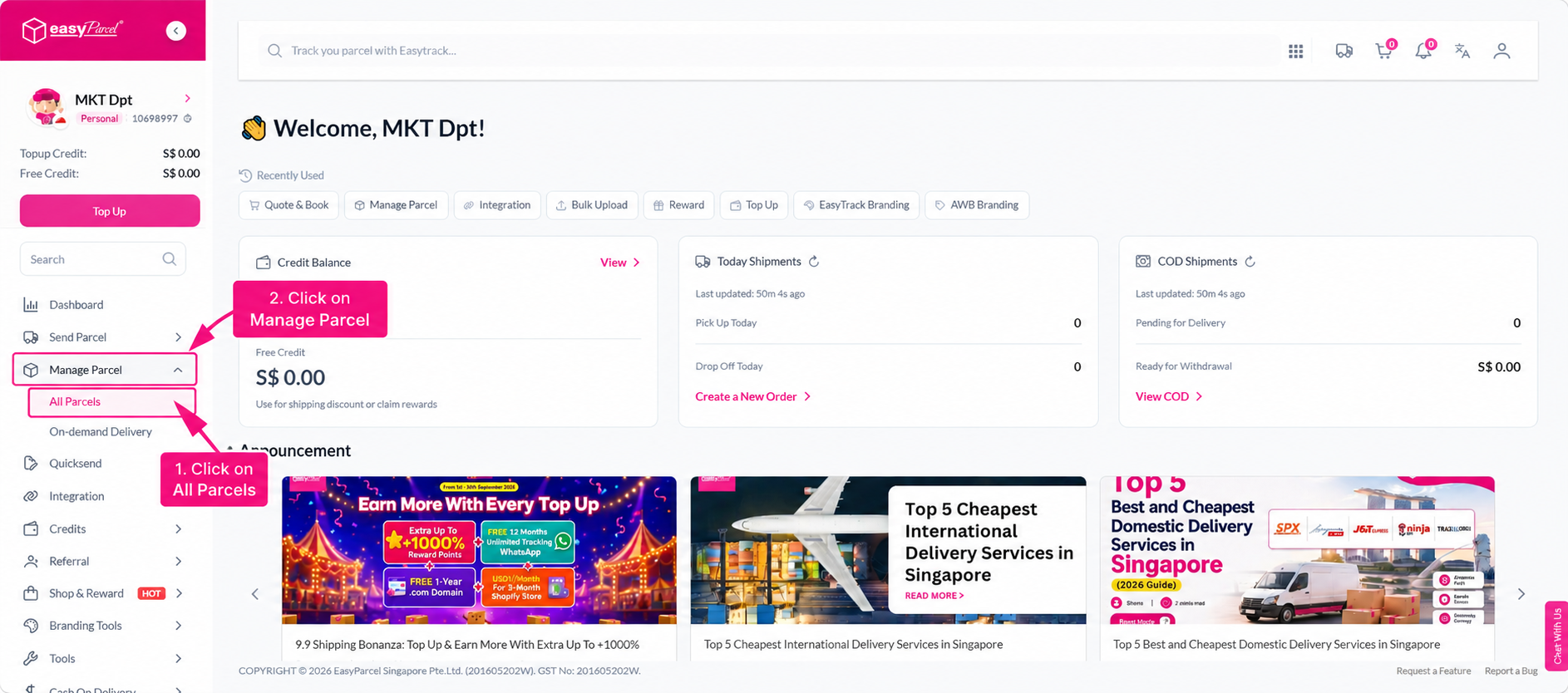
Step 2: Select the parcels you want to download AWBs for from the parcel list. You can select multiple parcels at once, up to 500 AWBs per download.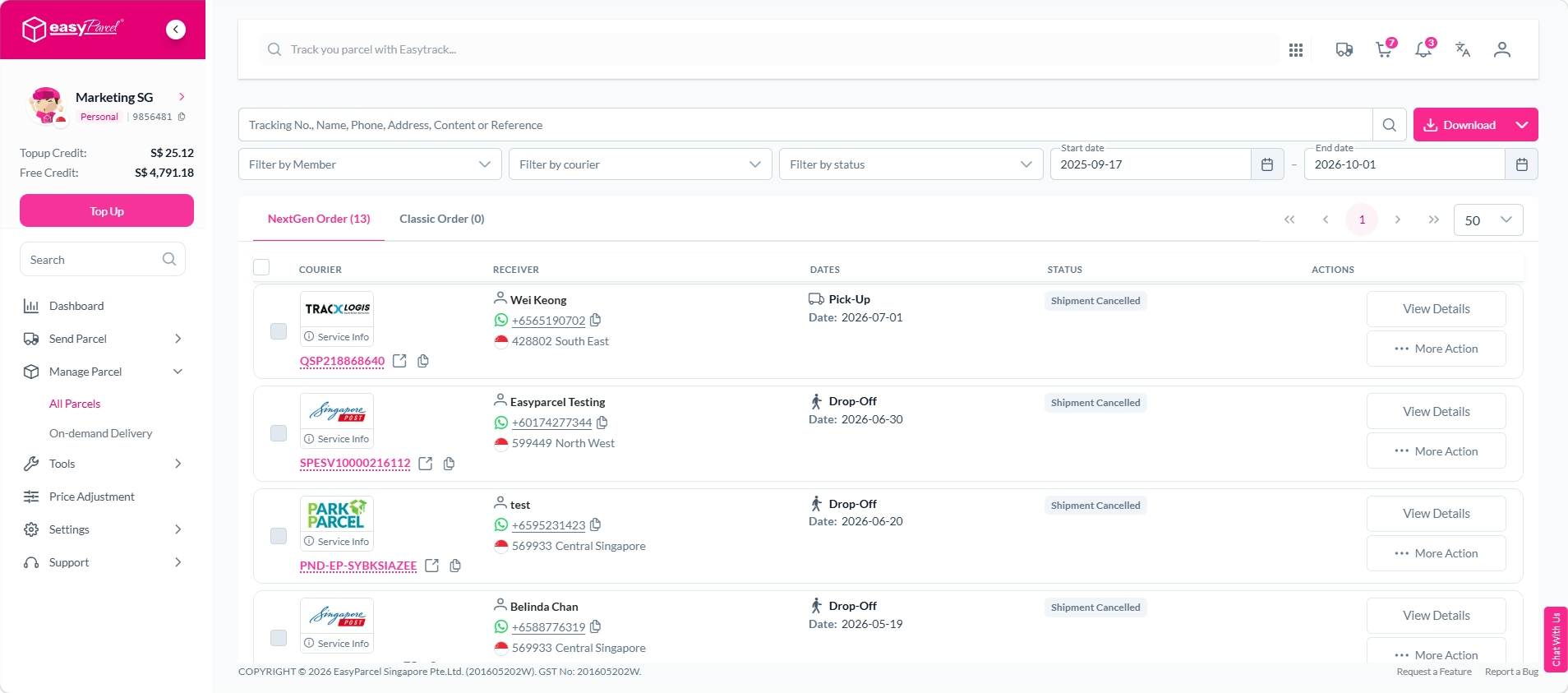
Step 3: Click 'Download' at the top of the parcel list, then select 'Download AWB'.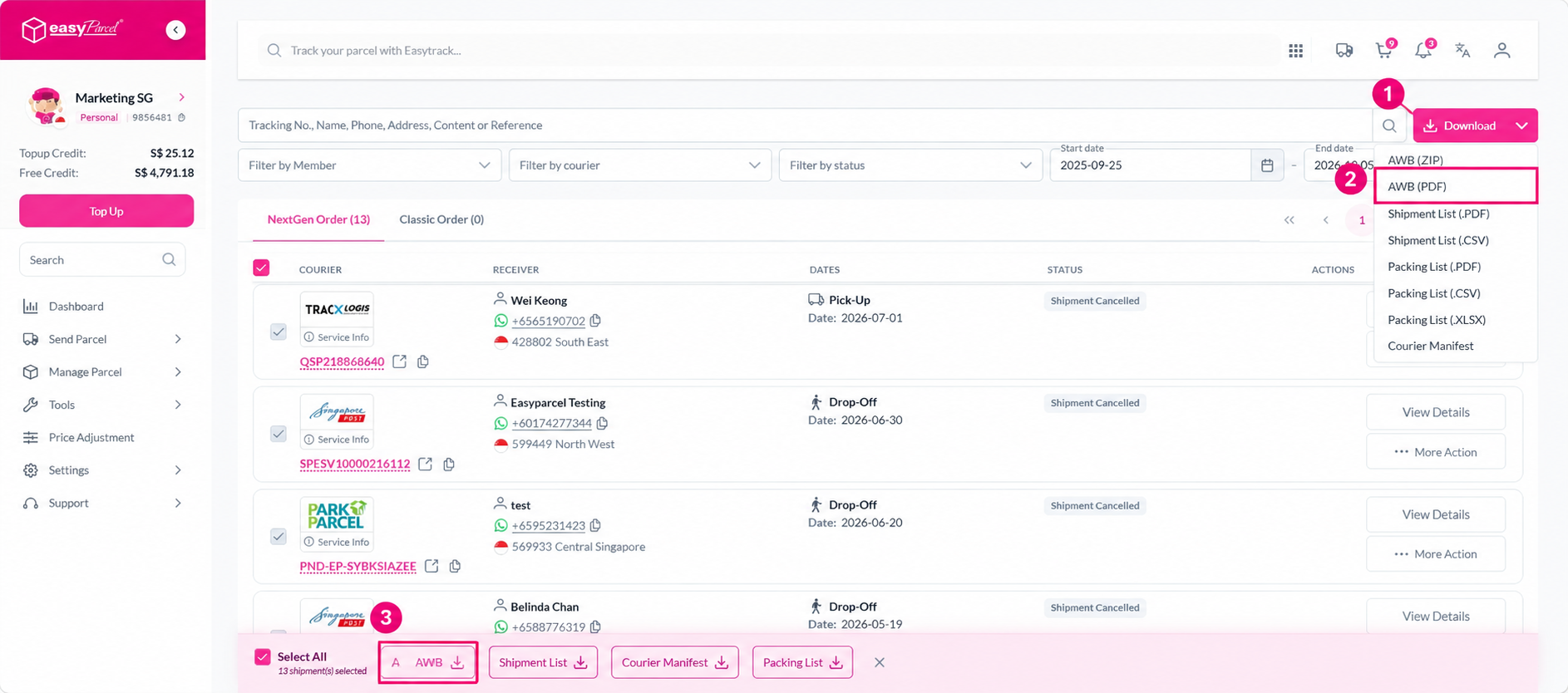
Step 4: The AWBs will be downloaded as a file to your device. Open the downloaded file to view and print the AWBs.