
⚠️ This guide is for the older EasyParcel version.
The menus and steps may look different in the app today. For the latest steps, see: What if I can't print my label or have no label after payment?
Quick Summary
Once you have successfully booked a parcel, you can straight away get the Air Waybill (AWB) of the particular parcel at 'All Parcels' under 'Manage Parcel'. Simply choose the parcel you need the AWB for, and click the sticker icon at the end.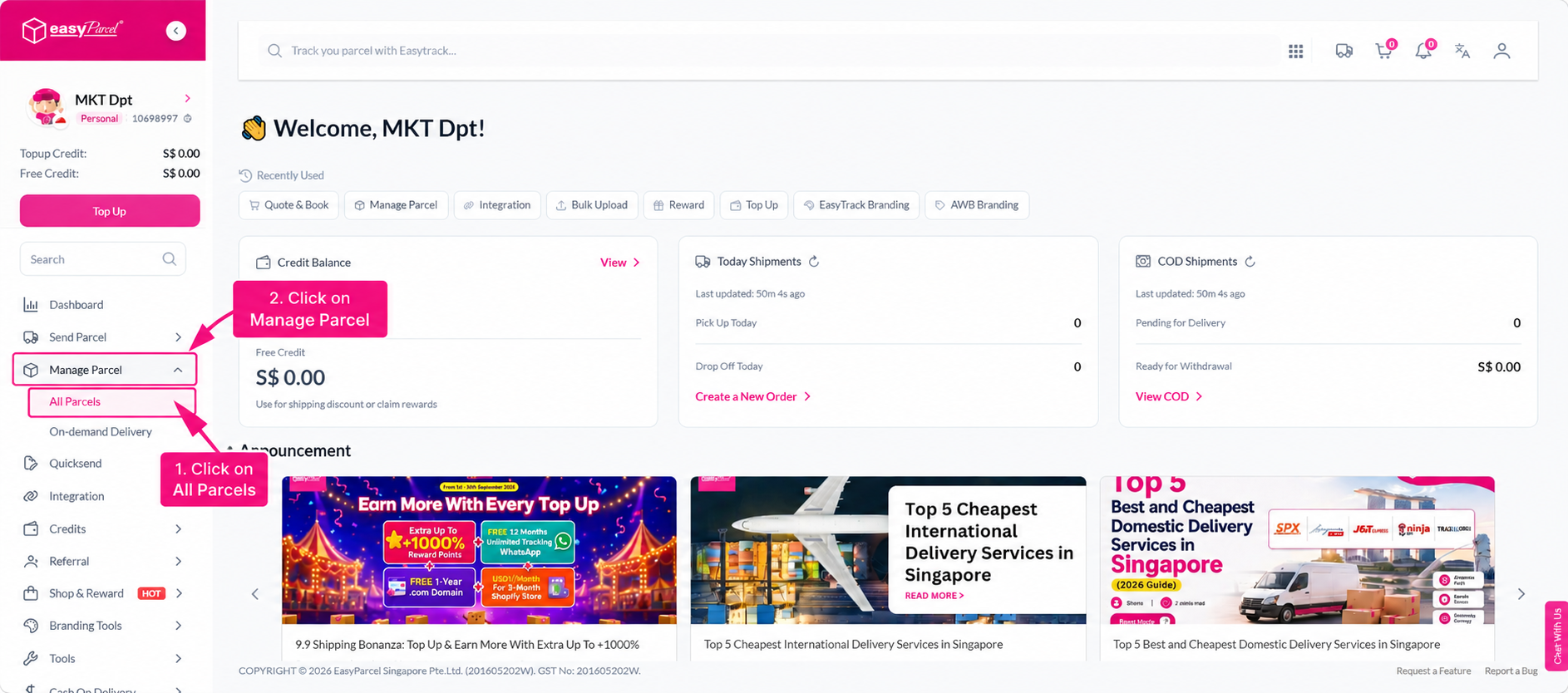
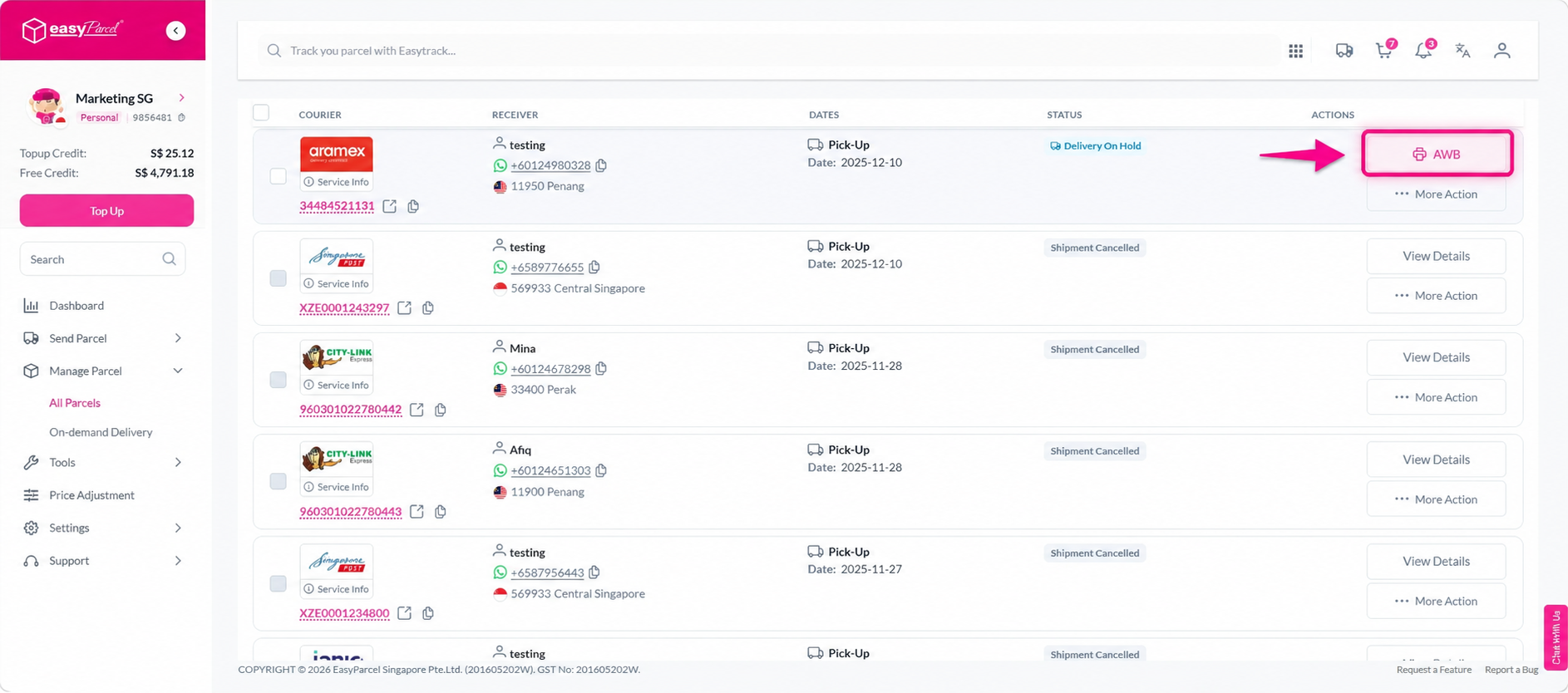
Should you not find the icon for AWB download, you may contact our dedicated support team to assist you on this.