
Quick Summary
DDU (Delivered Duty Unpaid) means the receiver pays the import duties and taxes. DDP (Delivered Duty Paid) means the sender pays them upfront when booking. On the booking page you will see Pay By Receiver (DDU). Availability depends on the courier.
We'll Cover:
- DDU and DDP explained
- Which couriers offer them?
- What to do before you ship with DDU?
- Where you will see it?
DDU and DDP explained
- DDU – the receiver pays duties and taxes after the parcel reaches the destination customs. The courier or customs informs the receiver when payment is due. Customs may add other charges, such as storage or handling fees, and releases the parcel only after payment.
- DDP – the sender pays duties and taxes upfront. This usually makes delivery smoother for the receiver because there are no surprise charges at the door.
Important: All DDU and DDP duty and tax amounts shown in the EasyParcel app are estimates only. The final charges are always decided by the customs of the destination country.
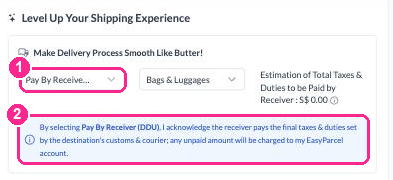
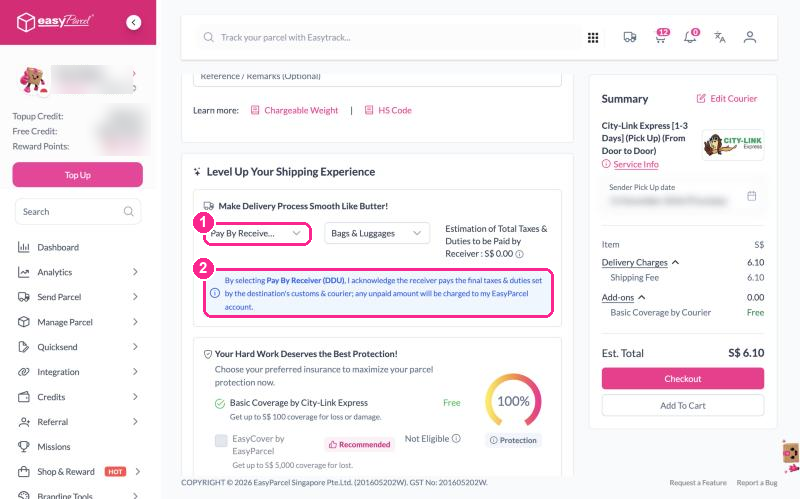
On the booking page: Pay By Receiver (DDU) (1) and the confirmation message (2).
Which couriers offer them?
Support for DDU and DDP depends on the courier service. Look for the DDU tag on the quote results, or open Service Info before you book. The list of couriers can change, so always check the options shown for your parcel.
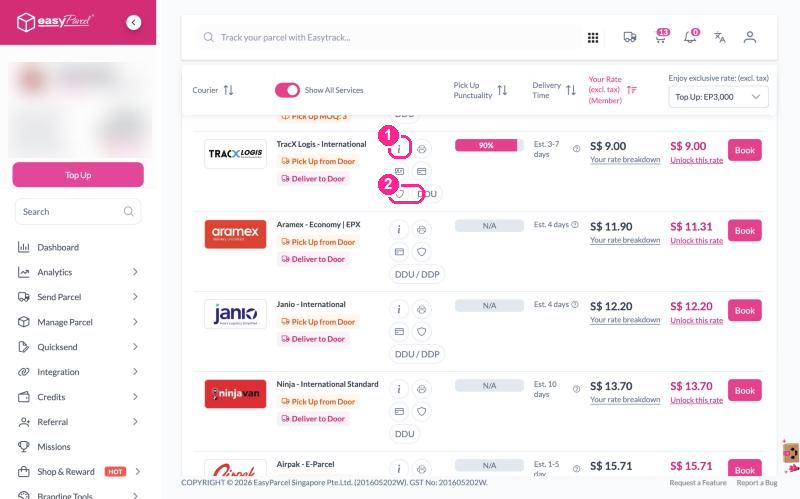
On the quote results, click the i icon (1) to read Service Info, and check the DDU or DDU / DDP tag (2).
What to do before you ship with DDU?
- Tell your receiver that they may need to pay duties and taxes
- Use the Duty & Tax Estimator under Tools to estimate the amount
- If the receiver does not pay, the unpaid amount can be charged to your EasyParcel account
Note: DDU can cause delays if the receiver is not told early. If the receiver is likely to refuse charges, consider a service that supports DDP.
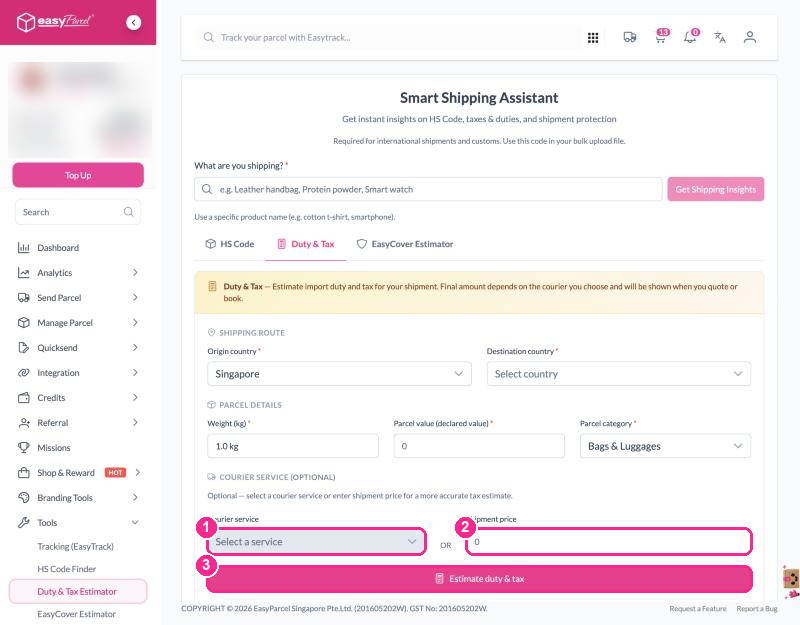
You can also use Tools > Duty & Tax Estimator: choose a courier service (1) or enter the shipment price (2), then click Estimate duty & tax (3).
Where you will see it?
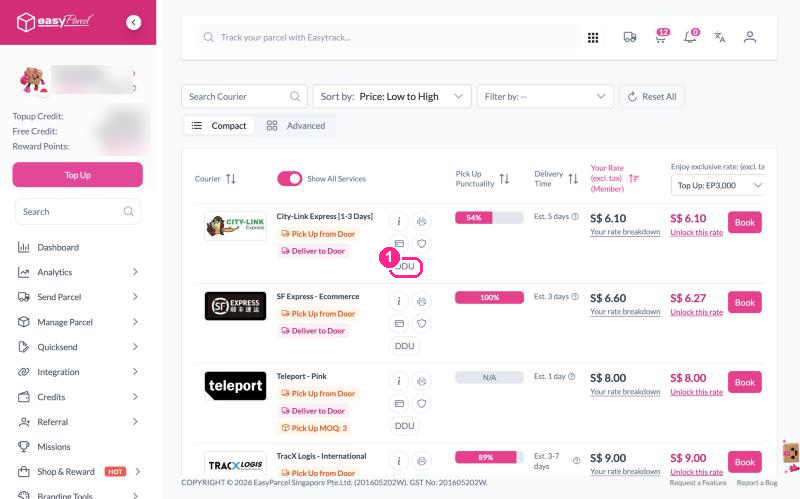
On the quote results, look for the DDU tag (1) beside the courier service.
On the booking page, under Make Delivery Process Smooth Like Butter! (1), the duties option shows Pay By Receiver (DDU), with a message (2) confirming that the receiver pays the final taxes and duties.
What's next?
Still need help?
Our team is happy to help. ? Live Chat | ✉️ Contact Us