
Quick Summary
A Tax ID is a government-issued number that customs uses to identify the sender or receiver. For international parcels it is optional, in both single booking and Bulk Upload, and your order will not be blocked if you leave it empty. Only two cases need a receiver Tax ID: UPS from Malaysia to Vietnam, and TracX Logis to South Korea (Korean customs ID, PCCC). Filling it in still helps customs clearance, especially for business shipments.
We'll Cover:
What a Tax ID is?
Different countries use different IDs. Examples include Singapore's NRIC or UEN, Malaysia's NRIC or business registration number, Brazil's CPF or CNPJ, and Indonesia's NIK or NPWP.
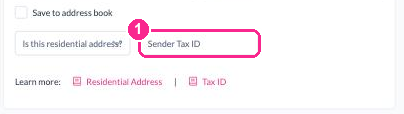
Enter it in Sender Tax ID (1).
When it may be needed?
A receiver Tax ID is needed only for these shipments:
- UPS from Malaysia to Vietnam: the receiver's Tax ID
- TracX Logis to South Korea: the receiver's Korean customs ID (PCCC), which is "P" followed by 12 digits
For all other shipments it is optional. It still helps customs clearance, especially for business shipments, so enter it when you have it.
Some countries ask for the receiver's ID on every parcel. Check the destination country's rules before you ship.
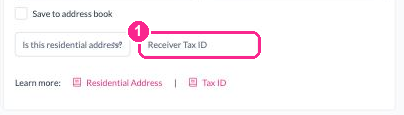
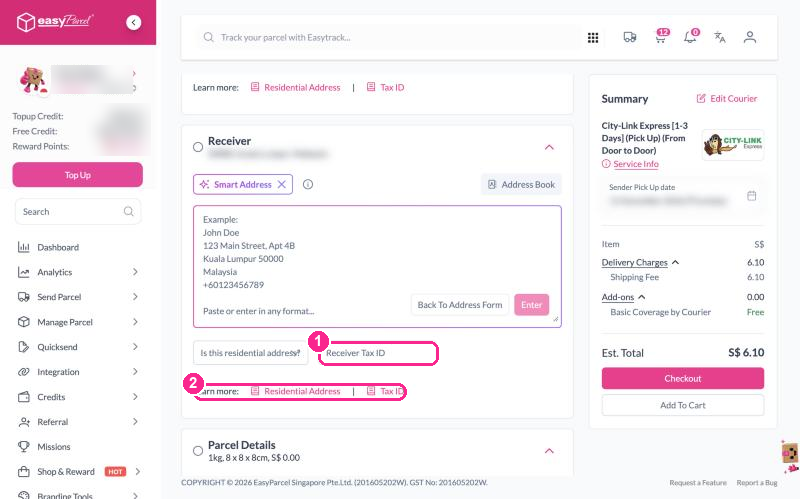
For the receiver, enter it in Receiver Tax ID (1).
What happens without it?
For the two shipments above, if the receiver Tax ID is missing or not valid, the parcel can be delayed at customs, returned to the sender, charged extra handling fees or, in some cases, disposed of. For other shipments, the system will not block your order if the Tax ID is empty.
Tip: Click Learn more: Tax ID under the Sender or Receiver section on the booking page for more guidance.
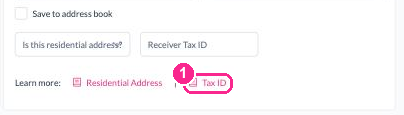
Not sure? Click Learn more: Tax ID (1) for guidance.
Where to enter it?
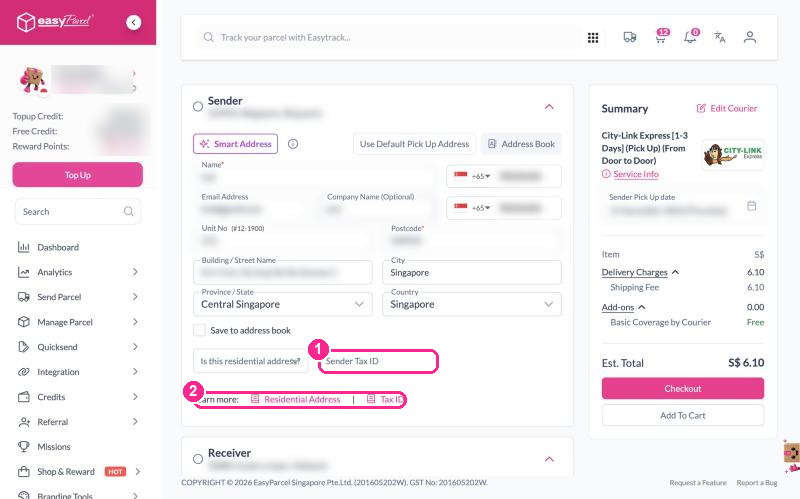
In the Sender section, enter the Sender Tax ID (1). Click Learn more: Tax ID (2) for guidance.
In the Receiver section, enter the Receiver Tax ID (1). Click Learn more: Tax ID (2) for guidance.
Bulk upload files
In the bulk upload template, the Tax ID and address type columns are grey and have no *, which means they are optional.
If you ship international parcels with Bulk Upload, add these columns to your file.
See How do I ship international parcels with Bulk Upload?
What's next?
Still need help?
Our team is happy to help. ? Live Chat | ✉️ Contact Us