
Quick Summary
International shipments need the air waybill (AWB) and a commercial invoice. Both are created after you book and pay. Print them, attach them to your parcel and hand it to the courier. Customs use the invoice to check the goods and assess duties.
We'll Cover:
- Fill in your items first
- What the commercial invoice includes?
- How to print your documents?
- How to attach them to your parcel?
Fill in your items first
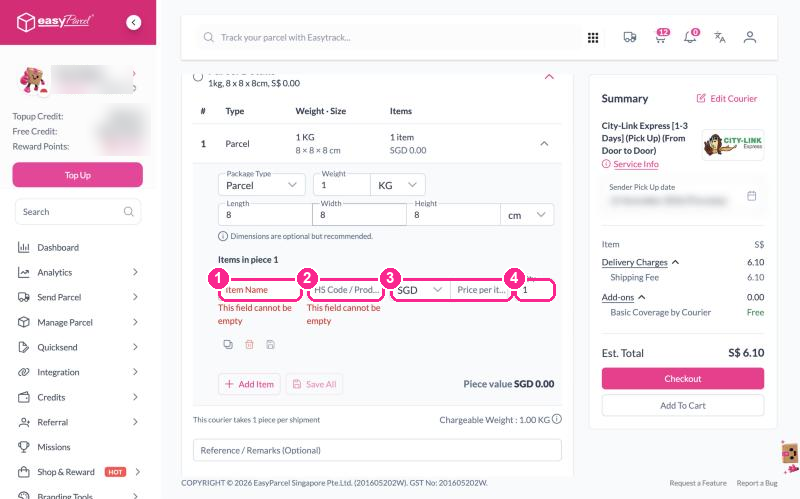
The commercial invoice is built from your item details: Item Name (1), HS Code / Product (2), currency and Price per item (3) and Qty (4). Complete them before you pay.
What the commercial invoice includes?
- Sender and receiver details
- A description of each item, with quantity and HS code
- The value of each item
It is built from the details you enter under Items in piece, so declare your items fully and correctly.
See How do I declare my items for an international parcel?
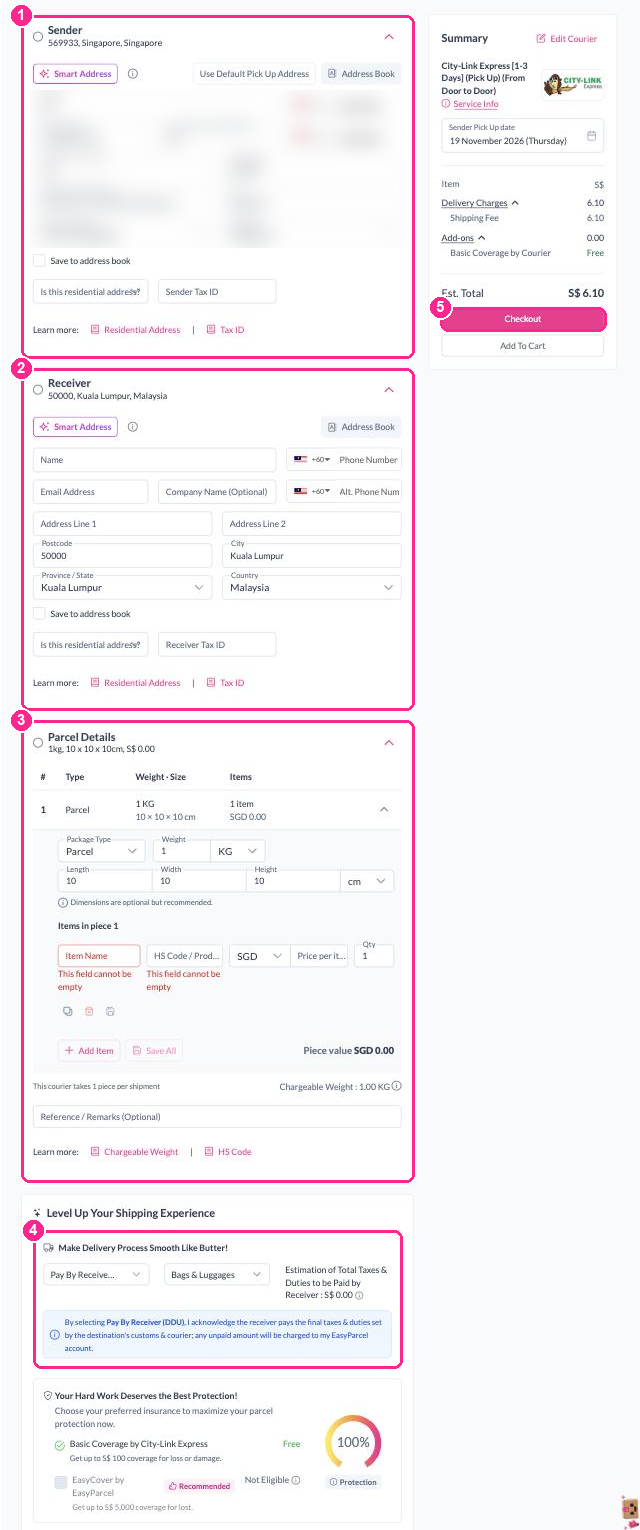
The invoice uses the Sender (1), Receiver (2) and Parcel Details (3) you enter on the booking page.
How to print your documents?
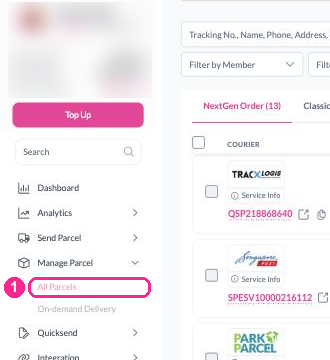
- After you pay, go to Manage Parcel > All Parcels. Click All Parcels (1) in the left menu.
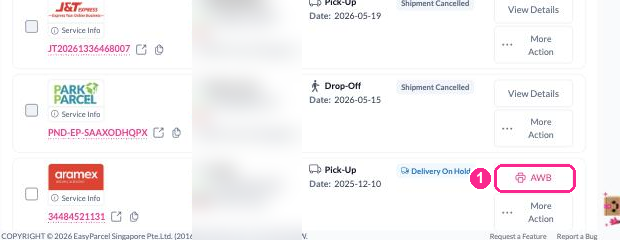
- On the parcel row, click the AWB (1) button with the printer icon to get your documents.
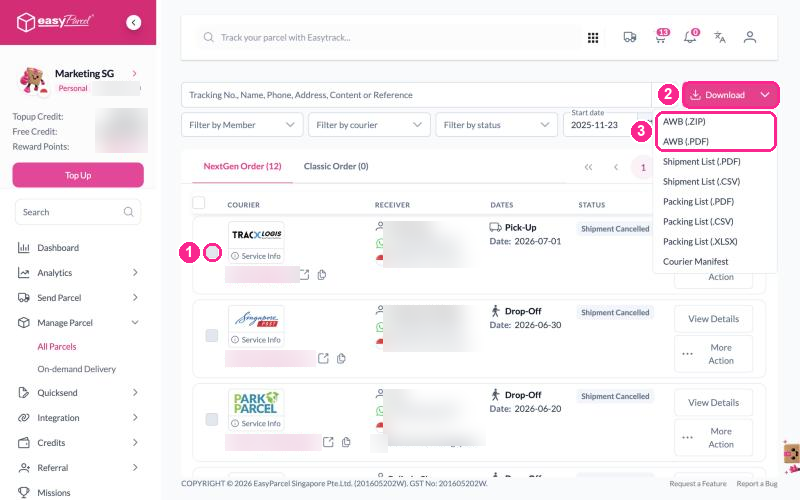
- To print many at once, tick the parcel (1), click Download (2) and choose AWB (.PDF) or AWB (.ZIP) (3).
How to attach them to your parcel?
- Place the AWB on the top flat side of the parcel
- Attach the commercial invoice with it, for example in a clear plastic pouch or with clear tape
- Keep the barcode and addresses fully visible
- Print the number of copies your courier asks for
Note: If the commercial invoice does not appear, check that every item has a complete description.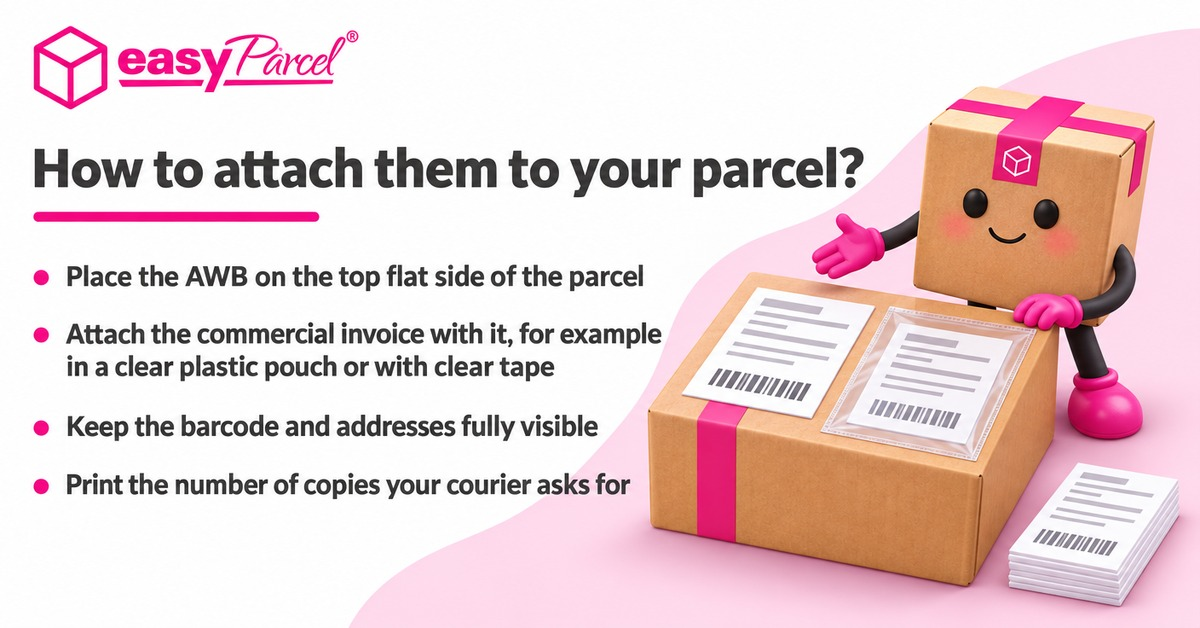
What's next?
Still need help?
Our team is happy to help. ? Live Chat | ✉️ Contact Us