
Quick Summary
To get a quote for an international parcel, go to Send Parcel > International Delivery, choose the destination country, enter the postcode and weight, then click Quote. You will see the courier services that can deliver to that country, with price and delivery time.
We'll Cover:
Get an international quote
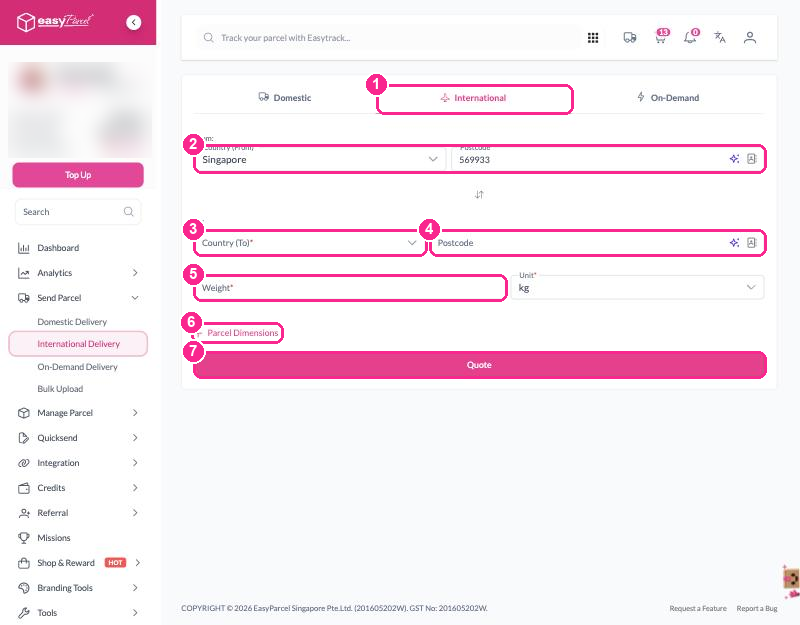
- Click Send Parcel > International Delivery (or the International tab on the quote form).
- Under From, check the country and postcode.
- Under To, open Country (To), type the country name in the search box and choose it.
- Enter the receiver Postcode and the parcel Weight.
- Add Parcel Dimensions if you know them, then click Quote.
The International tab (1), From (2), Country (To) (3), Postcode (4), Weight (5), + Parcel Dimensions (6) and Quote (7).
Read the international results
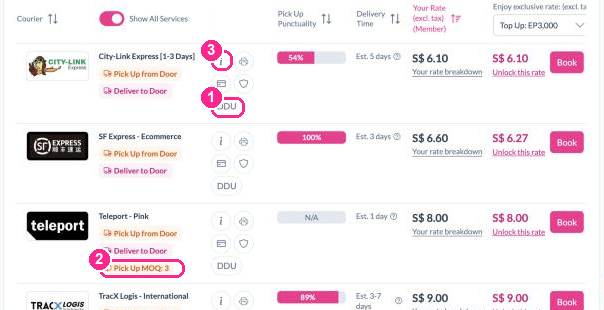
The results page works like a domestic quote (see How do I read my quote results?). International services can show extra tags:
- DDU (1) – the receiver pays the duties and taxes. See Who pays duties and taxes on an international parcel?
- Pick Up MOQ (2) – it means the courier needs a minimum number of parcels for pick-up. See What does Pick Up MOQ mean on a courier service? Click the i icon (3) to read Service Info before you book.
Note: Rules, limits and delivery times differ for each country and courier, so check Service Info for the service you choose.
Prefer a video? Watch How to book International Shipment in Support > Video Tutorial.
Booking steps
Before you start, see What should I check before booking an international parcel?
- Get a quote (see above) and click Book on a courier service.
- Fill in the sender and receiver. See How do I fill in the sender and receiver details for an international parcel?
- Declare your items. See How do I declare my items for an international parcel?
- Check duties and taxes. See Who pays duties and taxes on an international parcel?
- Check out, then print your documents. See Do I need customs documents for an international parcel?
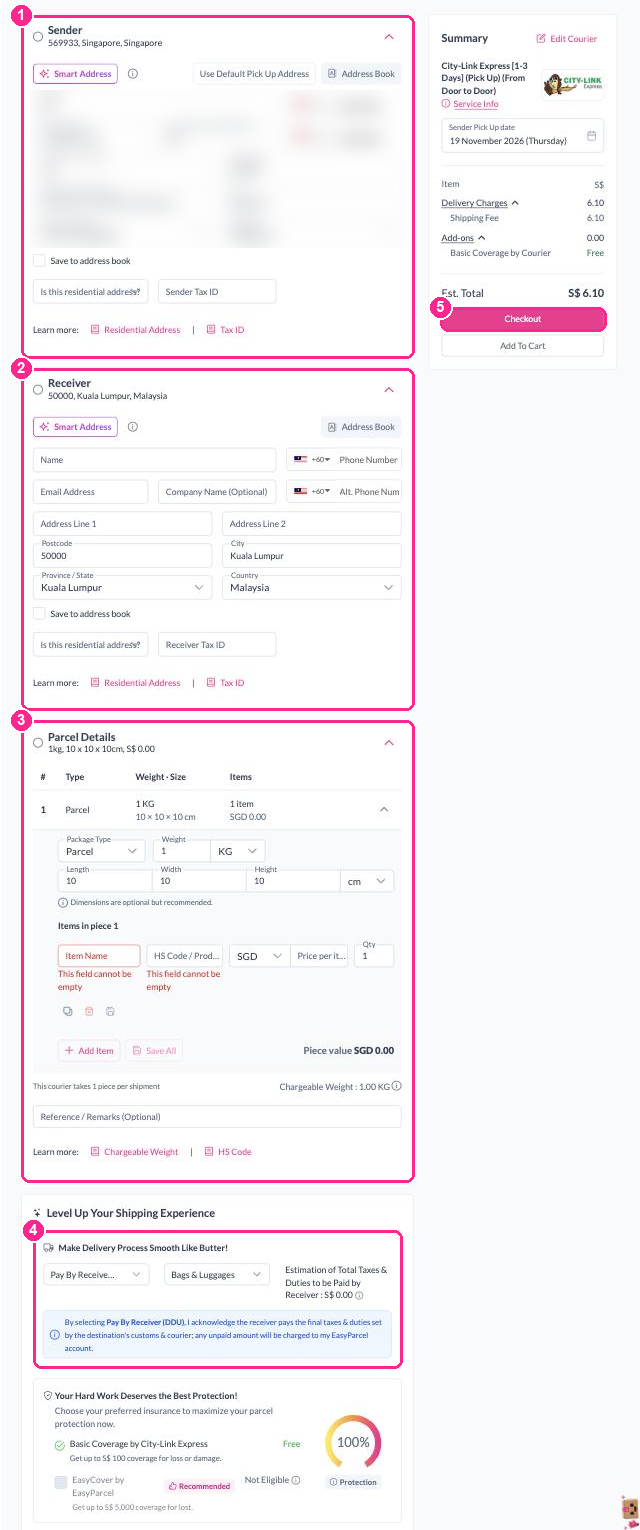
The booking page has the Sender (1), Receiver (2) and Parcel Details (3) sections, then duties and taxes (4). Click Checkout (5) when you are done.
What's next?
Still need help?
Our team is happy to help. ? Live Chat | ✉️ Contact Us