
Quick Summary
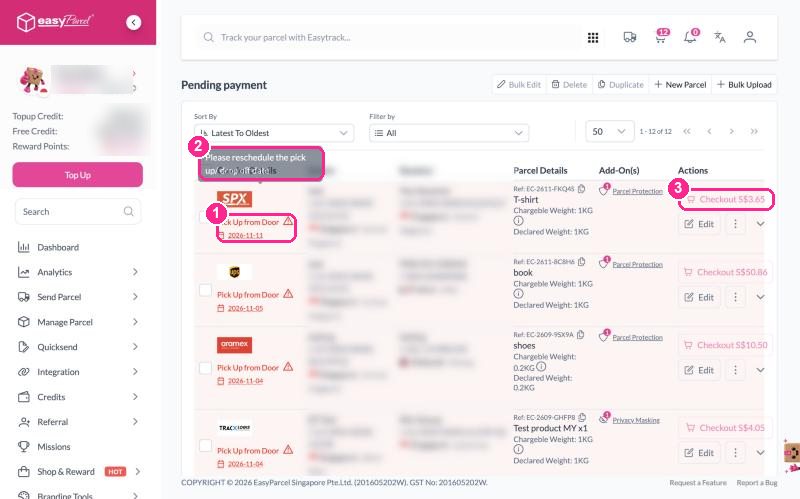
Checkout is greyed out when a parcel needs your attention first, most often because its pick-up date has passed.
We'll Cover:
Pick-up date has passed
A red warning icon (1) shows next to the date. Move your mouse over it to see the message (2). Change the date, then Checkout (3) works again.
See How do I change the courier, pick-up date or add-ons before I pay?
Other reasons
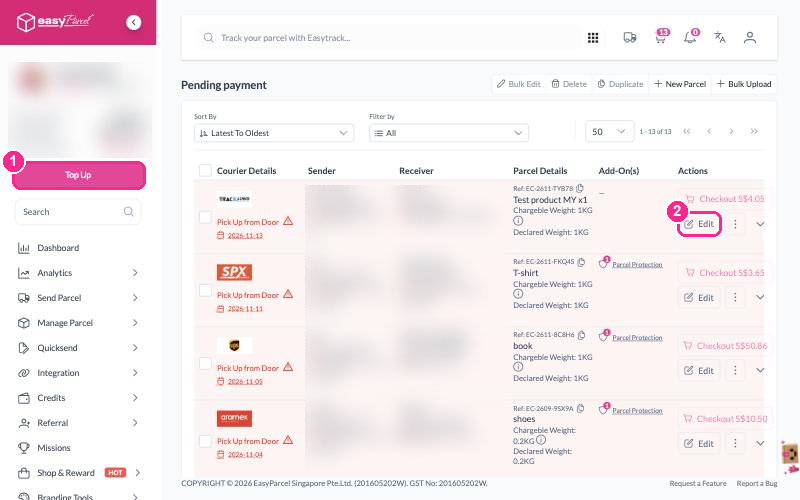
- Not enough credit: click Top Up (1) first.
See How do I top up my credit? - Missing details: click Edit (2) on the parcel row in Pending payment and fill in the required fields.
What's next?
Still need help?
Our team is happy to help. ? Live Chat | ✉️ Contact Us