
Quick Summary
In Manage Parcel > All Parcels, tick your parcels, click Download and choose what you need: a Shipment List (.PDF or .CSV), a Packing List (.PDF, .CSV or .XLSX), or the Courier Manifest, which lists the parcels you hand over and can be used as proof of collection or drop-off.
We'll Cover:
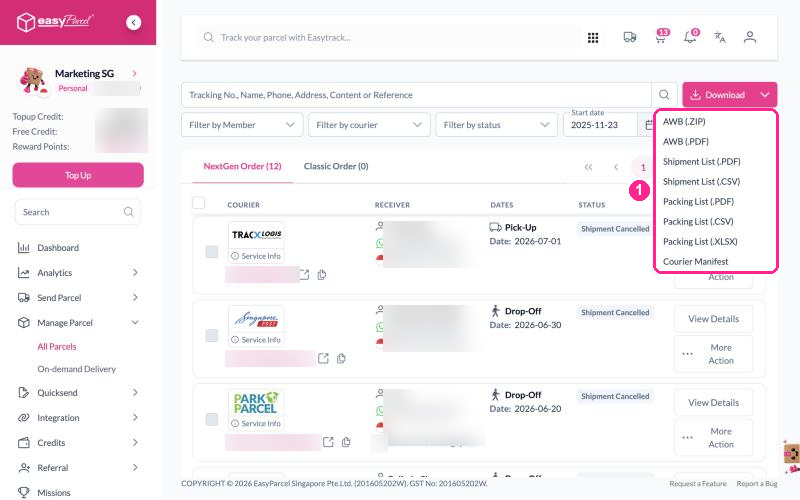
Download options
- AWB (.ZIP) and AWB (.PDF) – shipping labels
- Shipment List (.PDF) and (.CSV) – a list of your parcels
- Packing List (.PDF), (.CSV) and (.XLSX) – a list to help you pack
- Courier Manifest
Download the manifest
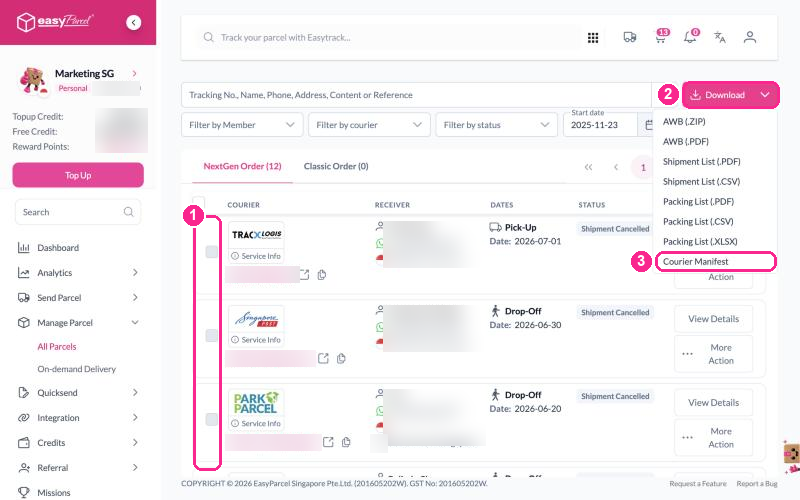
- Go to Manage Parcel > All Parcels.
- Tick the parcels (1) in your handover.
- Click Download (2) and choose Courier Manifest (3).
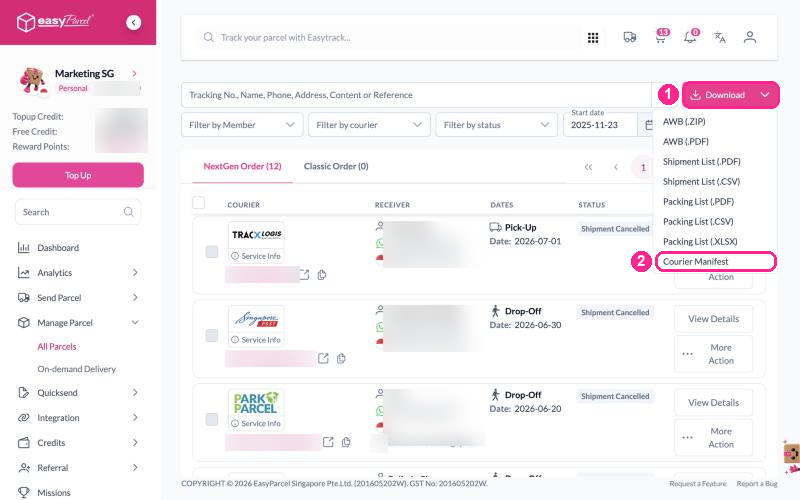
In the app
In Manage Parcel > All Parcels, tick the parcels, click Download (1) and choose Courier Manifest (2).
What's next?
Still need help?
Our team is happy to help. ? Live Chat | ✉️ Contact Us