
Quick Summary
When you fulfil one order, the courier picks up from either your default sender address or the Shopify location the items are assigned to. You choose this under Ship orders from in the app's Shipping Setting tab. Bulk fulfilment, On-Demand and auto fulfilment are not affected by it.
We'll Cover:
- Where is the setting?
- Option 1: My default sender address
- Option 2: The Shopify location the items are assigned to
- Which one should I choose?
Where is the setting?
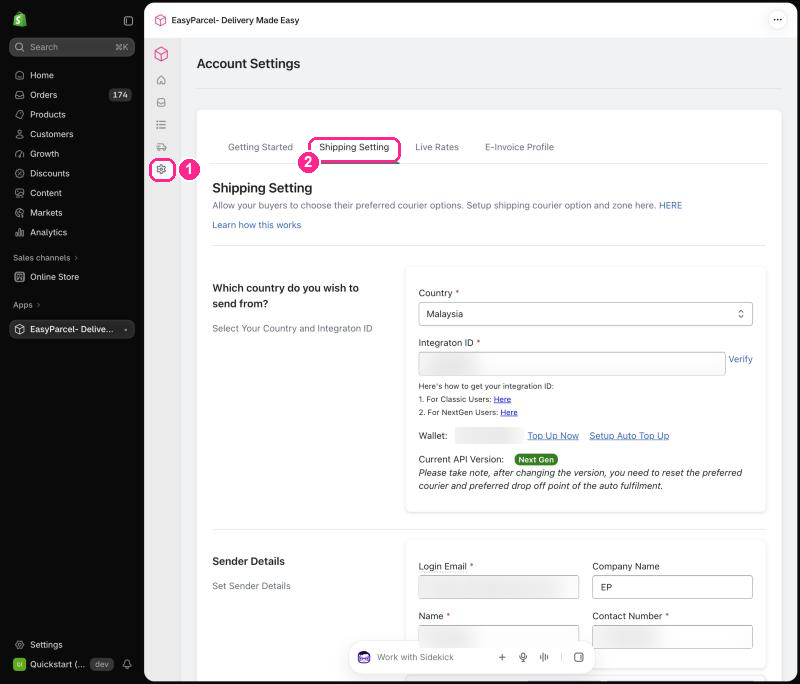
- In Shopify, open the EasyParcel - Delivery Made Easy app.
- Click Setting (1) in the app menu.
- Open the Shipping Setting (2) tab and scroll down past Sender Details.
Option 1: My default sender address
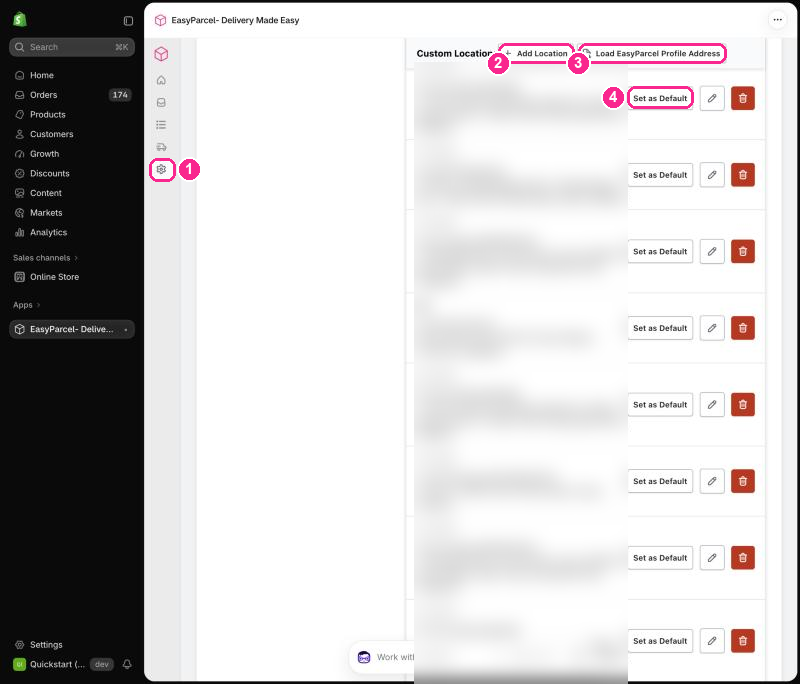
Every parcel is picked up from one address: the one marked Default in Custom Locations. This is the usual choice if you ship from one place.
Add an address with Add Location (2) or Load EasyParcel Profile Address (3), then click Set as Default (4) on the one you ship from.
Option 2: The Shopify location the items are assigned to
Each parcel is picked up from the Shopify location where the items are stocked.
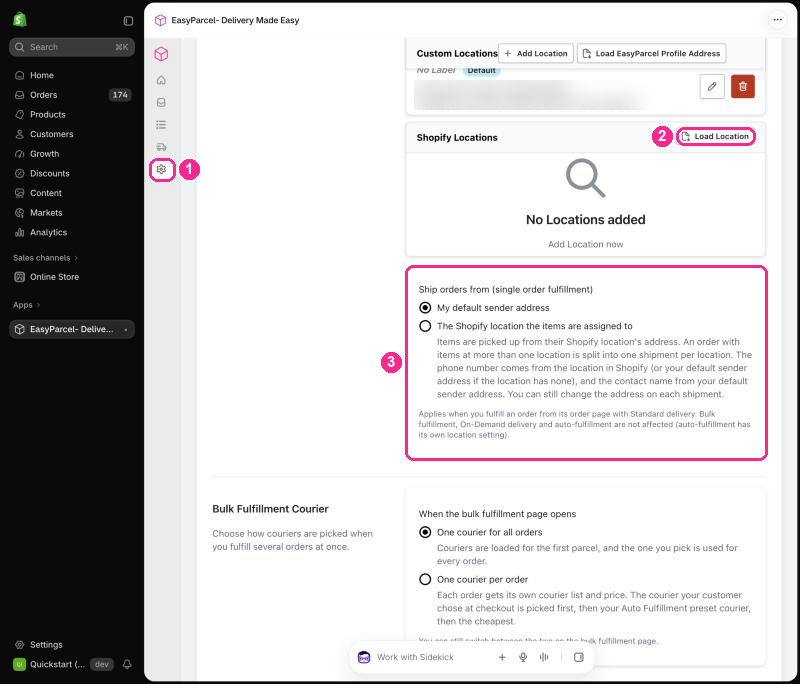
- Under Shopify Locations, click Load Location (2) to bring in your Shopify locations.
- Under Ship orders from (3), choose The Shopify location the items are assigned to.
Good to know:
- An order with items at more than one location is split into one shipment per location.
- The phone number comes from the Shopify location. If the location has none, your default sender address is used.
- The contact name comes from your default sender address.
- You can still change the address on each shipment before you fulfil.
Which one should I choose?
- One shop or warehouse: choose My default sender address.
- Stock in more than one place (for example a shop and a warehouse): choose The Shopify location the items are assigned to, so each parcel is collected from where the items are.
This setting only applies when you fulfil an order from its order page with Standard delivery. Bulk fulfilment, On-Demand delivery and auto fulfilment are not affected.
What's next?
Still need help?
Our team is happy to help. ? Live Chat | ✉️ Contact Us
