
Quick Summary
Click an order, check the parcel details and courier, then click Fulfill Order. The shipping fee is deducted from your EasyParcel credit and you can download the AWB.
We'll Cover:
Before you start
- Your store is connected and your sender details and zones are set up.
- The order is marked Paid.
- You have enough EasyParcel credit.
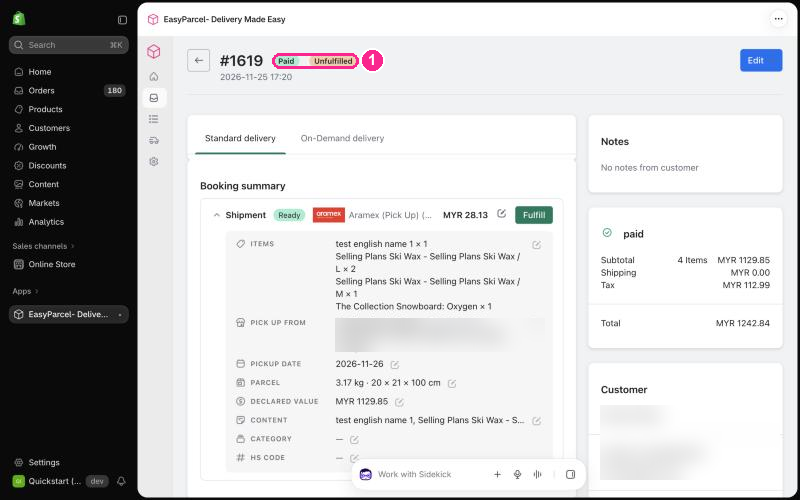
The order must show Paid (1).
Review the order
- Go to Orders and click the order number. Stay on the Standard delivery tab.
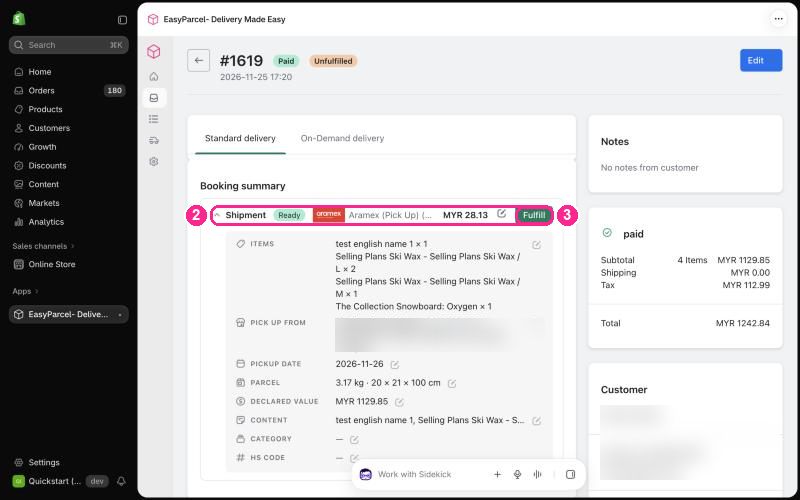
- The Booking summary at the top shows the shipment (2) with the courier, the price and a Fulfill (3) button. Click the pencil next to a row to change it.
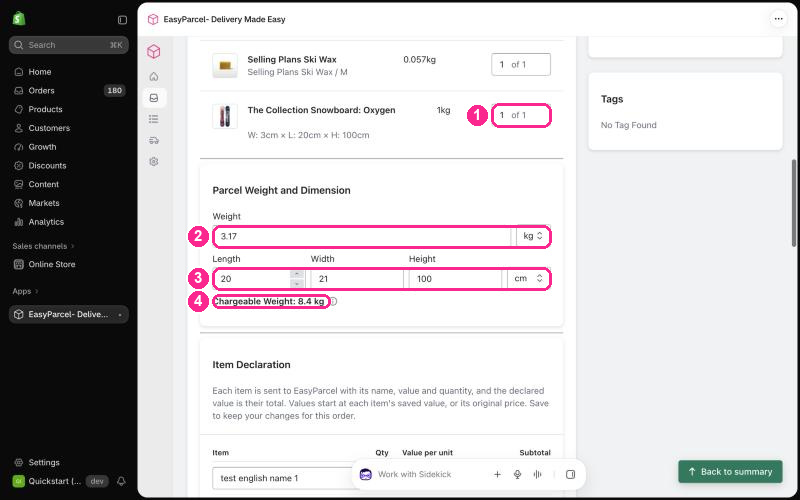
- To ship only part, change the quantity (1).
- Enter the Weight (2) and Length, Width, Height (3). The Chargeable Weight (4) is the higher of actual and volumetric weight.
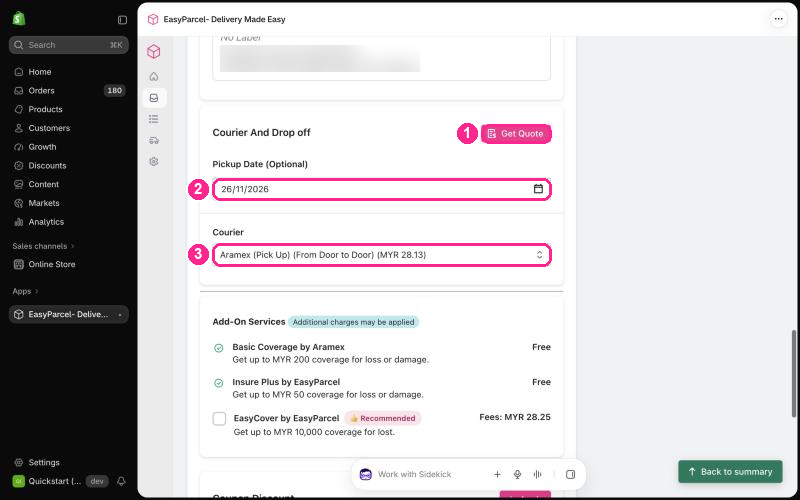
- Under Courier And Drop off, click Get Quote (1), pick a Pickup Date (2) and choose the Courier (3).
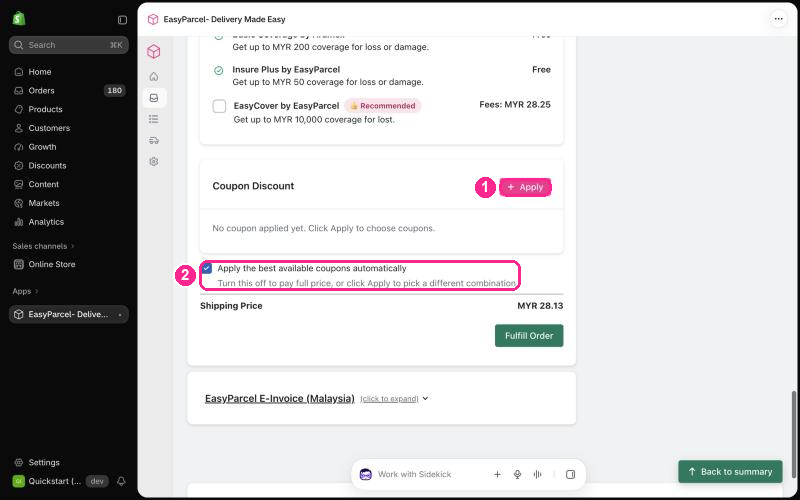
- With Apply the best available coupons automatically (2) ticked, the app picks the best coupons. Click Apply (1) to choose others.
Check the shipping address and phone number on the right side.
More detail: How do I check parcel weight, size and content when fulfilling? · How do I choose the parcel category and HS code? · How do I choose the courier, drop-off point, add-ons and coupons?
Fulfil and get the AWB
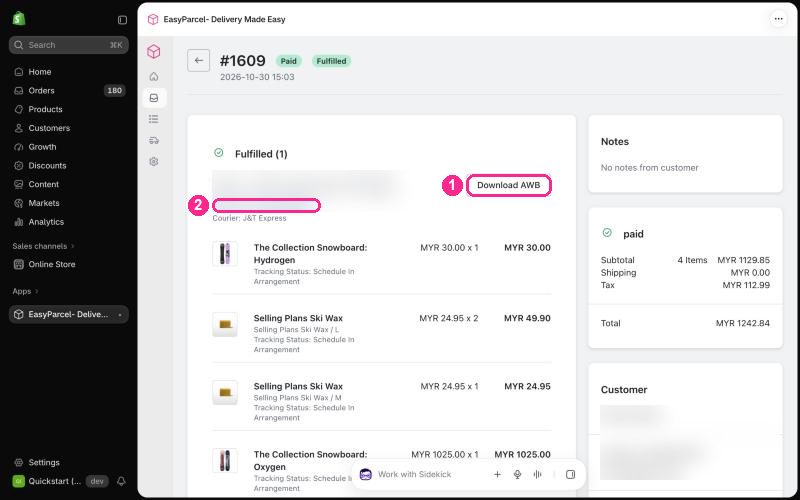
Click Fulfill Order at the bottom, or Fulfill in the Booking summary. The order then shows Fulfilled. Click Download AWB (1). The AWB ID (2) is synced back to Shopify. To undo, click Cancel Fulfillment.
More detail: How do I cancel a Shopify fulfilment?
What's next?
Still need help?
Our team is happy to help. ? Live Chat | ✉️ Contact Us
