
Quick Summary
Tick your unfulfilled orders, click Fulfill Orders, fix anything marked in red, then click Create orders. Your AWBs are ready in about 2 minutes.
We'll Cover:
Select orders
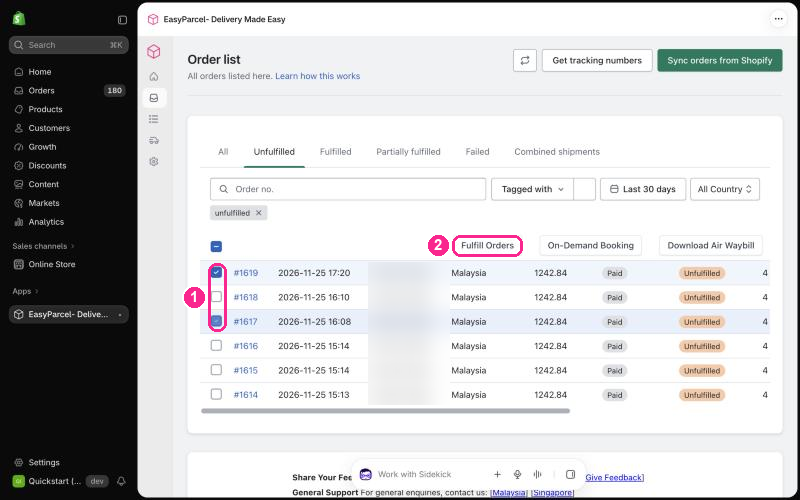
Go to Orders > Unfulfilled, tick the orders and click Fulfill Orders. You need enough credit for all of them.
Tick the orders (1) and click Fulfill Orders (2).
Choose couriers
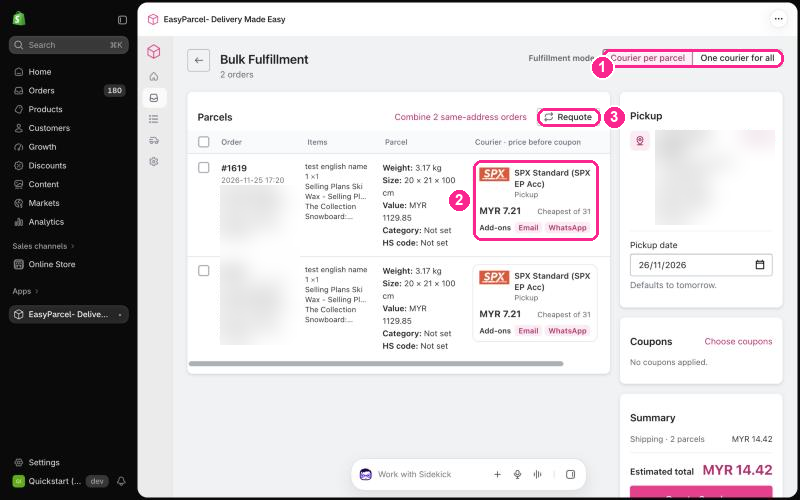
Use Courier per parcel or One courier for all. Pick the mode first, because switching starts the page over. Each parcel shows why its courier was chosen, for example the customer's choice, your preferred courier or the cheapest. Click Requote to refresh prices.
Switch with Fulfillment mode (1). Each parcel shows its courier and price (2), with a label such as Cheapest of 30. Click Requote (3) to refresh prices.
More detail: How do I choose one courier per parcel or one courier for all?
Fix problems
| Message | Fix |
| Receiver phone is missing | Edit > Receiver details |
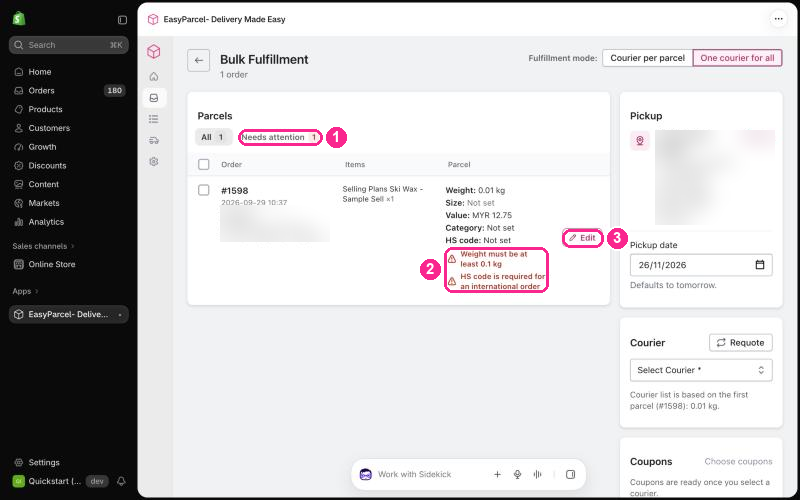
| HS code is required for an international order | Edit > Parcel details |
| Weight must be at least 0.1 kg | Edit > Parcel details |
| No shipping address | Add one in Shopify. The order stays unfulfilled |
| No courier available | Check weight, size and address, then Requote |
Create orders stays grey until every parcel is ready. Edits apply to this shipment only.
Open Needs attention (1) to see the problem (2), then click Edit (3) to fix it.
More detail: How do I fix orders that need attention in a bulk batch? · How do I edit a parcel in a bulk batch?
Combine orders
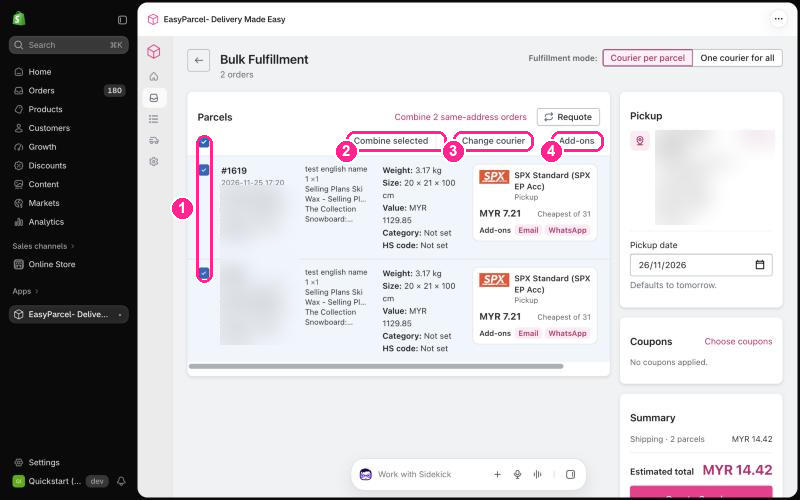
Orders to the same receiver address can be combined into one parcel (up to 20 orders). Use Combine selected and Split to undo.
Tick the orders (1) and click Combine selected (2). You can also use Change courier (3) or Add-ons (4) for all ticked parcels.
More detail: How do I combine orders going to the same address?
Create and download
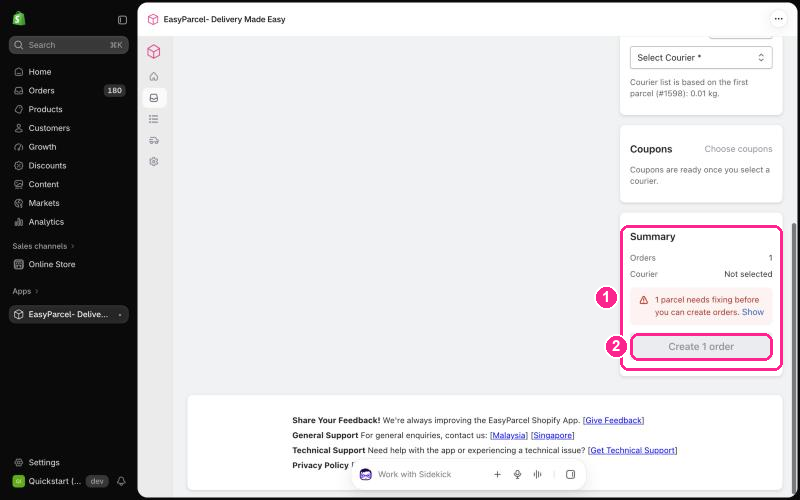
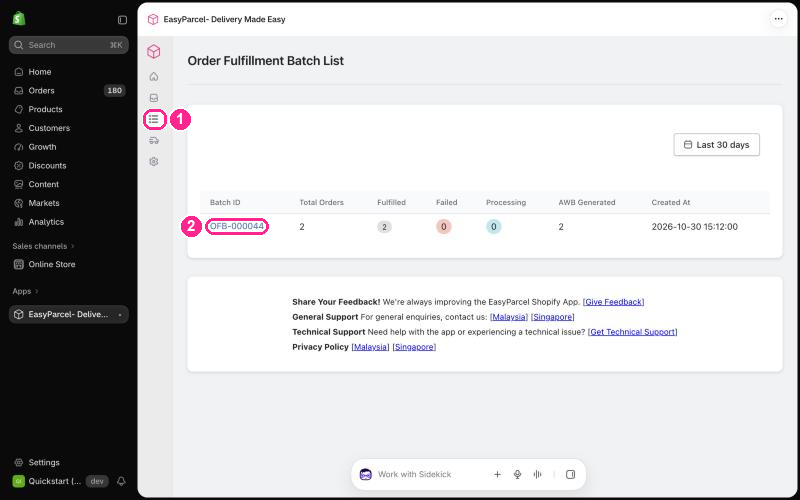
Check the Summary and click Create orders. AWBs are ready in about 2 minutes and Shopify statuses can take up to 10 minutes. Open Fulfillment Batches later to find the batch. Click Get tracking numbers if numbers are missing.
The Summary (1) shows the total. Click Create orders (2). It stays grey until every parcel is ready.
Later, click Fulfillment Batches (1) and open the Batch ID (2).
More detail: How do I find my fulfilment batches and download AWBs?
What's next?
Still need help?
Our team is happy to help. ? Live Chat | ✉️ Contact Us
