
Quick Summary
To download and print your shipping documents, log in to your EasyParcel SG account and navigate to 'Manage Parcel' > 'All Parcel'. For a single AWB, click the printer icon next to your order. For bulk printing, select multiple orders and click 'Download' > 'Download AWB' to generate a merged or individual PDF file. Once downloaded, print the labels and attach them securely to the top surface of your parcels.
Note: International or regional shipments (e.g., Sabah, Sarawak, Labuan, Langkawi) also require a commercial invoice to be attached alongside the AWB.
How to Download and Print Bulk AWB?
Step 1: Go to 'Manage Parcel' on the sidebar and click 'All Parcel'.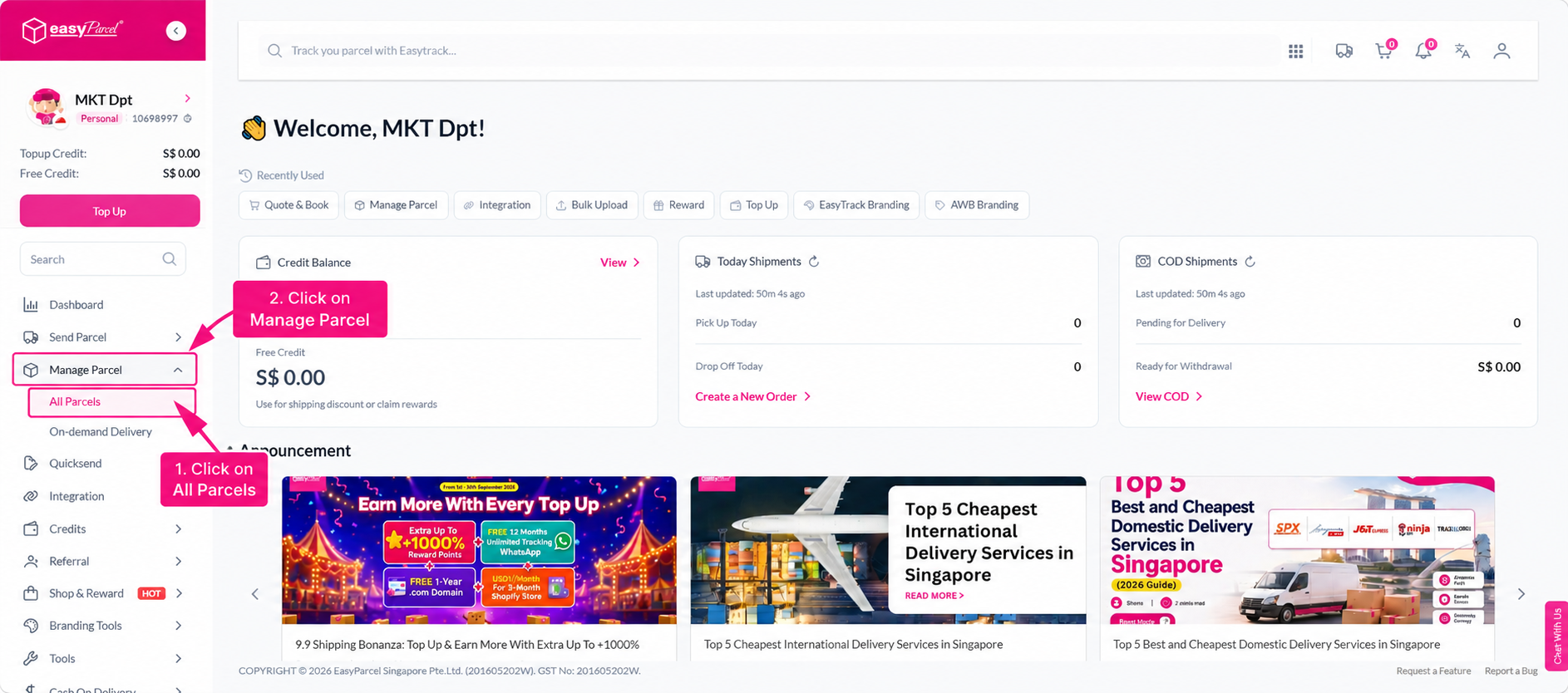
Step 2: Select the orders you want to print from the parcel list.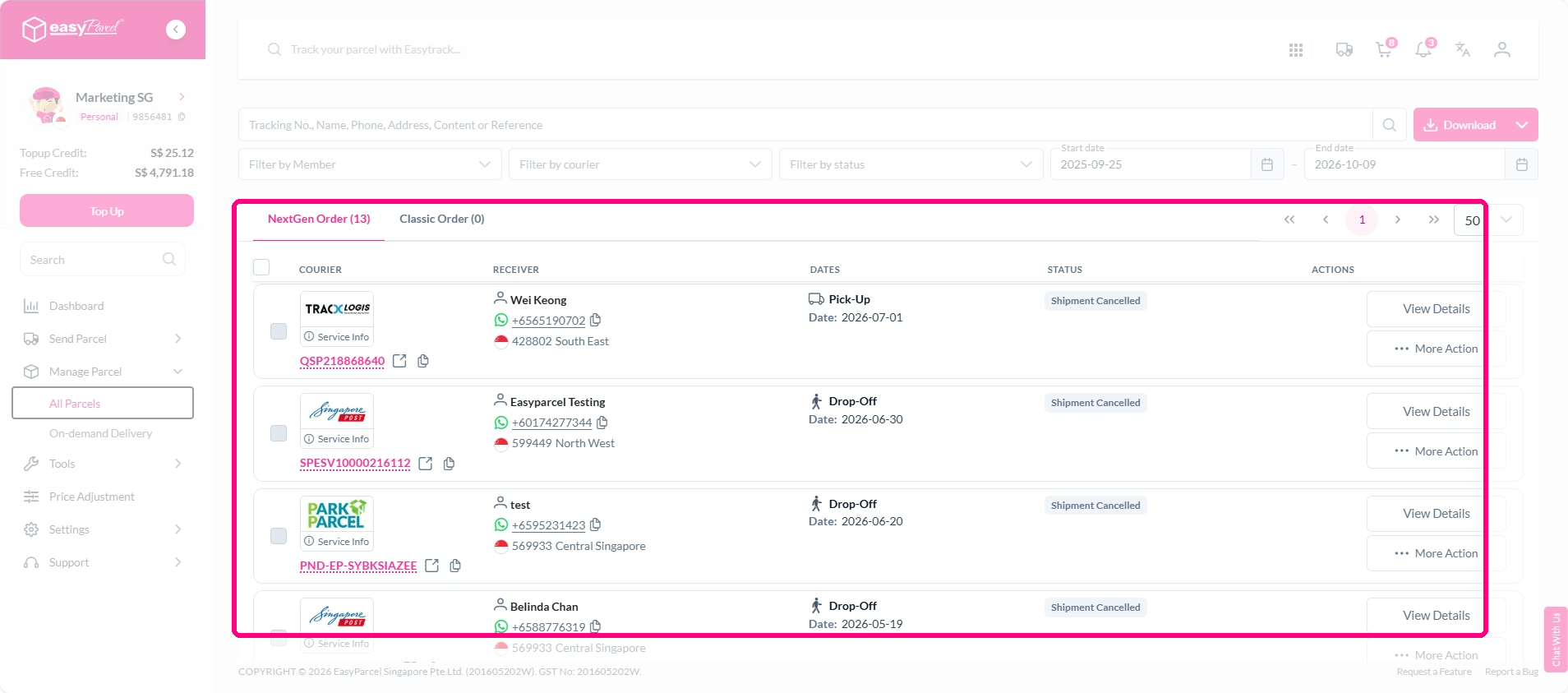
Step 3: Click 'Air Waybill' button to download all the AWB.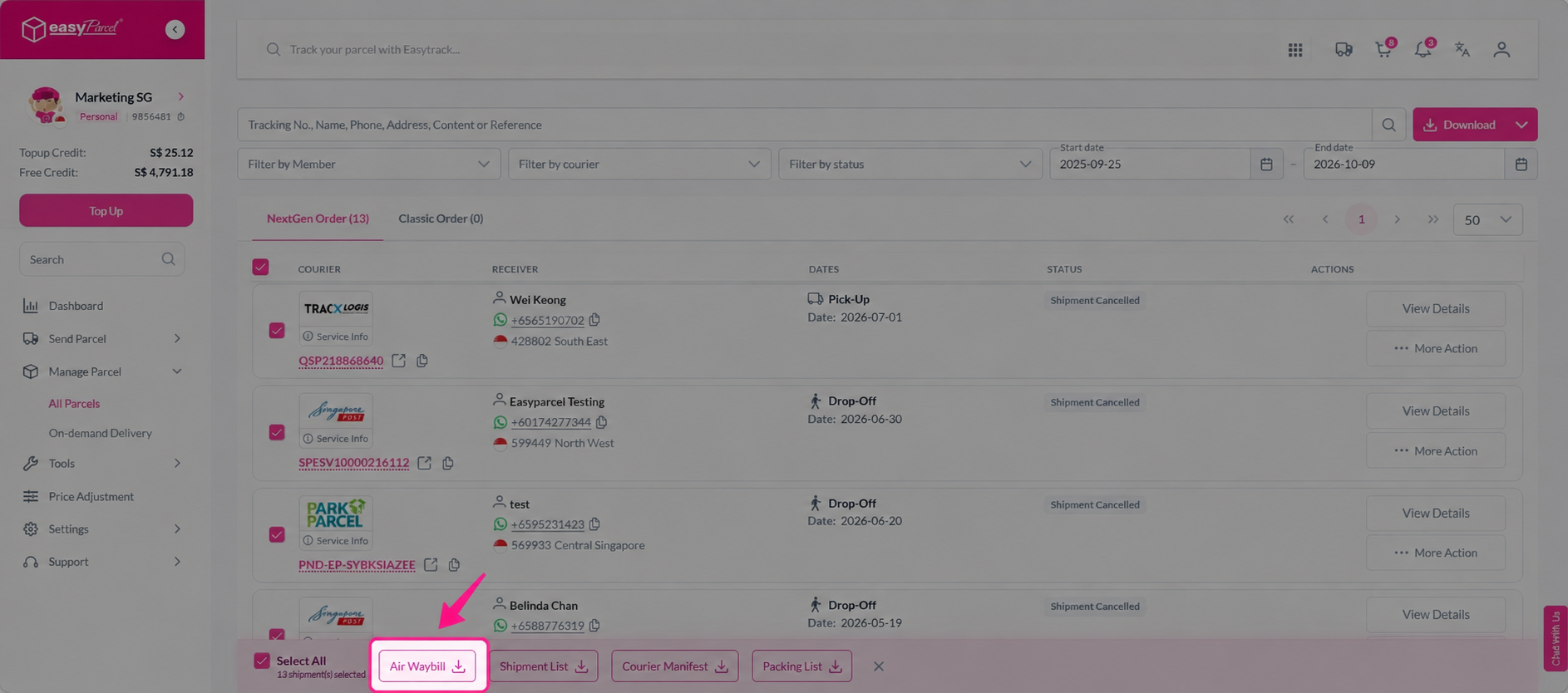
Step 4: Open the downloaded file and choose to print all AWBs as a merged file or individually as separate files.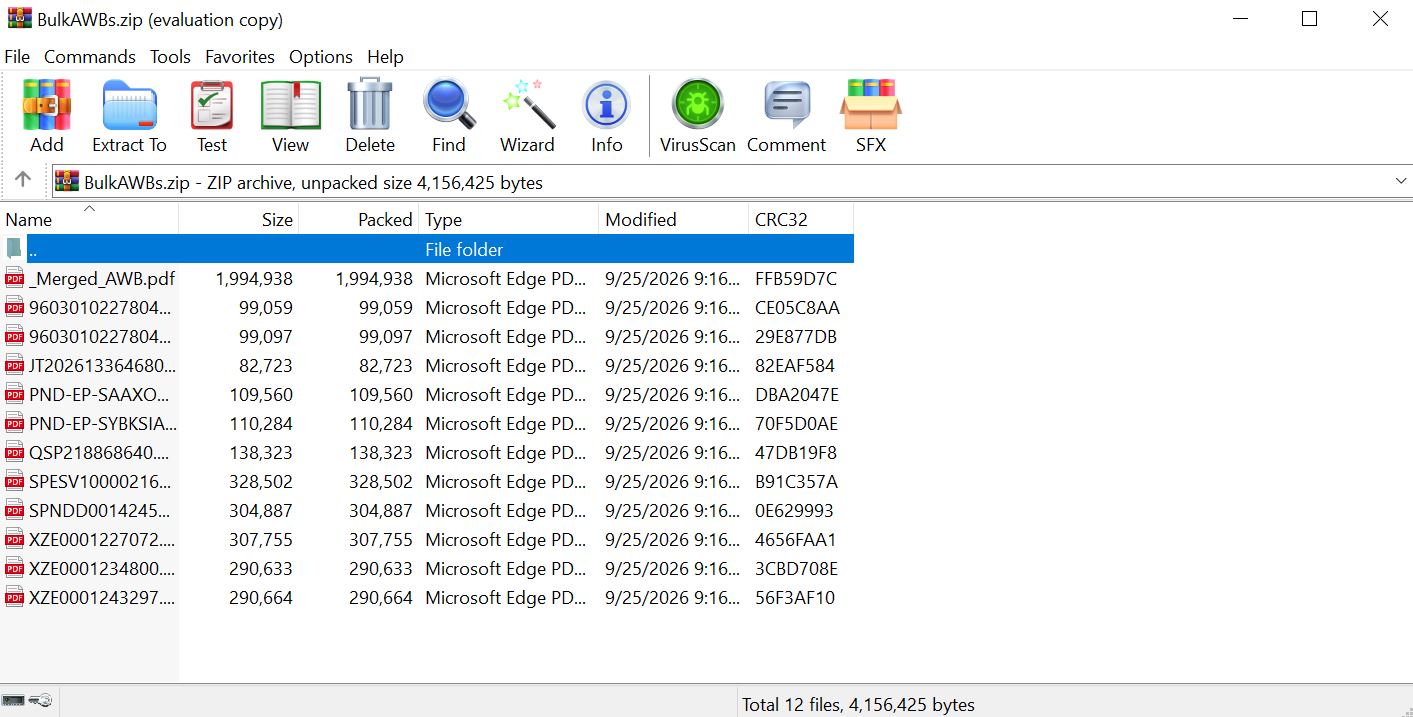
For more information, refer to our guide on how to bulk download shipping documents.
How to Download and Print a Single AWB?
Step 1: Go to 'Manage Parcel' on the sidebar and click 'All Parcel'.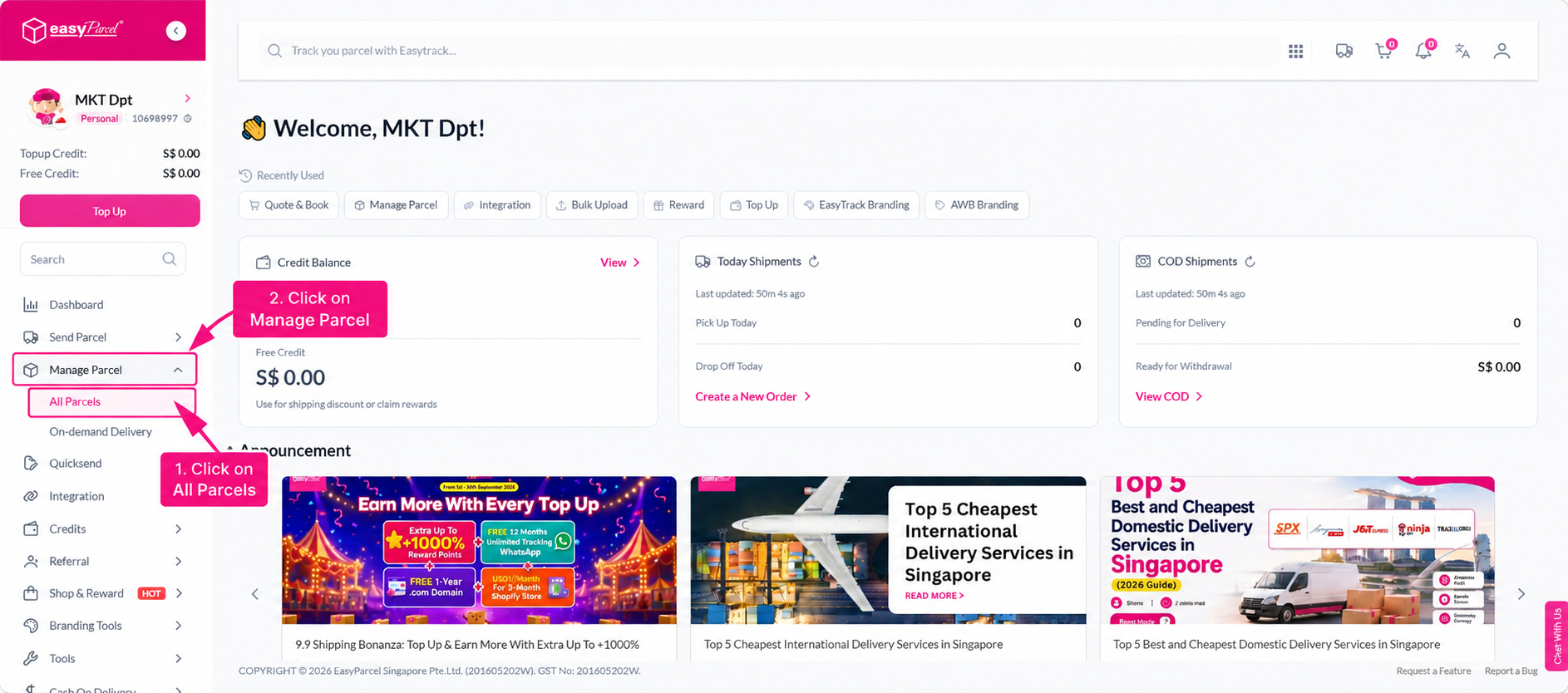
Step 2: Click the printer icon next to the order you want to download.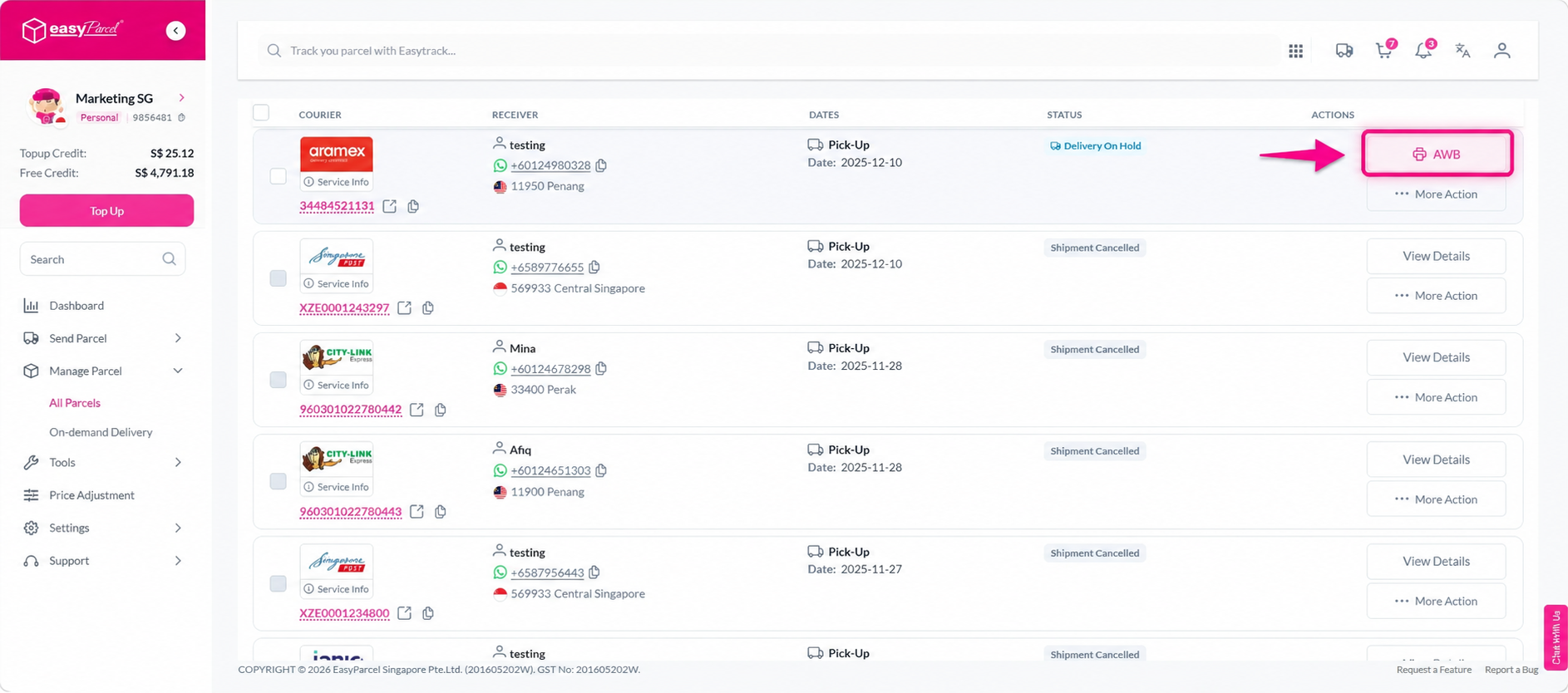
Step 3: Print the AWB and attach it securely to the top surface of your parcel.
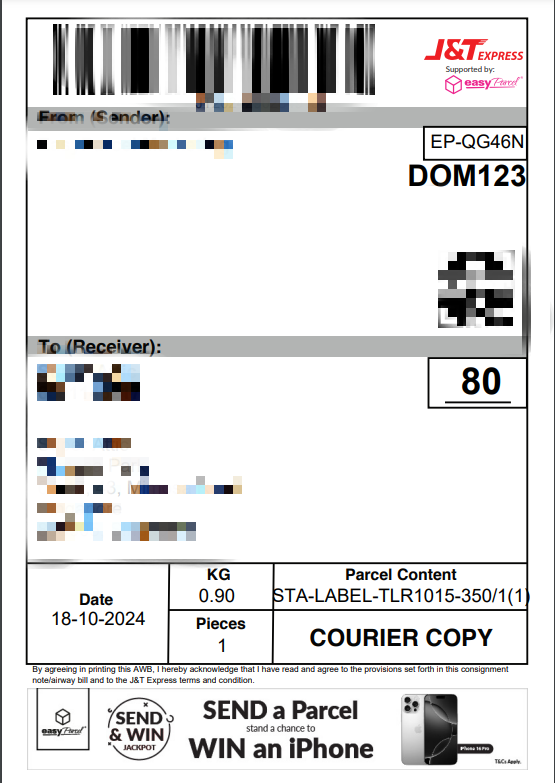
Note: If you are shipping to or from Sabah, Sarawak, Labuan, Pulau Langkawi, or other countries, you must also attach a commercial invoice alongside your AWB.