
Quick Summary
You can cancel your parcel order directly from your EasyParcel SG dashboard by navigating to 'Manage Parcel' > 'All Parcel' and clicking 'Cancel' on the specific shipment. Cancellation is generally eligible as long as the parcel has not been collected or dropped off, and the status remains as 'Scheduled' or 'Pending for Collection'. For orders paid via credit, refunds are processed instantly to your account; for Instant Pay, follow the instructions sent to your email. Please note that cancellations must be made within 7 days of booking to be eligible for a refund.
We'll Cover:
Booked for a wrong courier or customer cancelled the order suddenly? Identify the conditions when you are able or unable to cancel your parcel:
How can I determine if my parcel is eligible for cancellation?
You are able to cancel your parcel if it is under the following conditions:
- Parcel may be cancelled as long as it is not collected by courier or parcel status is under 'Schedule in arrangement' or 'Pending for collection'
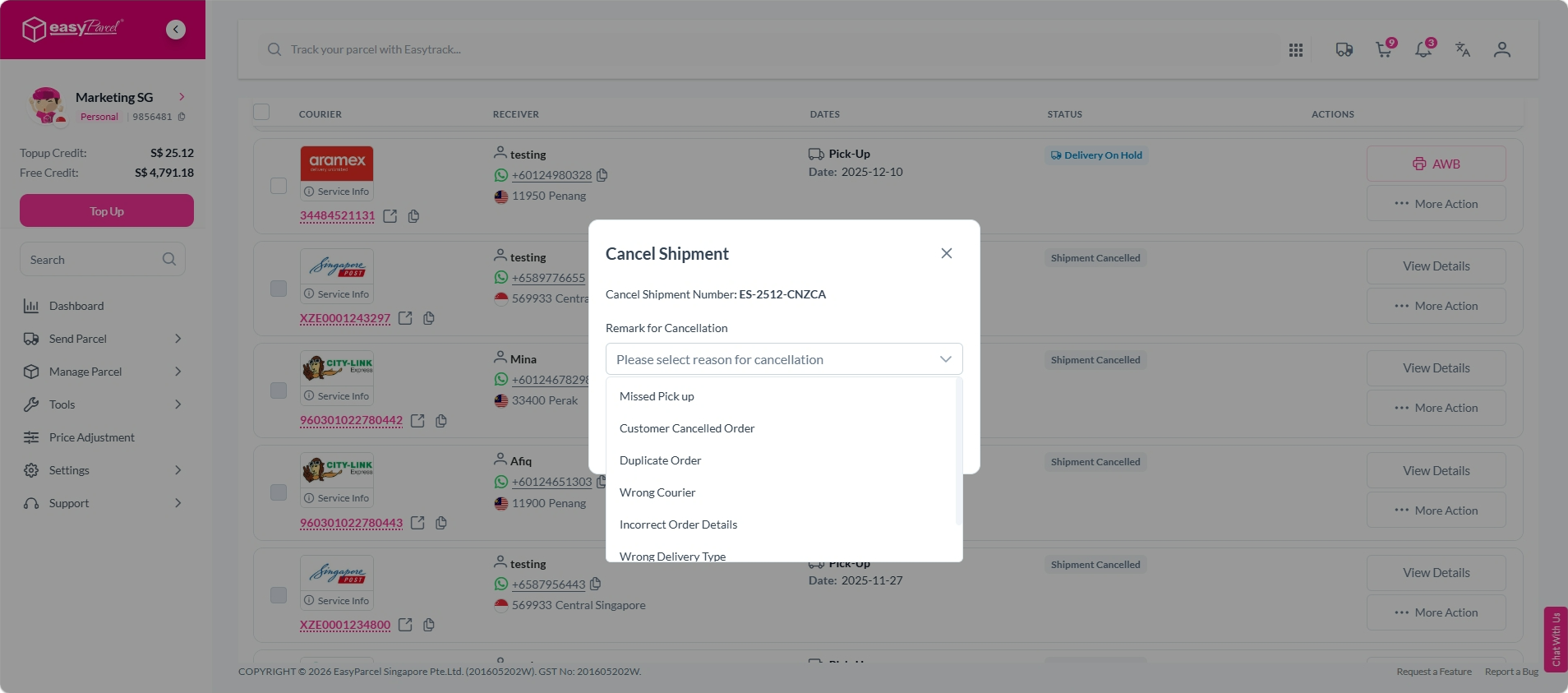
- Reasons for cancellation may be under:
- Missed pick up
- Customer cancelled order
- Duplicate order
- Wrong courier
- If the domestic/international courier service has a minimum order quantity (MOQ) requirement for pick up, the number of parcels must fulfill the requirement and cannot be cancelled, otherwise the courier will not arrange for pick up. For eg: Skynet, ABX Express, DHL eCommerce, J&T Express, Aramex.
** For point no 2 and 3, may contact our support team via contact form.
Note: For parcels paid via instant pay, the customer will receive an email and need to respond to it in order to provide the details for cancellation.
You are unable to cancel your parcel if it is under the following conditions:
- If the shipment has been dropped off, collected, or delivery in transit.
- For on-demand delivery services, no cancellation is allowed if a driver has been arranged.
How do I cancel my parcel?
To request for cancellation:
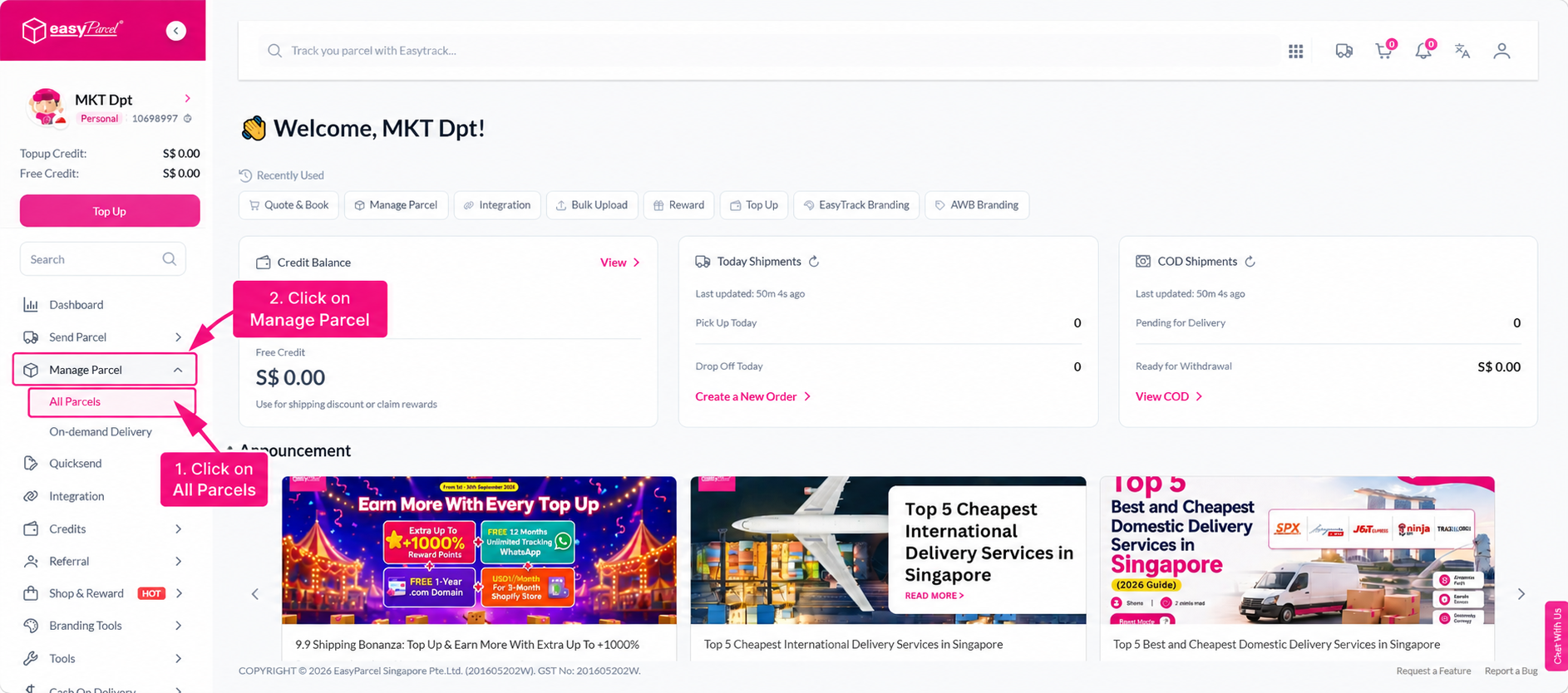
Step 1: Go to “Manage Parcel” on your dashboard and click “All Parcel”.
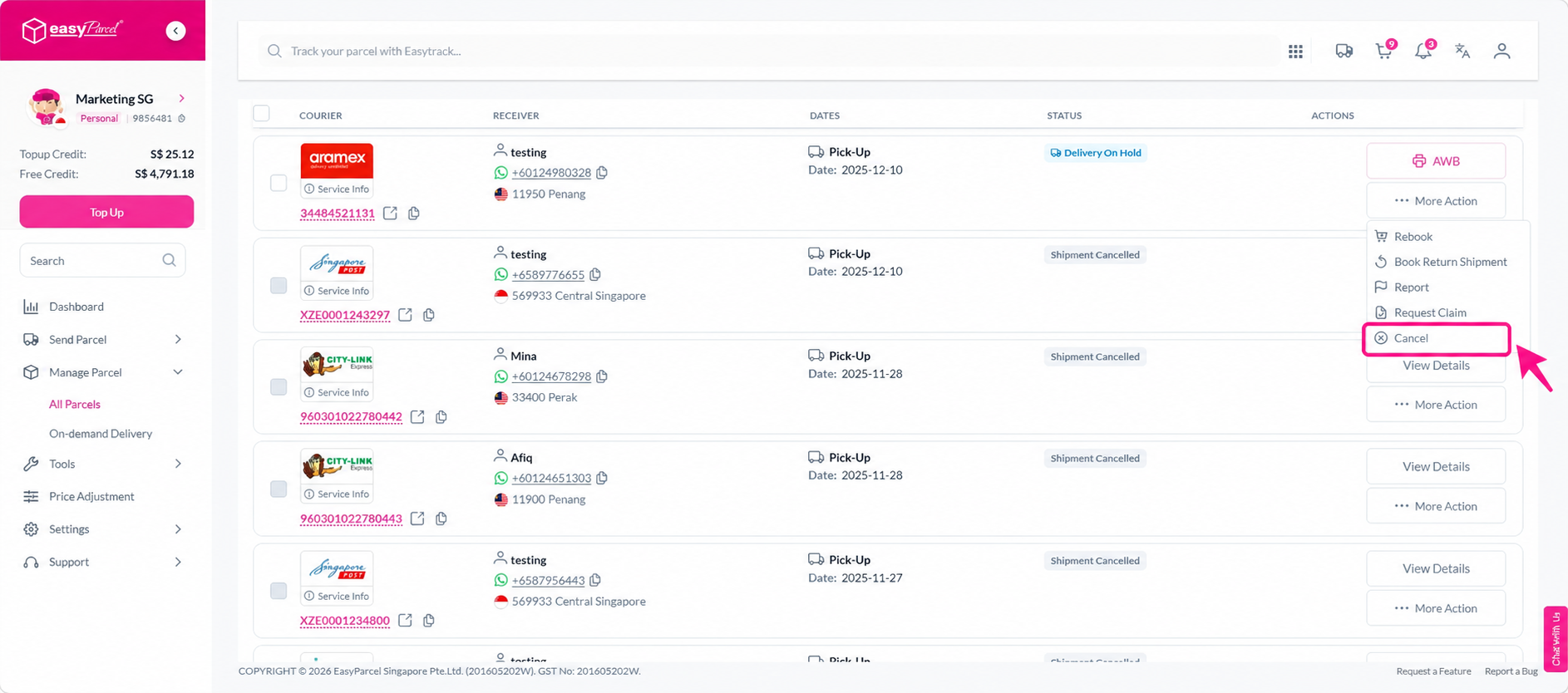
Step 2: Click on “Cancel".
Step 3: A request for cancellation pop out will appear, and after selecting your reason for cancellation, click "Ok".
Step 4: You're done! The amount will be refunded to your account.
** For orders paid via credit, the credit will be refunded to your account instantly. For orders paid via instant pay, you"ll receive an email where you'll need to respond to provide details of cancellation.
**Do note that once your parcel has exceeded the 7-day period, cancellation will be without refund.