
Quick Summary
If you entered incorrect information, your next step depends on whether the parcel has been collected. If the parcel has not been collected, you should immediately cancel the shipment via your dashboard to receive a credit refund and then make a new order with the correct details. If the parcel has already been collected, you must contact EasyParcel support via the 'Contact Us' page under Shipment Enquiry > Others. Provide your tracking number along with the correct details, and the support team will attempt to update the courier. This process is relevant to Singapore users looking to avoid delivery failures or parcel returns due to data errors.
We'll cover:
In cases where you have entered the wrong information for your shipment after the order has been made, there are two situations to which you have to refer to:
- Parcel has already been dropped off/collected by courier.
- Parcel has not been dropped off/collected by courier.
Parcel has not been dropped off/collected by courier.
If you have not dropped off your parcel or it has not been collected, you may ustomer is advised to cancel their shipment and make a new order. Once cancelled, credit refund will be made to your account.
Step 1: You may cancel your shipment by accessing your parcel status via your dashboard. From there you can cancel your shipment as shown below:
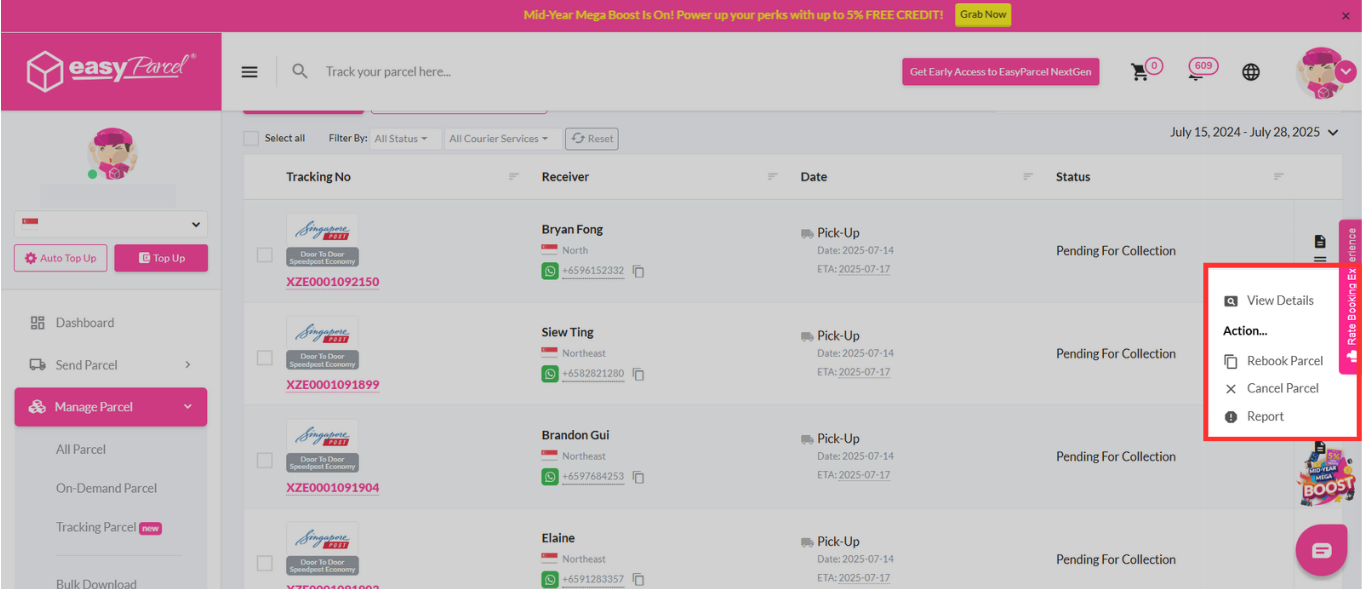
Step 2: Select any single one of the reason for cancellations stated.
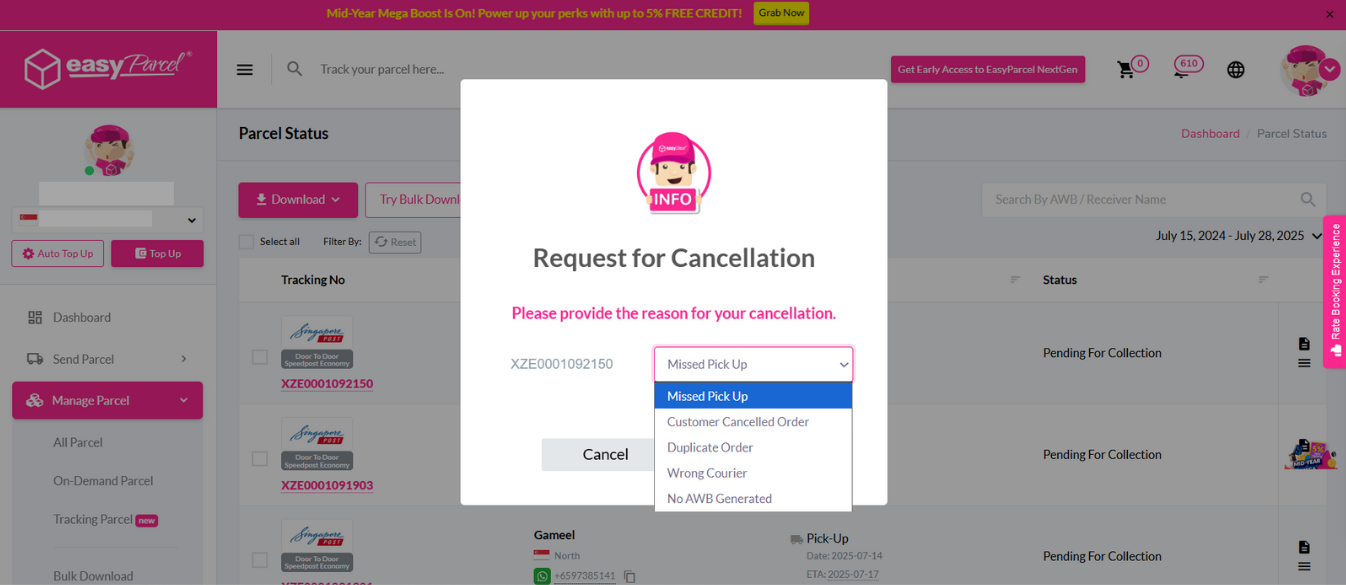
From there, the parcel is successfully cancelled and credit will be refunded back into your account immediately.
Parcel has been dropped off/collected by courier
If you have dropped off your parcel or it has already been picked up by courier, follow the steps below:
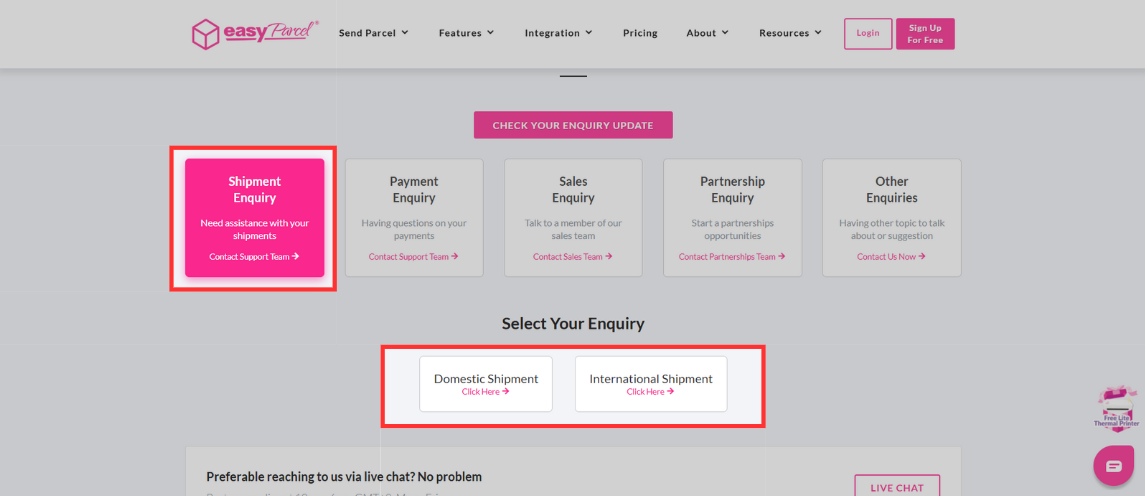
Step 1: Head over to our 'Contact Us' page and select Shipment Enquiry. After that, pick whether your shipment is a domestic or international shipment.
Step 2: From the drop-down shown, click on 'Others'.
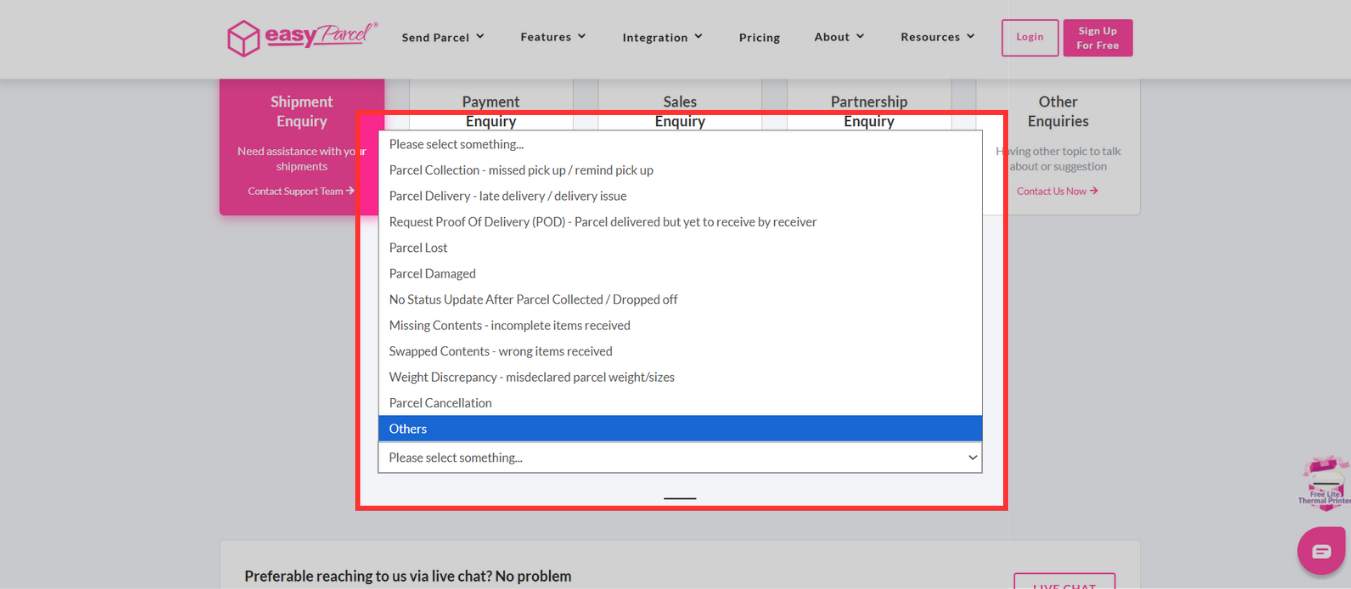
Step 3: Fill up the necessary information with the title stating that the shipment contains incorrect information. In the comments section, the following details have to be stated:
- Tracking number and courier
- Incorrect parcel information
- Correct parcel information
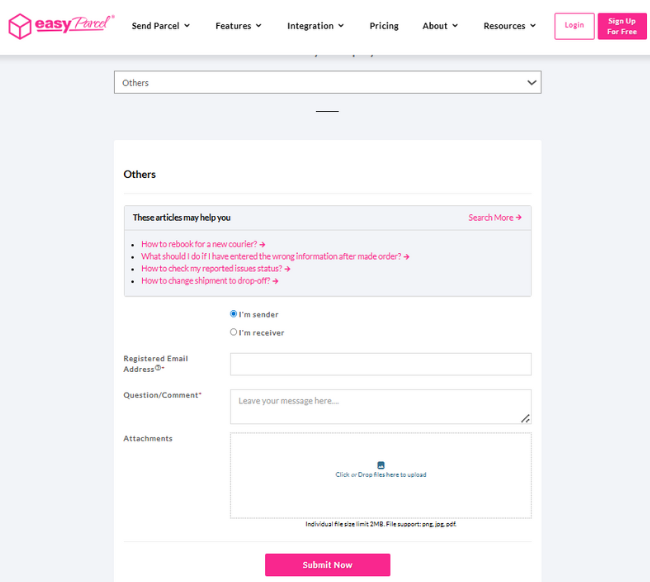
- After that, our customer support team will try their best to contact the courier to deliver the shipment according to the latest information given. However, if the courier could not make it then the parcel will be returned back to the sender without waiving off the shipping fees.